Here are 10 more Midjourney and AI art styles you can add to the end of your prompt, separated by a comma. You can try these in any AI platform to see what results you get, but these were created using Midjourney.
How to Use These Midjourney Prompt Styles
- Write your base prompt.
- Add “, [style name]” to the end of the prompt.
- Generate and iterate. For some styles, you can adjust phrasing to steer the effect.
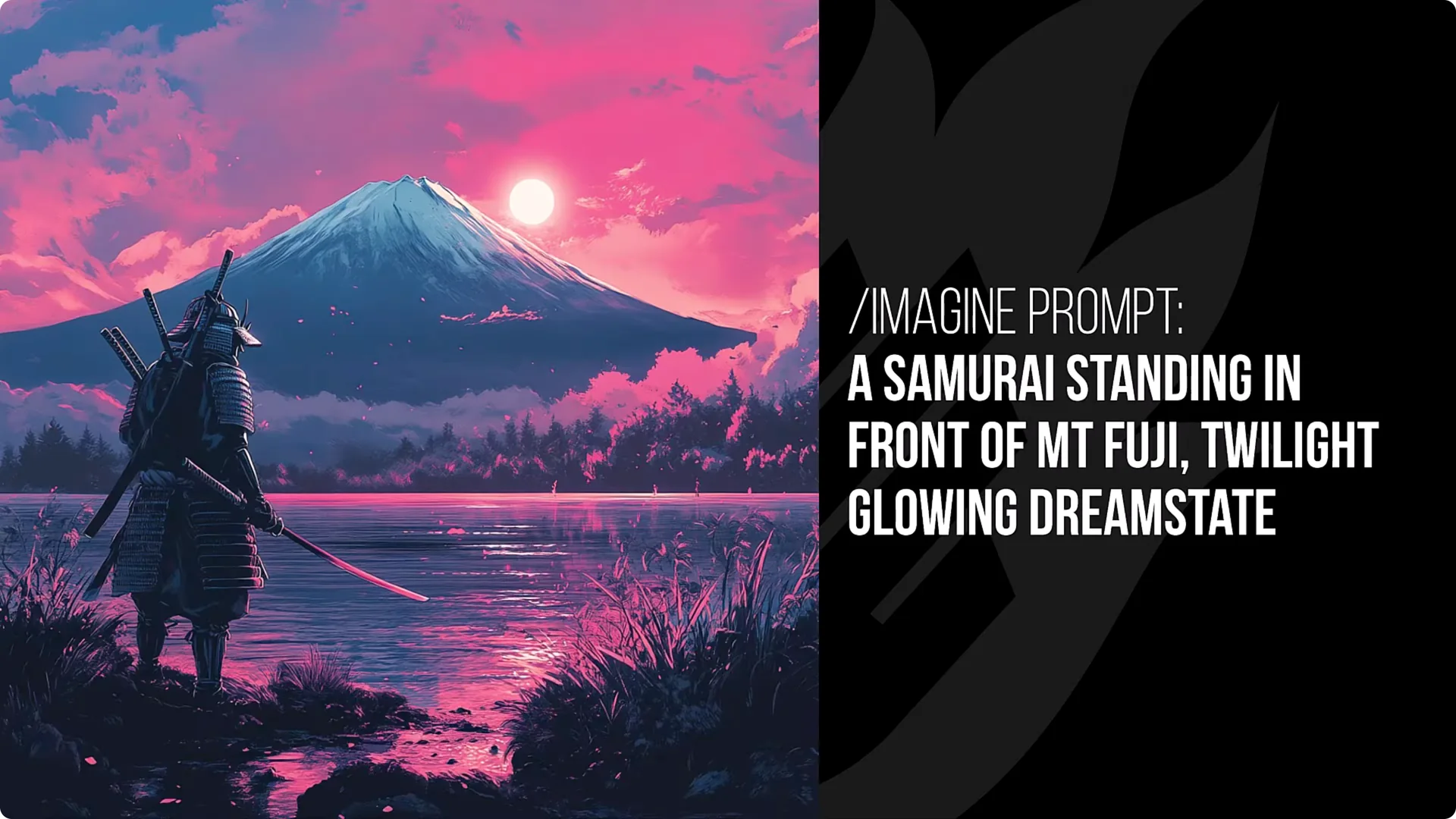
1. Twilight Glowing Dreamstate
This adds a real nice purpley blue tinge to most images with a subtle glowing effect. It is similar to the foggy dream state I shared a while ago, but there is something a bit more dreamy here.
The use of colors, the glows, and the way it sets things up create images that feel like they are part of a dream. It also does interesting things to different areas of the image, like Superman or the samurai, creating a real nice twilight look.
2. Divine Halo Effect
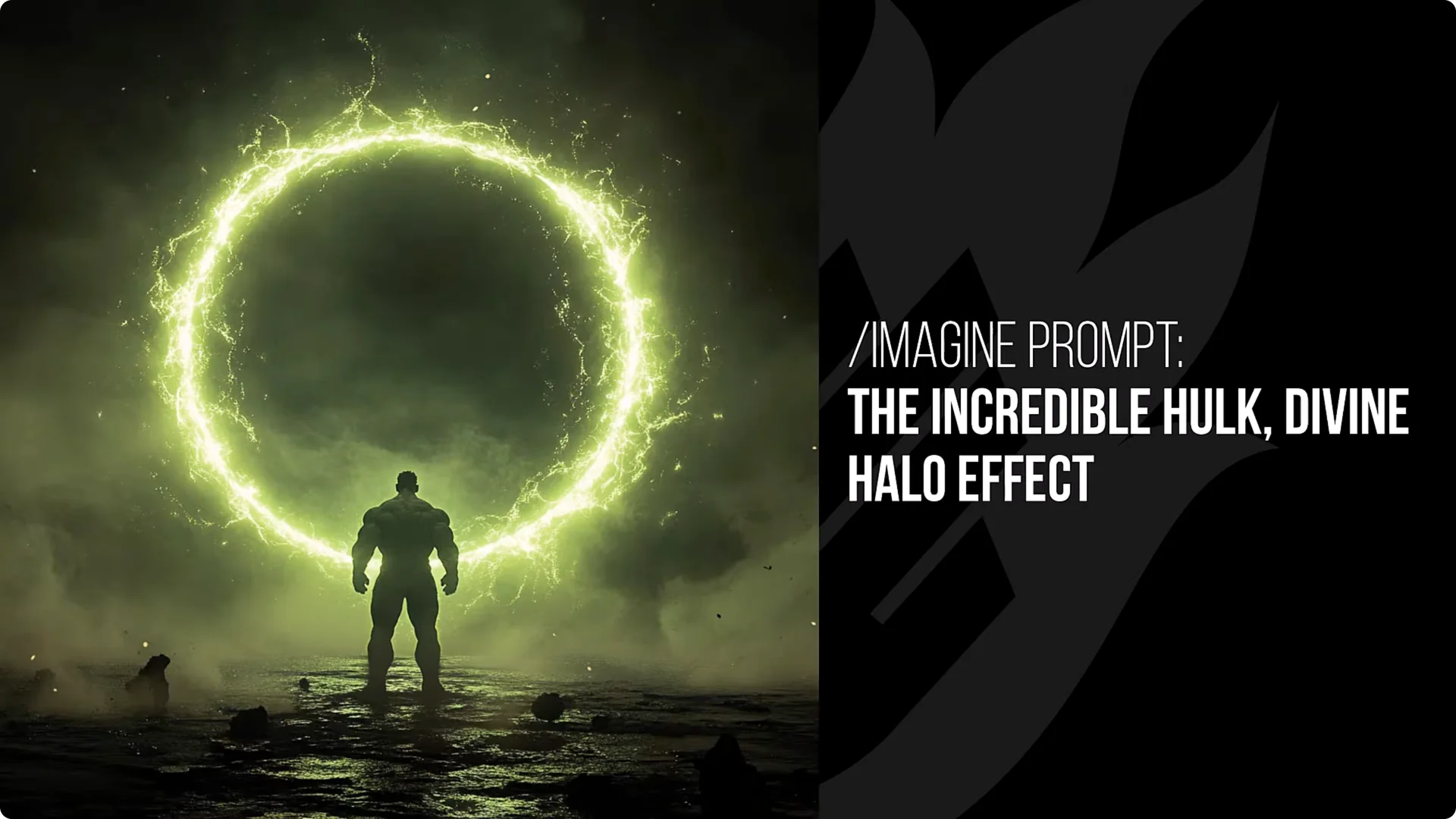
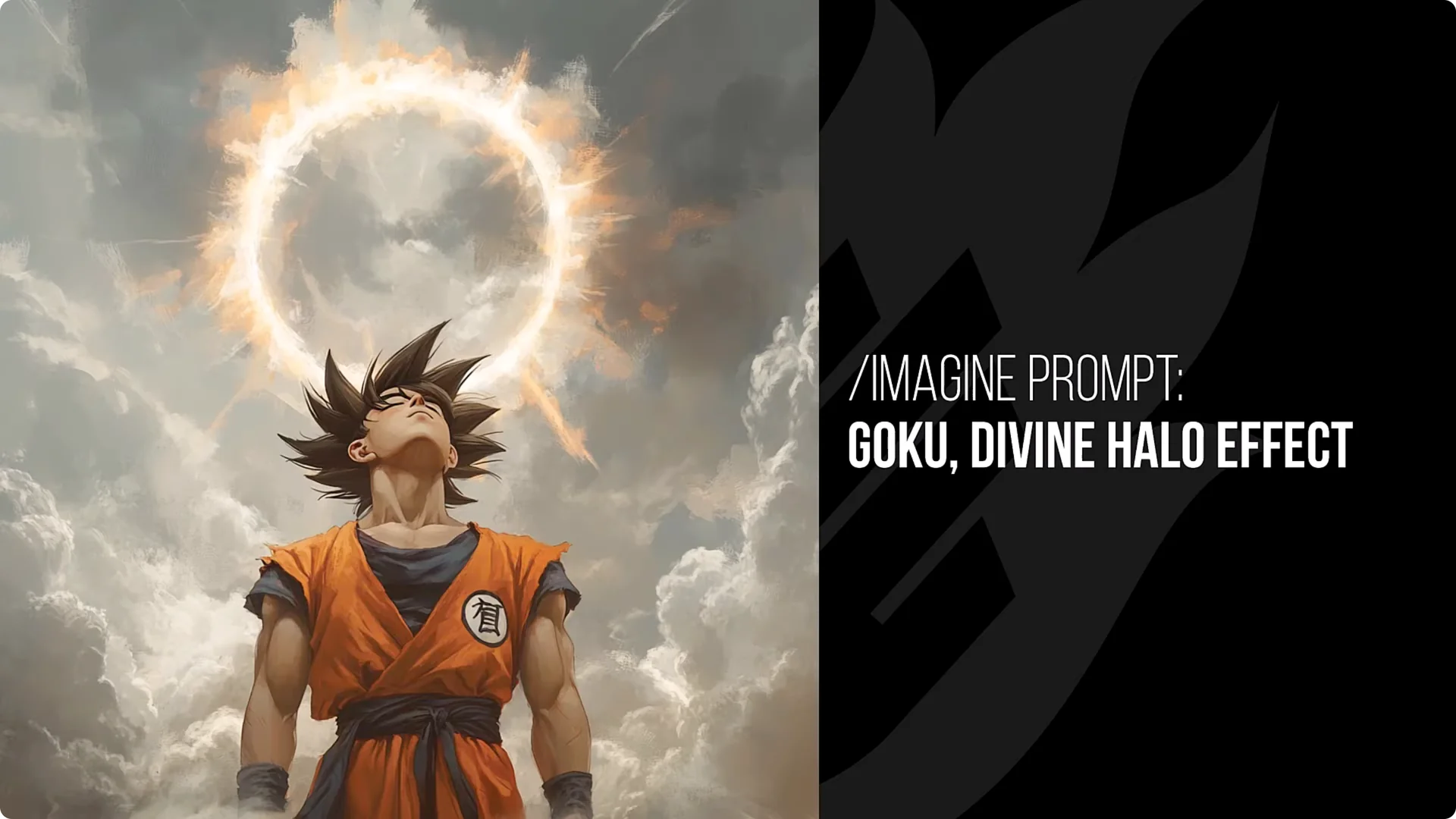
This tends to add either a halo or bright light behind people’s heads, or it creates a circular ring of light around the image.
Examples:
- Goku gets a halo up in the clouds behind him.
- Mario can pick up angelic elements like bright glows, clouds, or wings.
- Darth Maul reads as more evil, with a stark ring behind him.
- Superman leans into a savior vibe with his pose and flight.
- Hulk gets a green halo that can look like a portal.
- Terminator often gets a technological ring of light.
- A samurai can get a halo behind Mount Fuji.
3. Aggressive Lens Flare
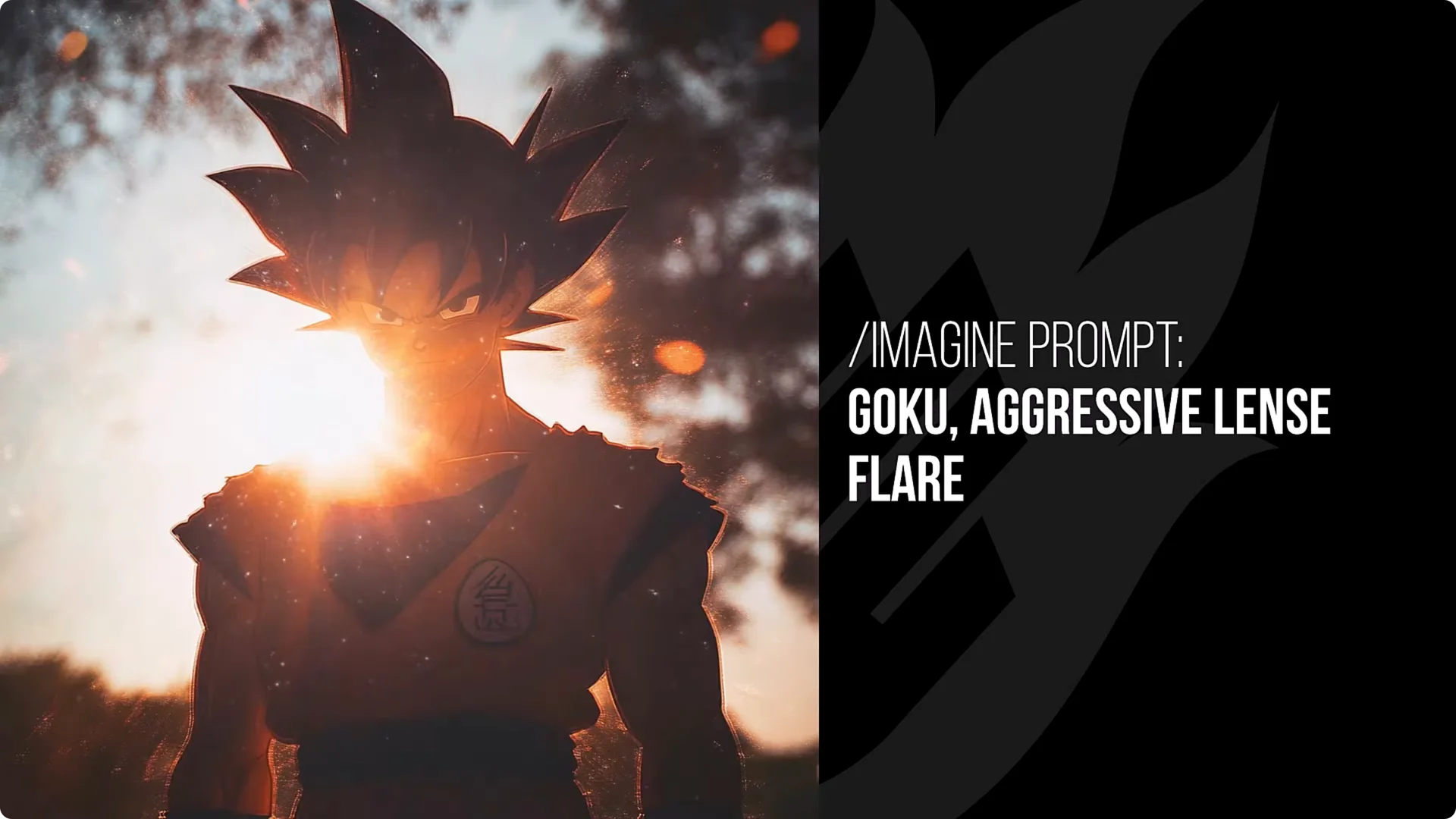
Lens flare interferes with the subject so the light bleeds through and sits in front of the subject, like you shot into the sun or a reflection with a camera. This can be really aesthetic, and every image tends to work out pretty well.
You can also play with lens flare in the foreground and different wording. You get a nice bleeding flare cutting into the subject and, in a lot of instances, more convincing imagery. The house can feel more convincing, and Goku looks very dark against that lens flare with a strong aesthetic.
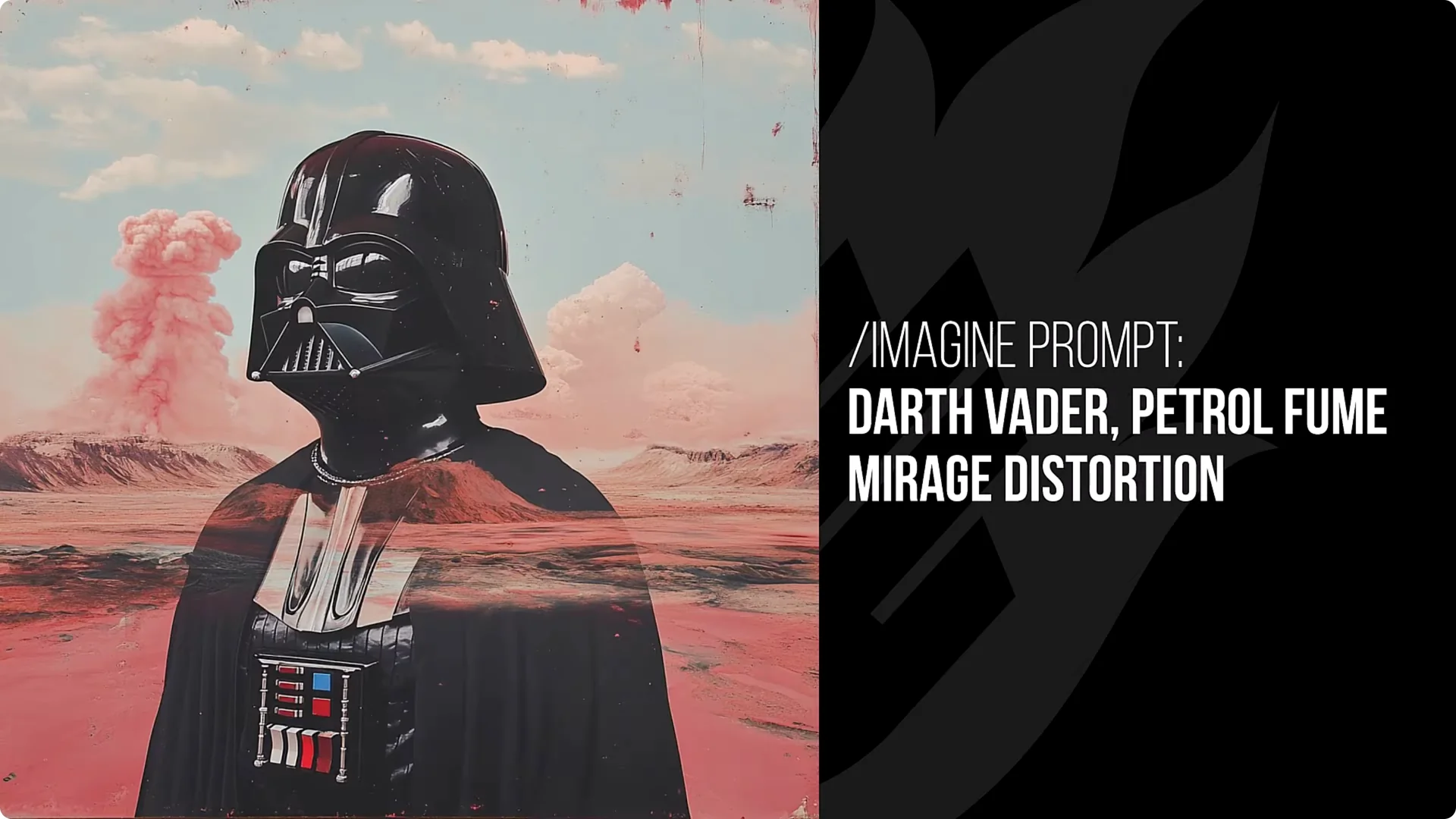
4. Petrol Fume Mirage Distortion
Sometimes you just get a bit of smoke, but that petrol fume look is really cool. You can get a mirage effect, like with Darth Vader, and often that petrol fume look gives a unique aesthetic.
Apply it to Hulk and you get that distortion off to one side with a fumy look. Mario picks it up nicely too. I also love the beautiful waterfall nature shot here – it did a great job with this one.
5. Inspired By Planet Of The Apes Movie
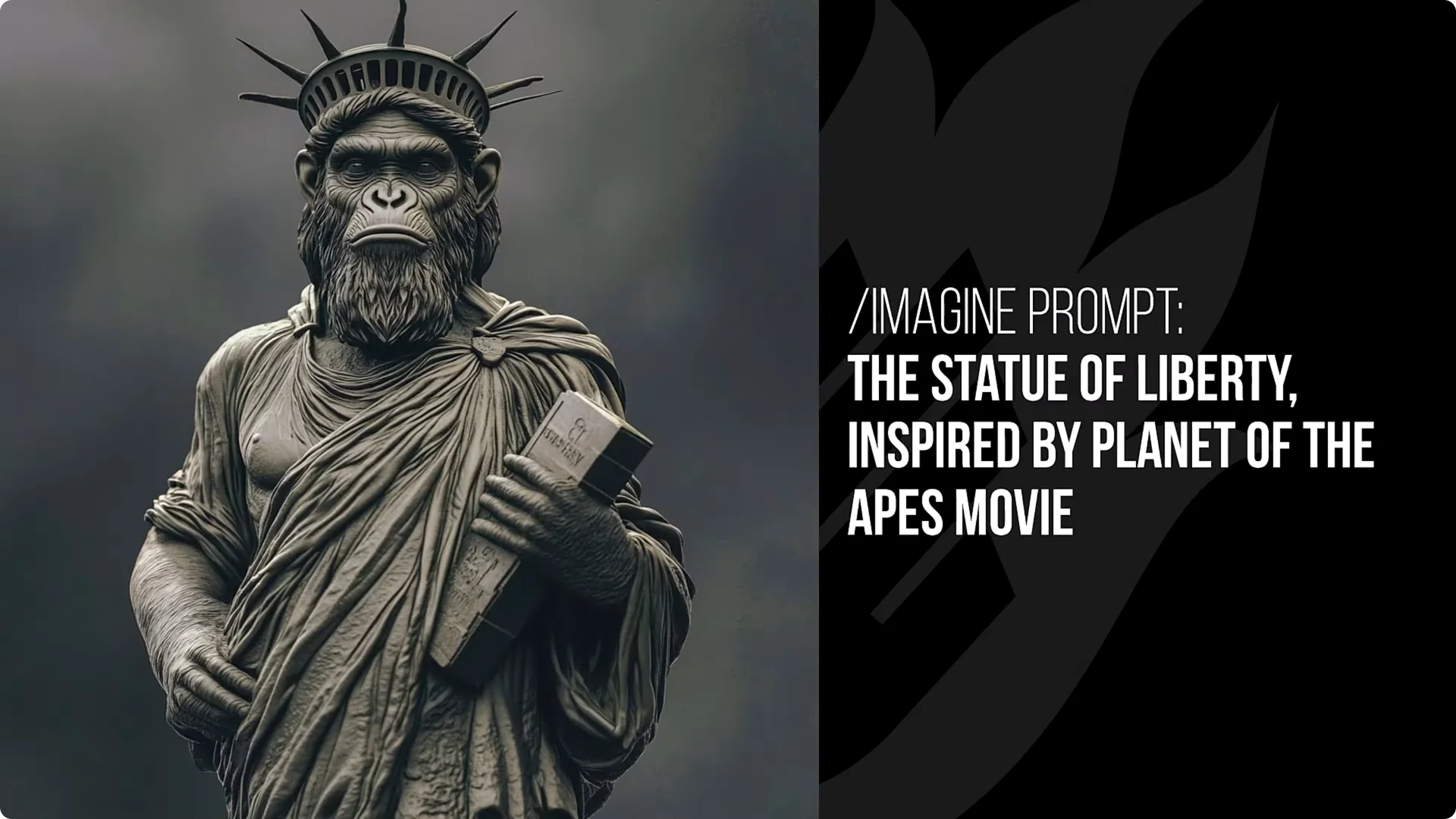
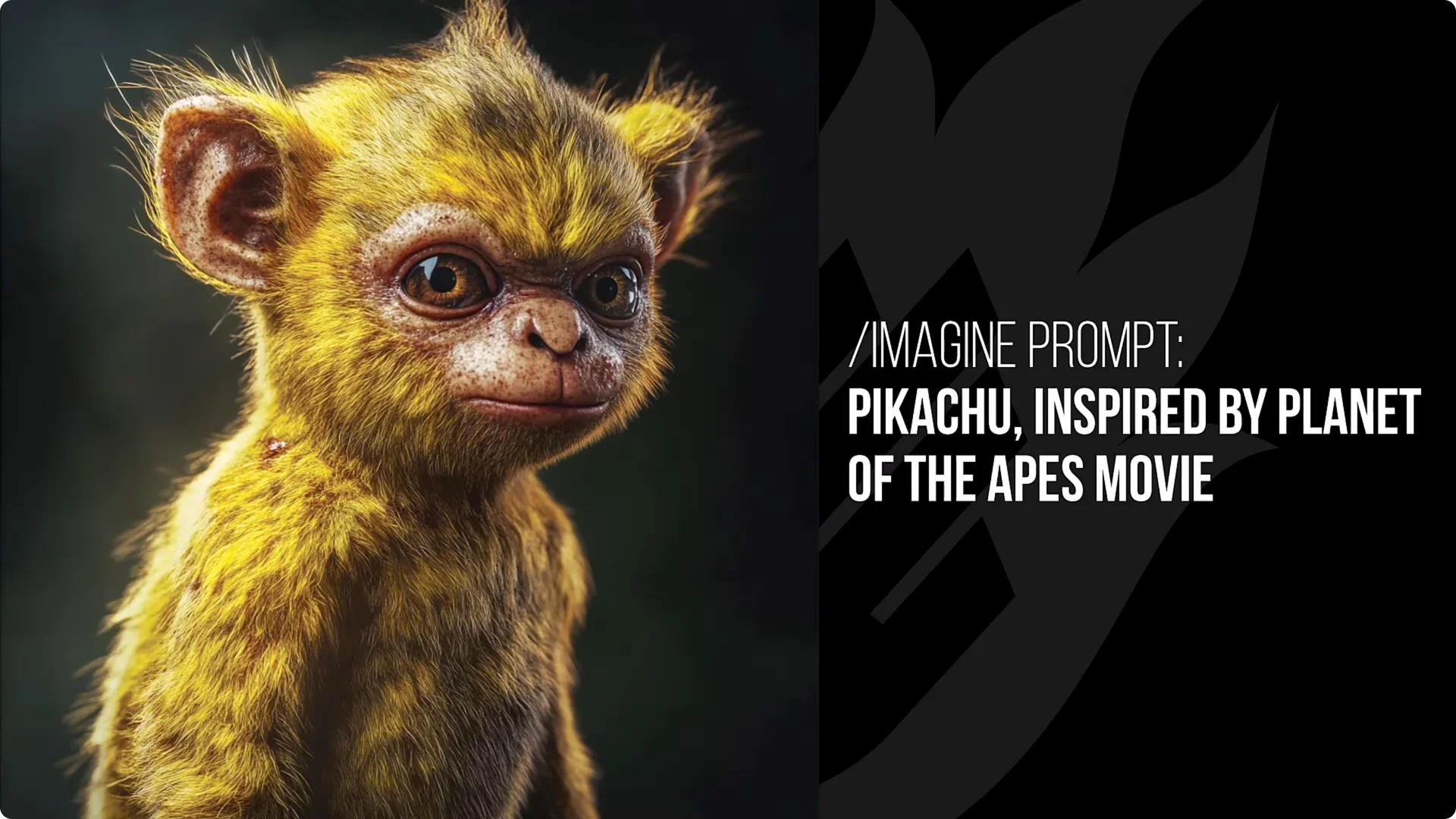
This will convert a lot of characters into apes or human-ape hybrids like in Planet of the Apes. Pikachu looks like a little yellow monkey, which is pretty cool. One of my favorites is the Statue of Liberty with a monkey face at the top.
Deadpool’s mask contorts into an ape look, and Darth Maul is similar. Mario leans into a Donkey Kong vibe. Hulk gets ape features while still green and still Hulk. The ape with the Darth Vader helmet is a nice touch. Batman gets bat ears as well as ape ears, which is an interesting detail.
6. Analogous Color Scheme
This is similar to the triadic color scheme I shared last week, except the colors are closer to each other on the color wheel. The last one was more spread out across the wheel. With Hulk, all the colors sit in a similar spectrum with lots of reds, so it feels more dialed in and refined.
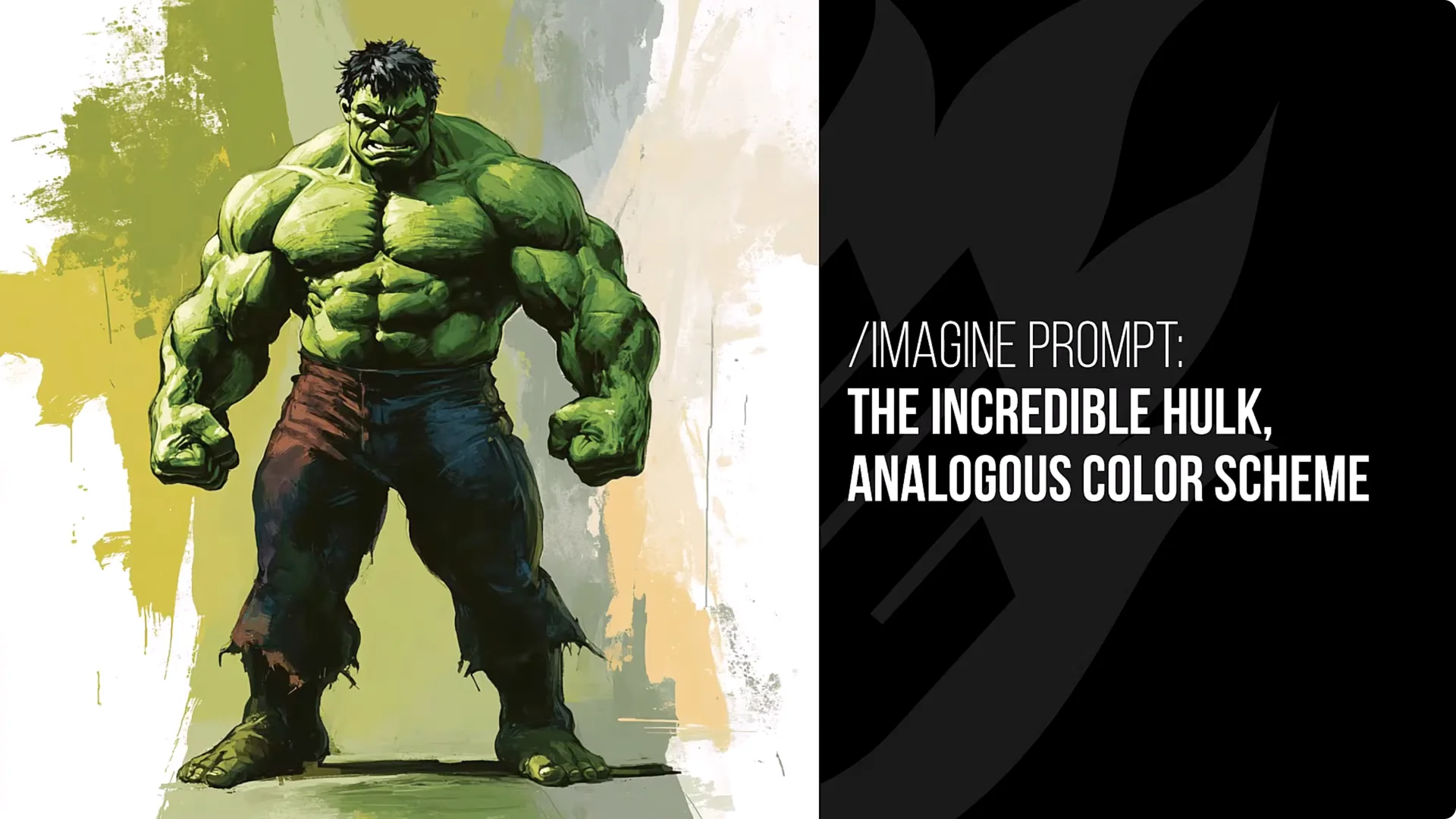
You do not always get that result – Pikachu showed two opposing colors – but quite often you get that analogous result, like a pink image or yellow and green together. It can be hit and miss but still produces a lot of good images with those colors.
7. Inspired By The Easter Island Rock Formation
Characters and subjects get converted into those big rock faces. Darth Vader does not look too different apart from being made of rock, but the way it manipulates the face taller into that signature shape is really cool.
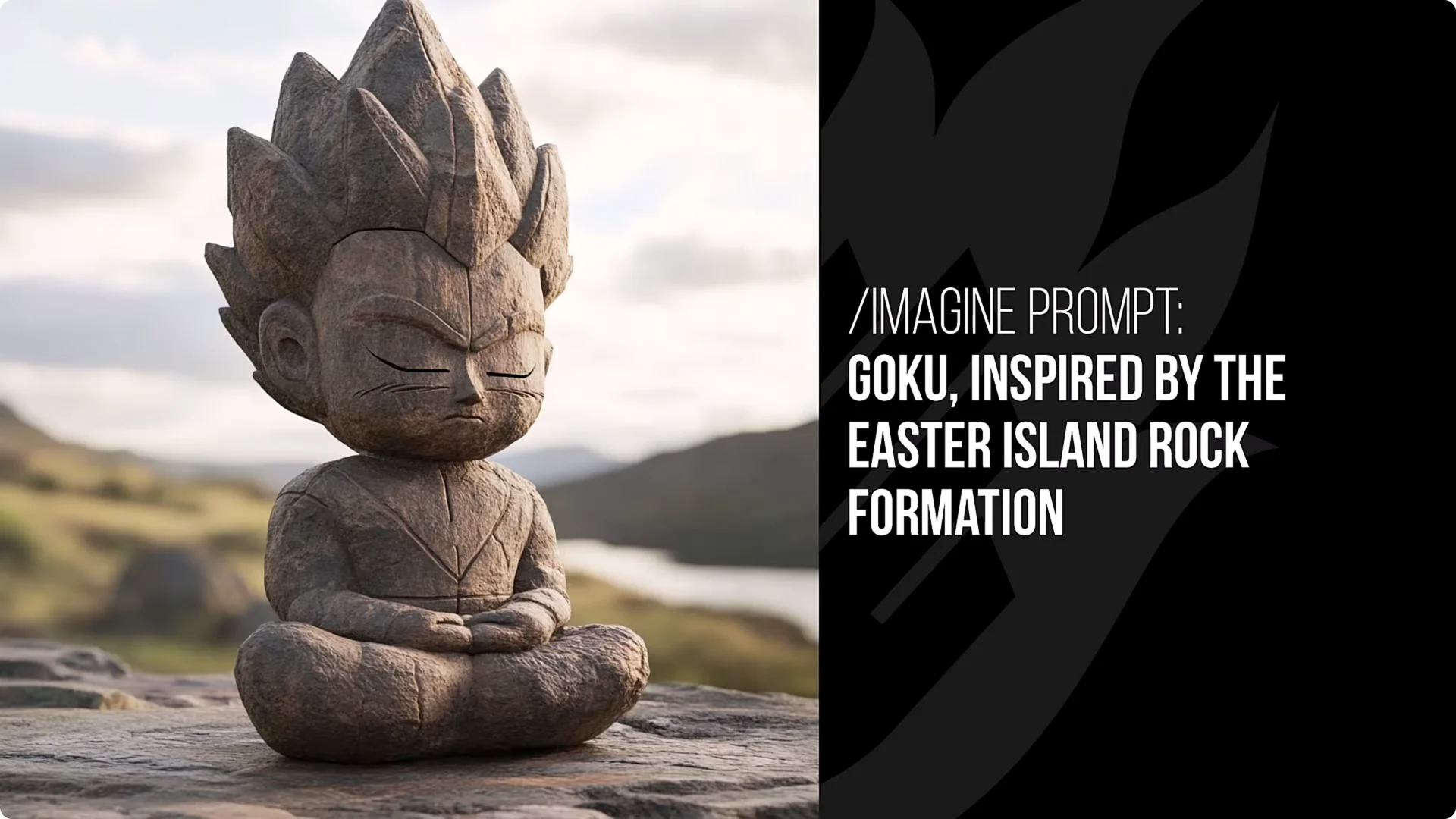
Some results look like a stone statue carving. Batman can look very close to the Easter Island rock faces. You can also apply it to a home and get interesting results with architecture. Deadpool looks like a cool little thing you could have on a desk. This is a fun one to play with.
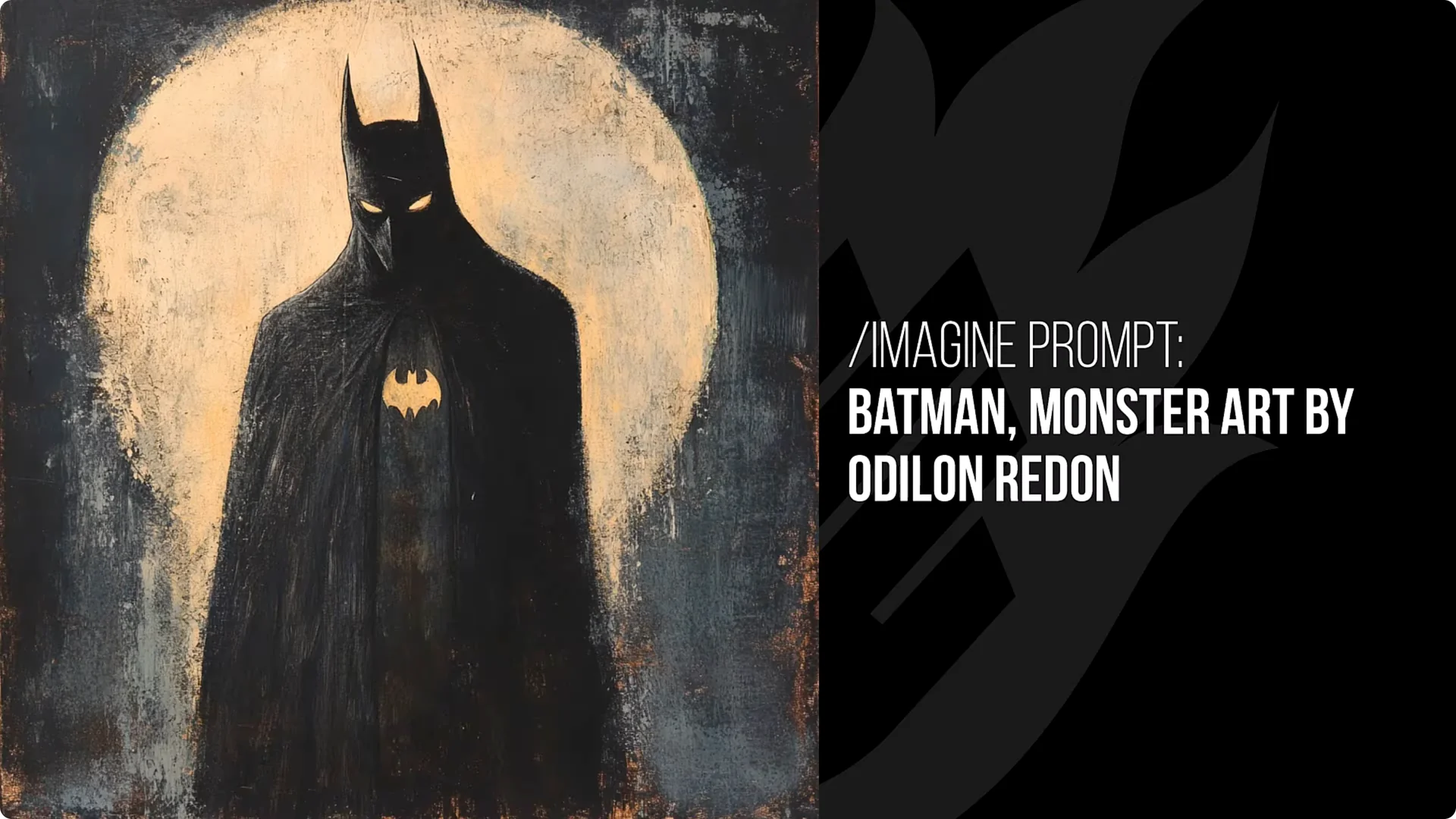
8. Monster Art By Odilon Redon
Odilon Redon did some awesome artwork and is a very famous artist. Adding monster art changes the aesthetic and brings in that monster element he is known for. You get a dramatic and different look with these characters.
One Batman result did not even look like Batman – it looked more like a bird – but it represented the style well. Same with Goku in one case, but I liked the look. Overall there is a dull, slightly yellow tint to the images with something very dark. Pikachu ends up looking a bit horrified by it all, which is a fun twist.
9. 2000s Nu-Metal Style
Piggy backing off my 1980s hairstyle idea, this does a fashion transformation where characters wear different clothes and have a more modern look. I saw a lot of spiky hair, though not always. Darth Maul’s horns can look a little taller.
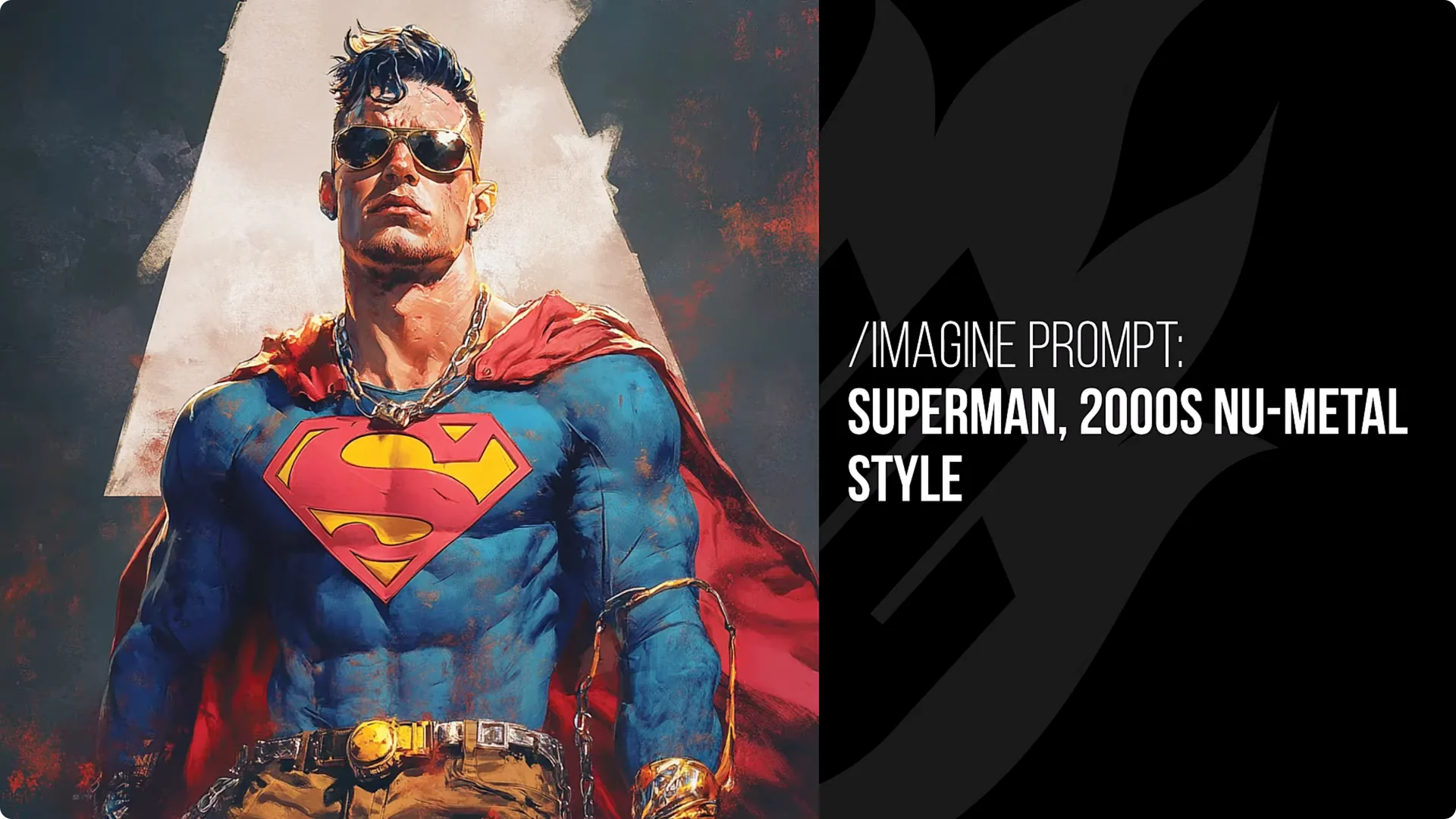
The fashion sits in the 2000s and adds a heavy metal element. Hulk screaming looks great here. Goku picked up the beard and tats and looks like a proper nu metal fan. Batman looks unrelated but still makes a very cool image.
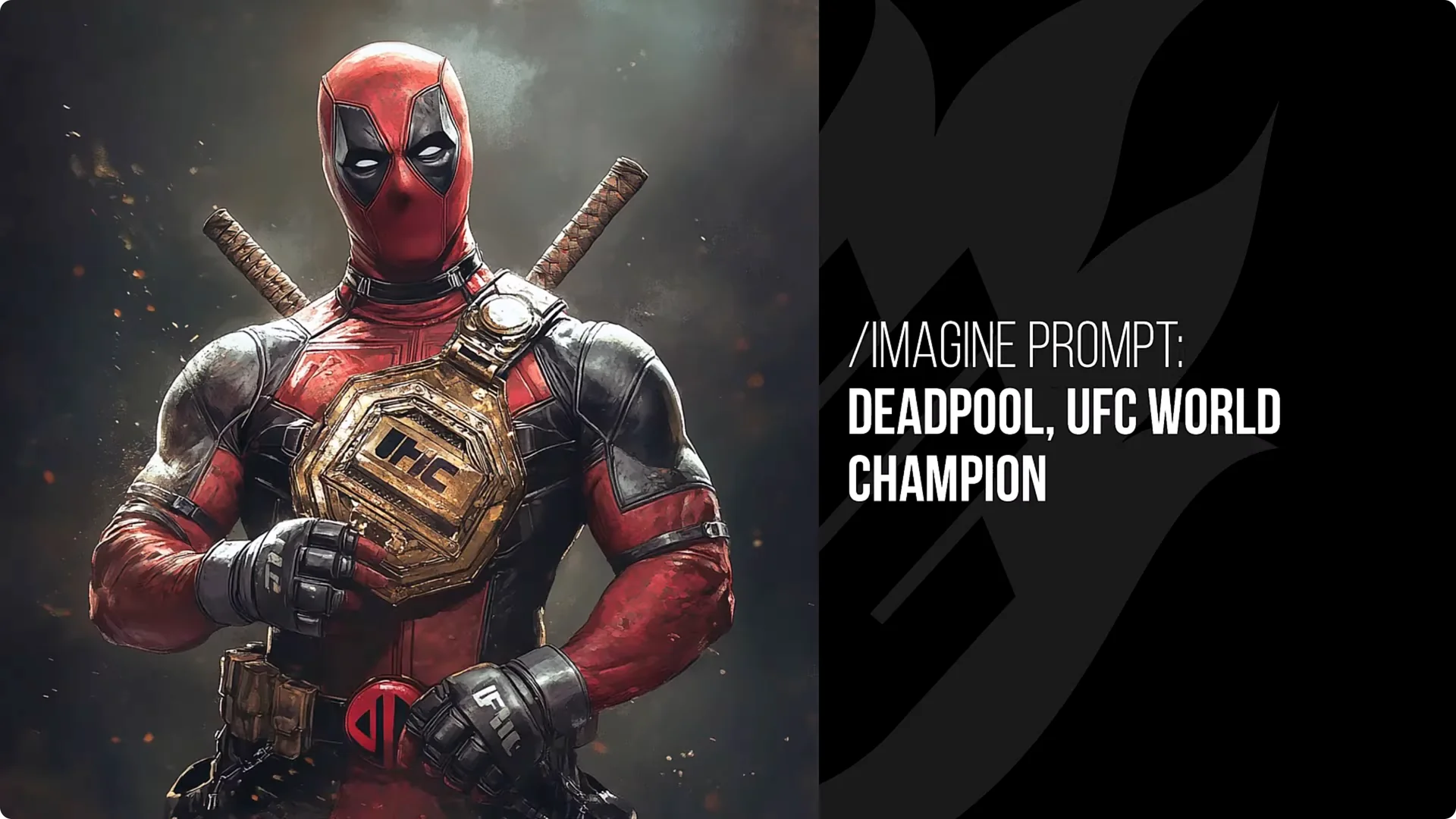
10. UFC World Champion
This converts most characters into UFC fighters. Goku is a clear example. Sometimes you get a belt – Deadpool’s result showed the UFC logo not formed 100%, but you can edit that afterwards in an editor. It will add the belt to some characters and the UFC look is pretty solid. Pikachu ends up more like an MMA fighter. It is a lot of fun and produces cool images. Optimus Prime works really well.
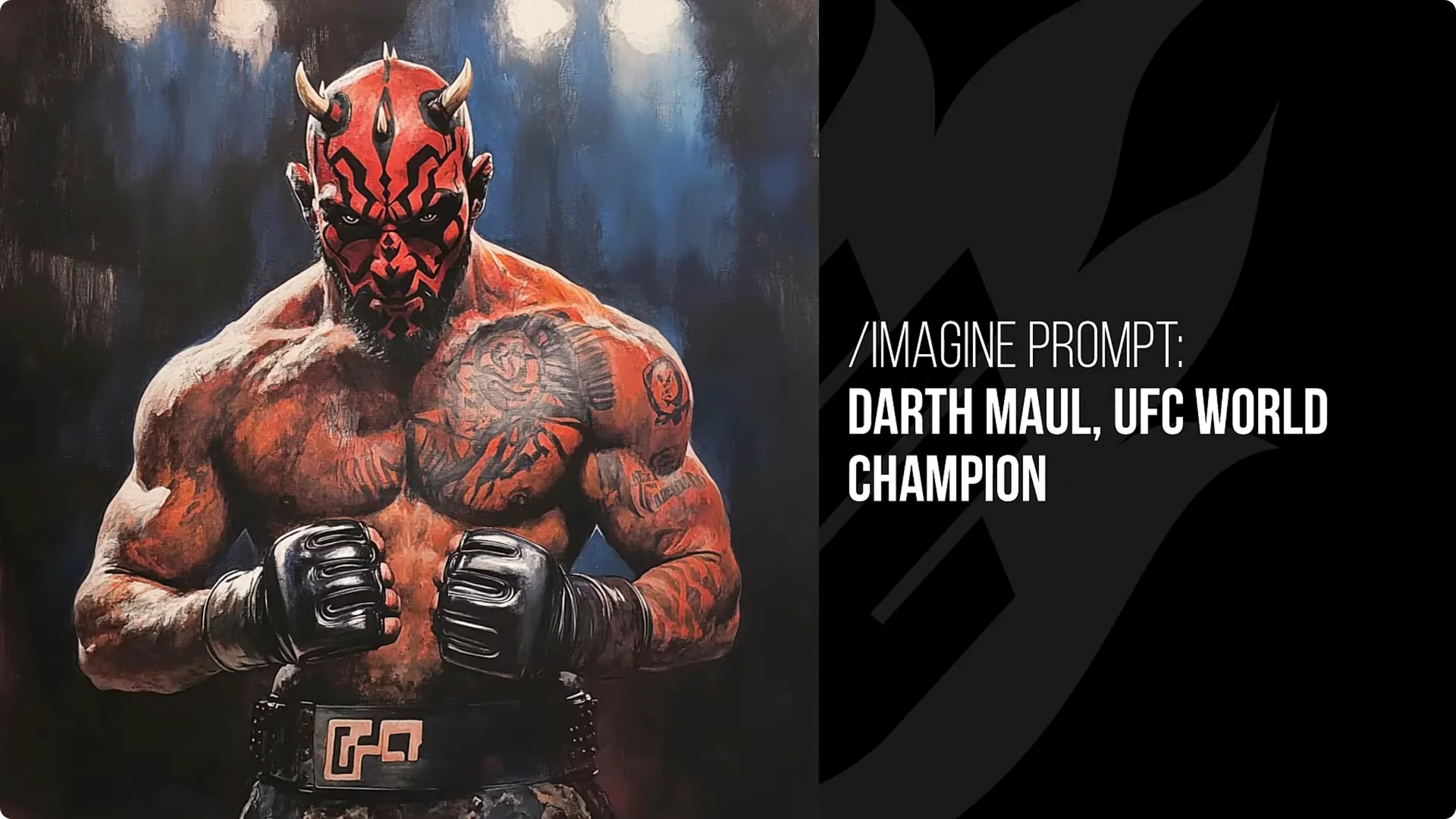
Generally you see fists up, sometimes gloves, and usually a UFC belt around their pants – not an actual championship belt, but a belt with UFC on it or a similar logo. Darth Maul looks ready to fight. A samurai result did not make him an MMA fighter, but it changed the image in an interesting way.
Hulk looks more like an MMA fighter with a new haircut and more of a bodybuilder build. Batman has his own UFC belt wrapped around his waist, showing he does not need the belt – he already has one of his own.
Final Thoughts
Add any of these style tags to the end of your prompt to shift mood, color, and subject treatment in distinct ways. Several styles are great for character transformations, others push lighting or color, and a few reimagine form and materials. Experiment, tweak wording where needed, and have fun comparing how each style changes your results.
