Just a few days ago Perplexity released R1 1776. This is not a new model but a different version of the DeepSeek R1 that came out about a month earlier from a company in China. The original DeepSeek R1 is open source and useful, but it is full of censorship on anything critical of the Chinese Communist Party, so it often returns biased answers.
R1 1776 is the clean version of DeepSeek R1. Perplexity has open sourced it, and anyone can download the model from Hugging Face to run on a computer or a server, and you can build a web app on top of it. That said, running it yourself can be expensive and very technical, so the easier path is to use the Perplexity web interface.
Perplexity API Chatbot – Model access
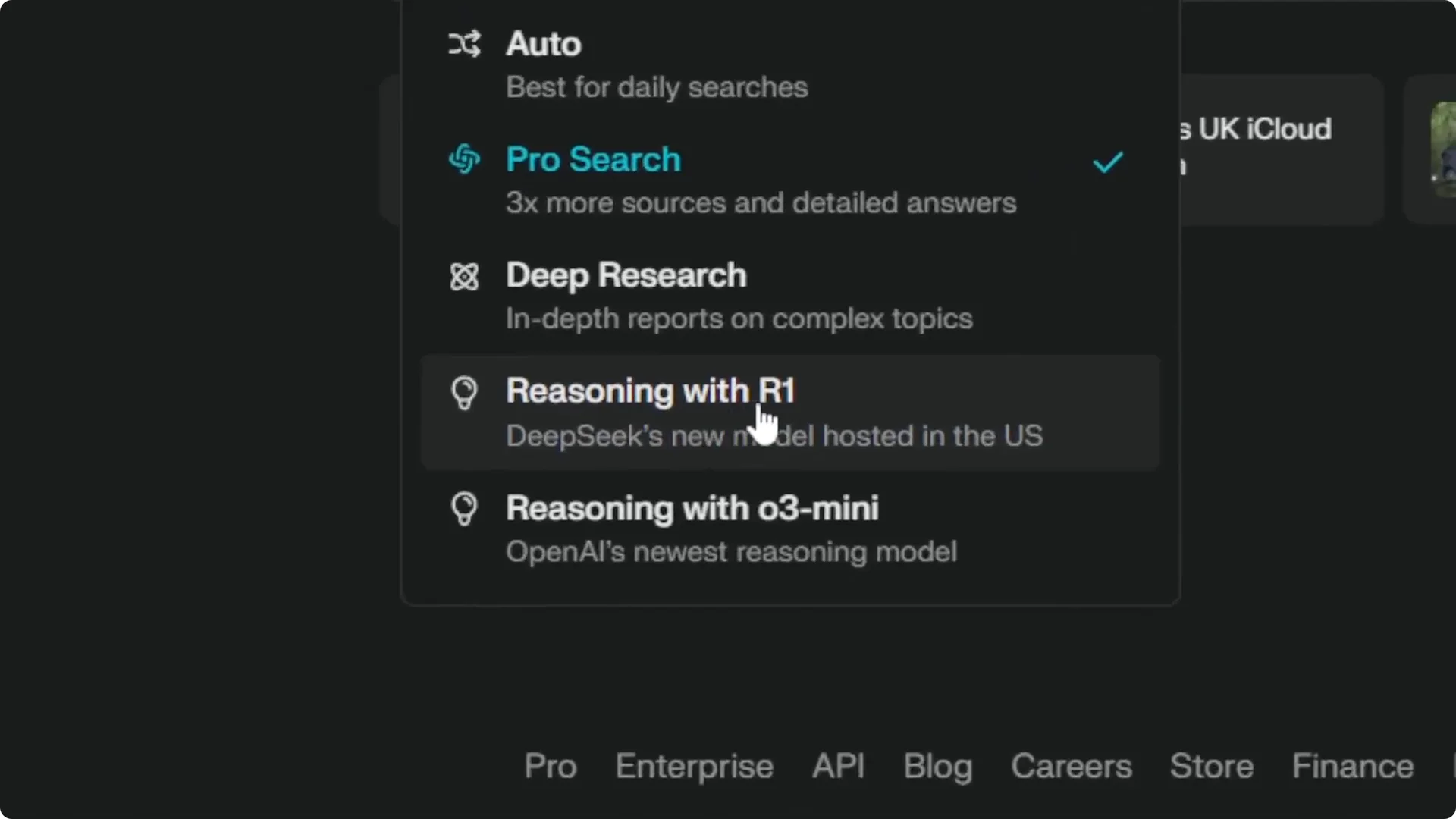
In the Perplexity web app, open the model drop menu and choose the option for reasoning with R1. That option is actually using R1 1776, the version cleaned by Perplexity, not the original DeepSeek build. You can ask about the Chinese Communist Party and be critical without getting blocked, and you get a reasoning model that is better than a regular AI model for complex prompts.
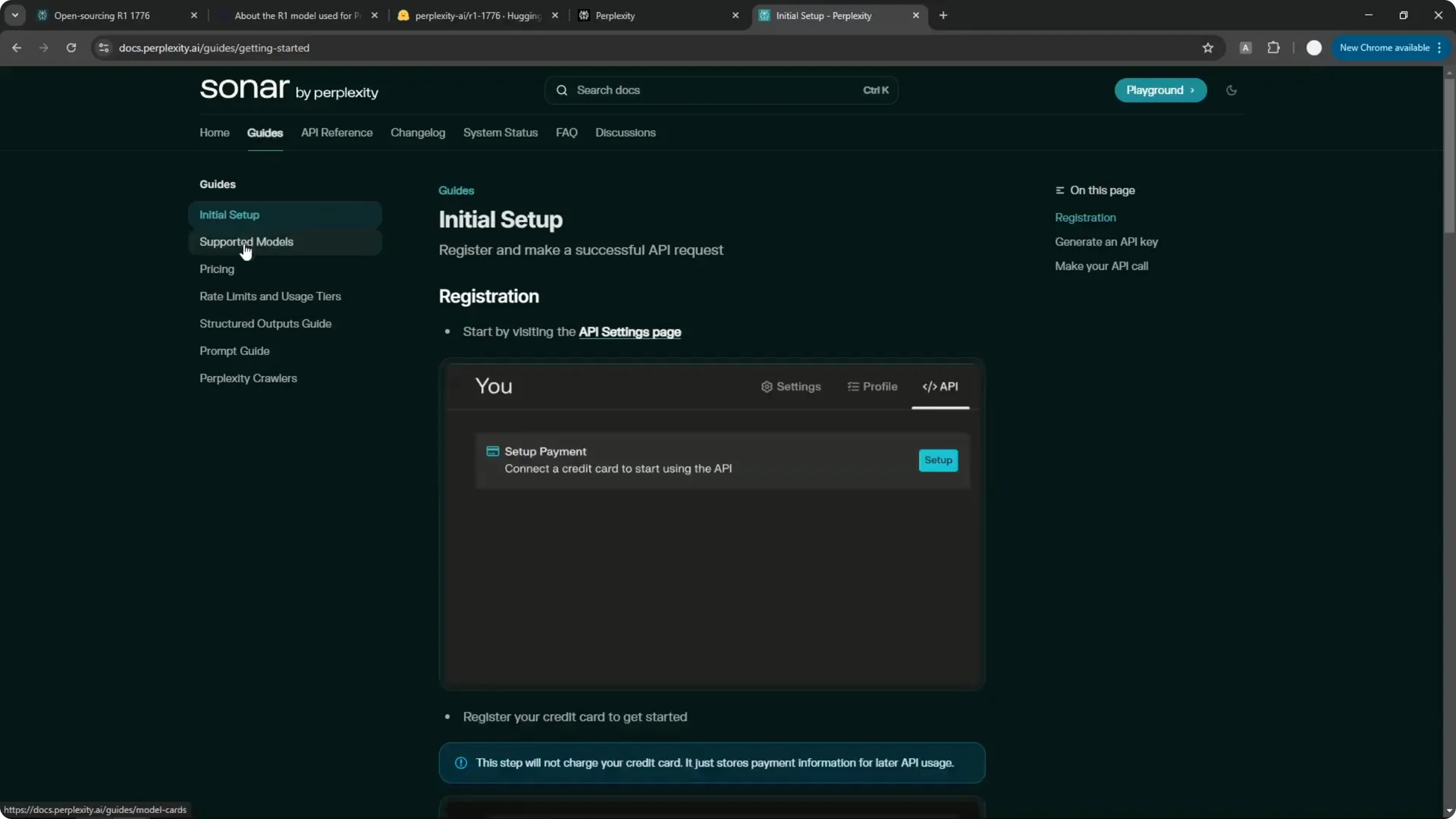
If you prefer to build something yourself, the Perplexity documentation is the place to start. The API docs explain how to use the service to create your own application powered by the Perplexity API. Go to Guides, then Supported models, and you will see Sonar, Sonar Reasoning, Sonar Pro, and the new R1 1776.
R1 1776 is very similar to Sonar Reasoning Pro in context length and pricing. Sonar Reasoning Pro costs $2 per million input tokens and $8 per million output tokens, which matches R1 1776 at $2 for input and $8 for 1 million output tokens. I do not know the pricing of 1,000 searches, and that section is not available.
Unlike the Sonar model that has access to the internet, R1 1776 is completely offline. If you are fine with that, you can use this reasoning model for a simple chatbot application. It works well when you do not need live browsing.
Read More: Create Superior Ai Art
Perplexity API Chatbot – Build a simple chatbot
You do not need to be a developer to put this together. You can write code with AI, ask it to generate the files, and then use that code to build the application. Here is exactly how I did it.
Generate the code with AI
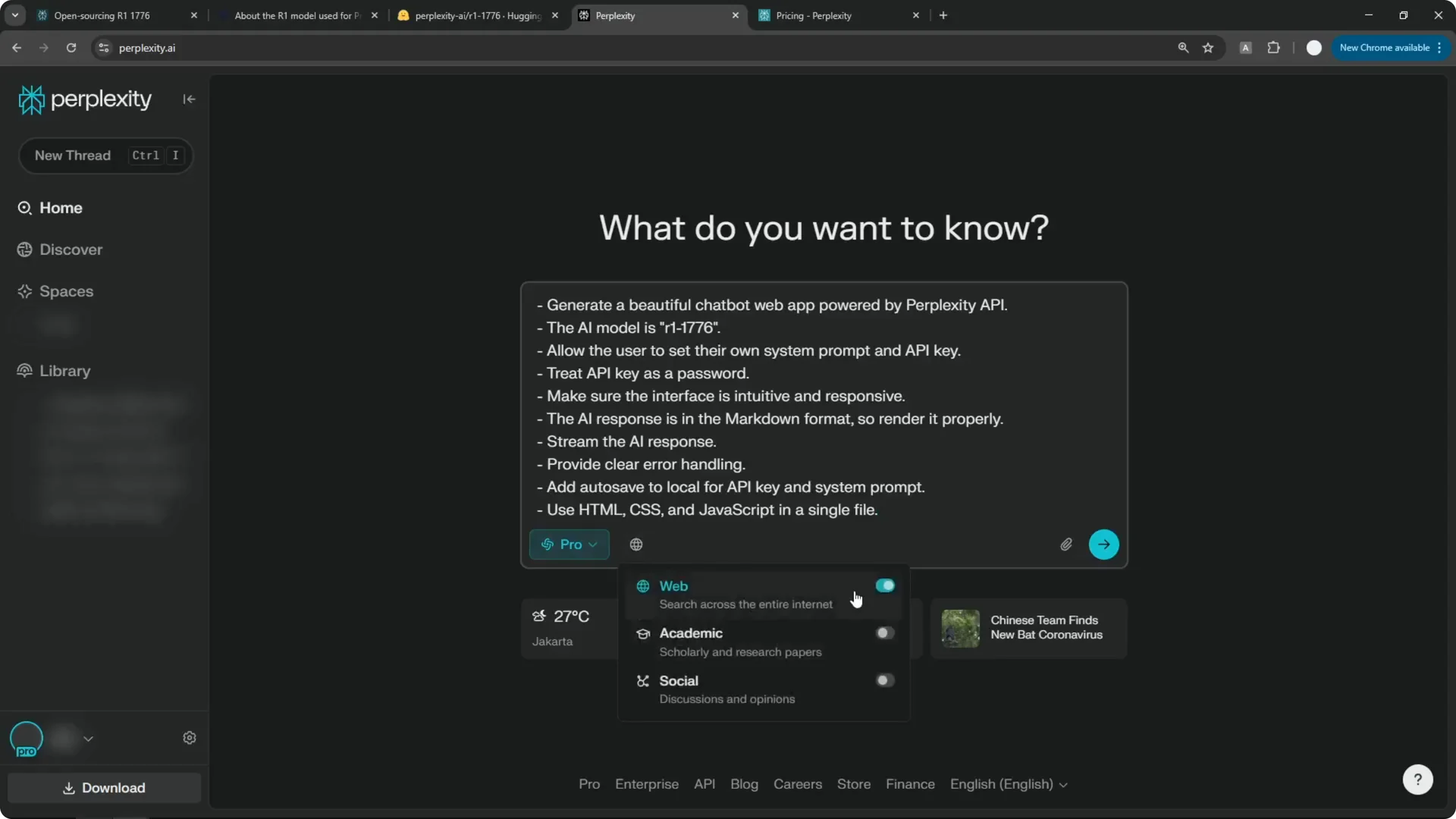
Step 1: Open Perplexity and prepare a prompt that asks for a web-based chatbot using the Perplexity API and the R1 1776 model. I use a prompt that I refined in a previous project, and it consistently returns a working base app. If you are on the Pro plan, you also get $5 of free API credit every month, which is very useful once you start testing.
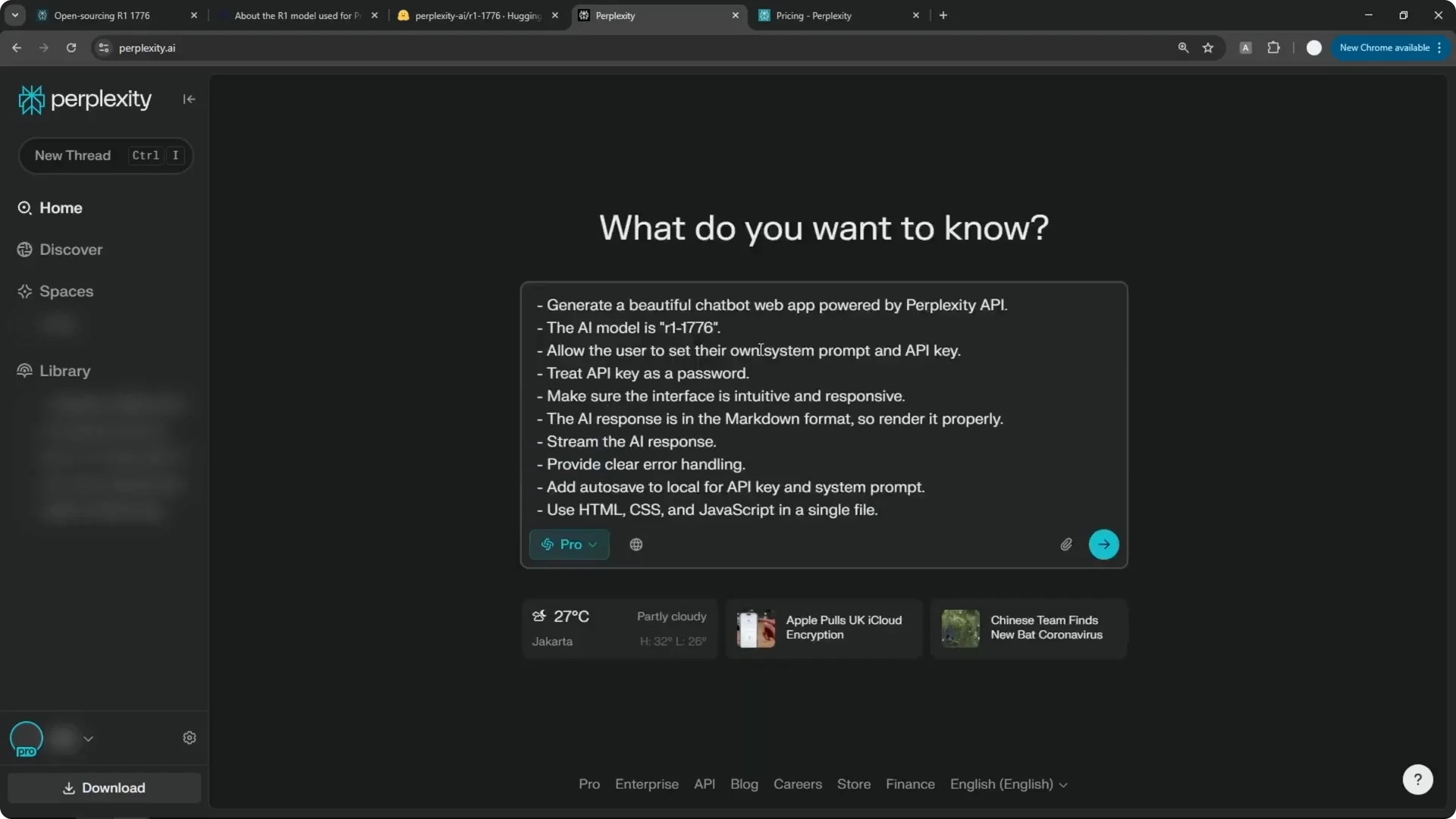
Step 2: Enable Pro mode. You can also toggle Web, Academic, and Social, but Academic and Social are not necessary for this coding task. Send the prompt and wait for the code to generate.
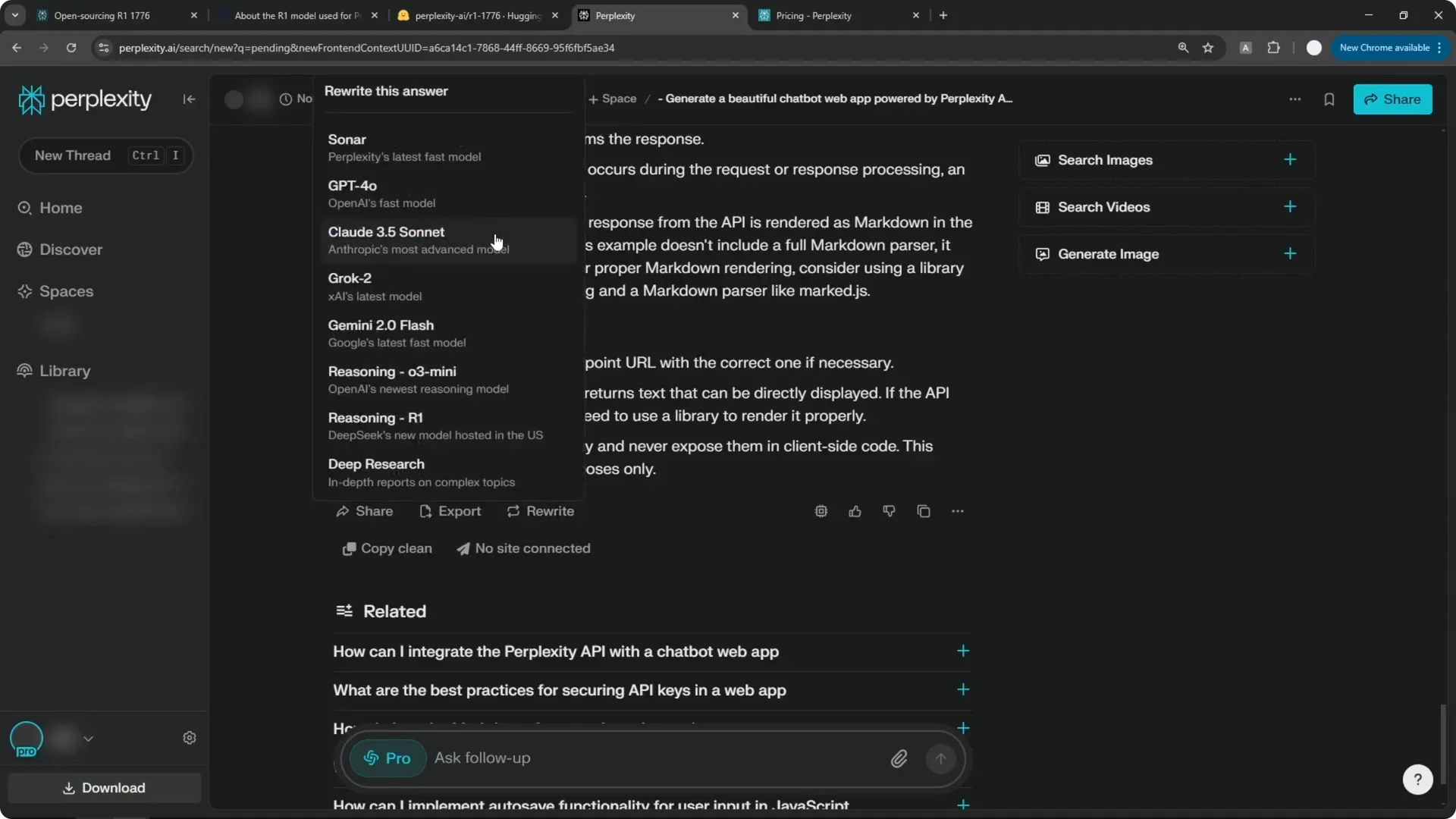
Step 3: If the first answer comes from the default Sonar model and the code looks thin or messy, click Rewrite and switch to Claude 3.5 Sonnet. You can use GPT-4o as well, which I find to be solid. The Claude 3.5 Sonnet rewrite usually gives me cleaner, longer code with fewer formatting issues.
Read More: Eye Catching Ai Art Midjourney Prompts Styles
Preview the HTML quickly
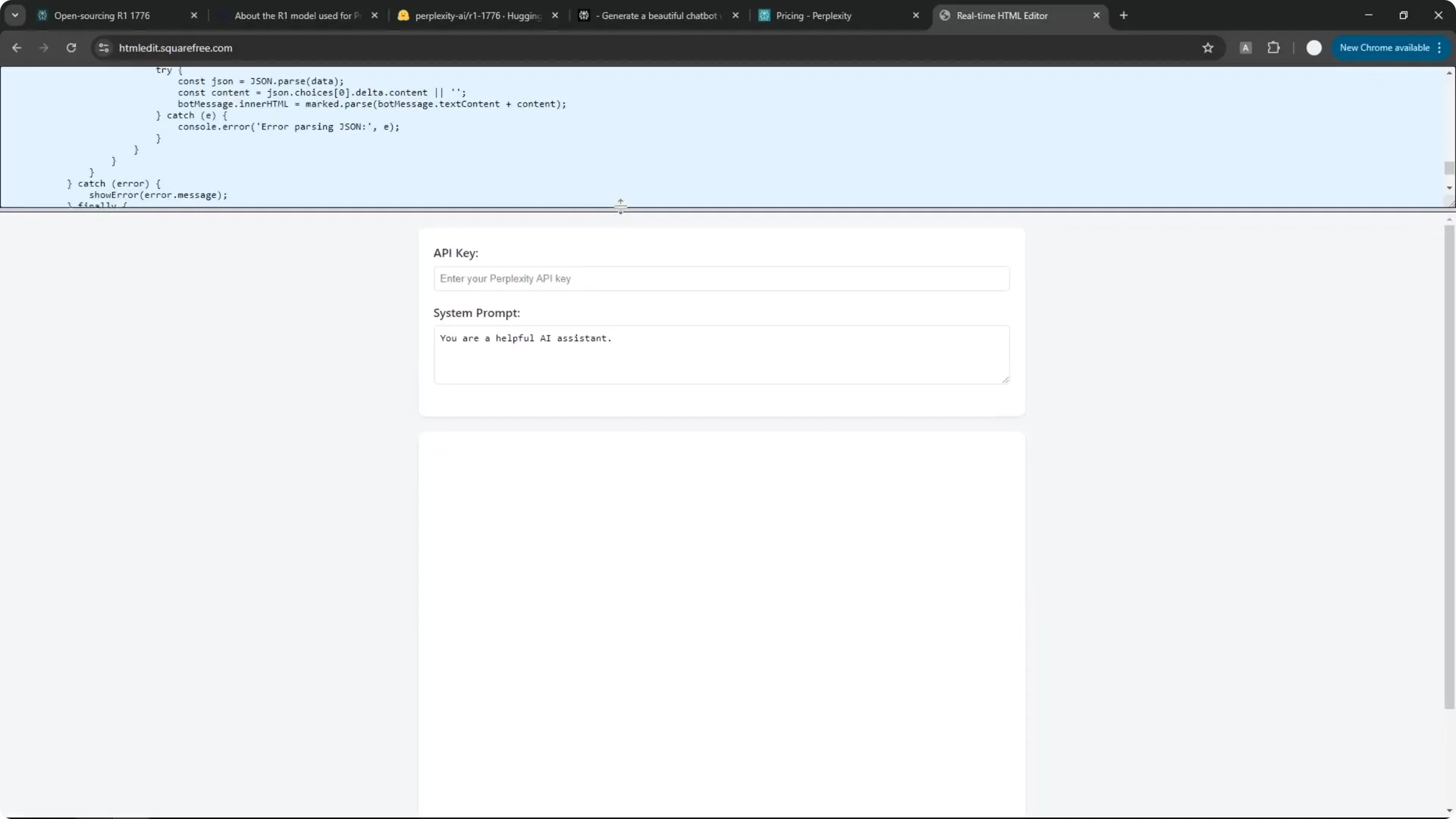
Step 4: Copy the entire code block once the model finishes. I like to paste it into an online HTML editor to preview the interface quickly and see how the layout looks. This preview is just for the front end, and the Perplexity API calls will not work there.
Read More: Camera Control For Midjourney Ai Video
Save it as a real app file
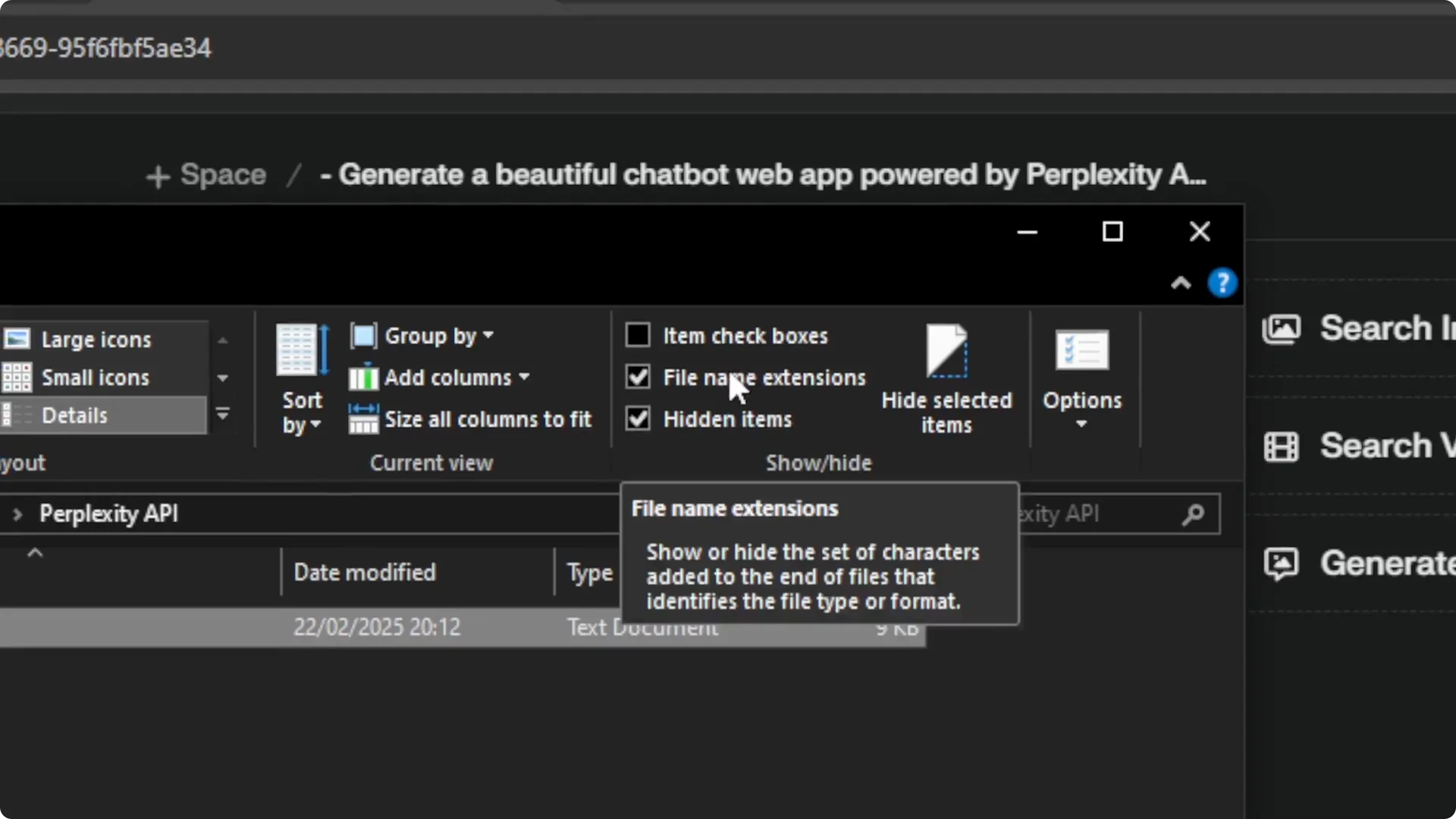
Step 5: Create a new text document on your computer and paste the code. Save the file, then enable File name extensions in your file explorer so you can change the format. Rename the file from .txt to .html and drag it into your browser to open the app.
Add your Perplexity API key
Step 6: In Perplexity, open Settings from the gear icon, go to the API section, and copy your API key. If you have not created one, click Generate, then Copy to get your key. Paste the key into the app input field.
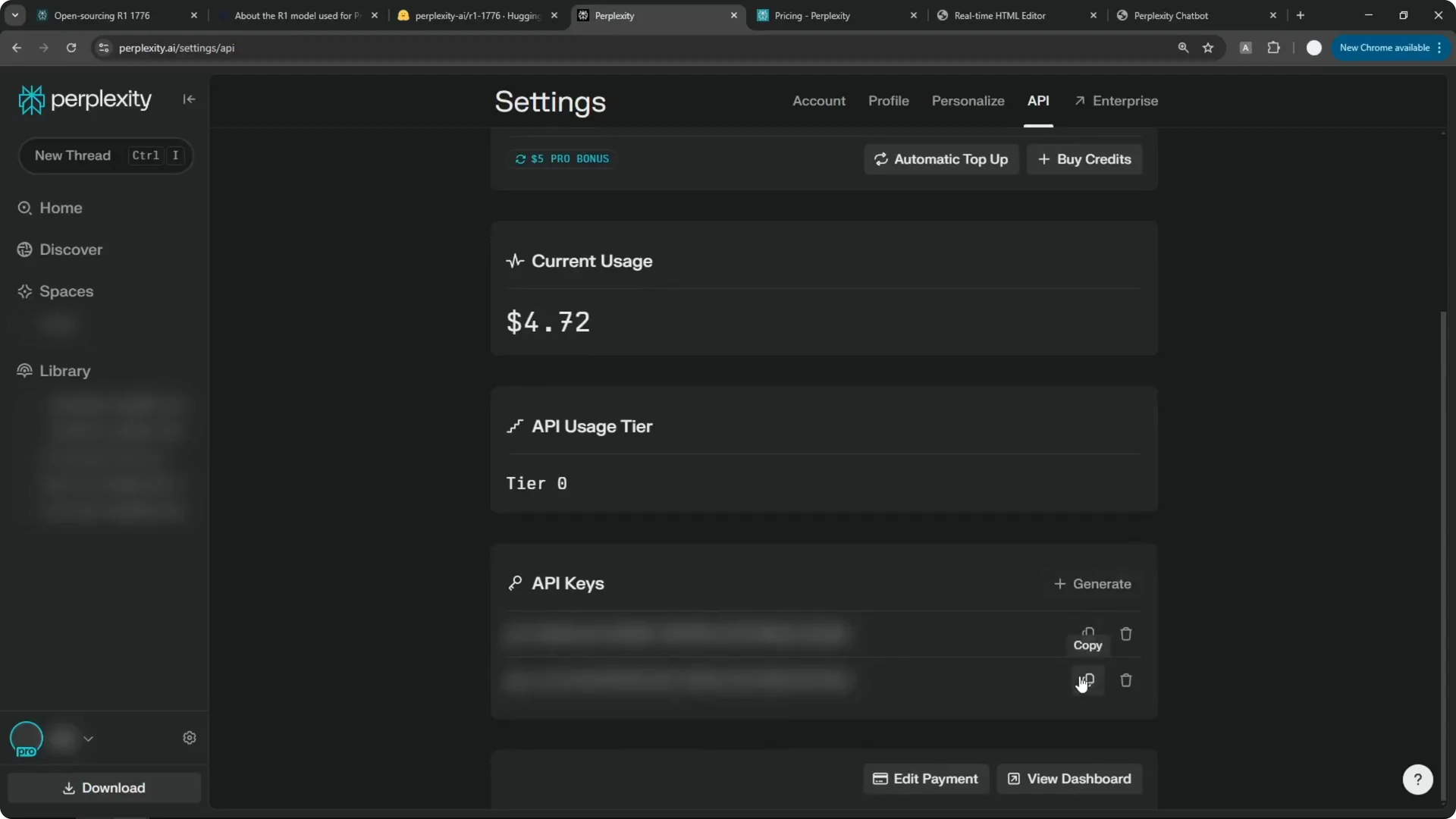
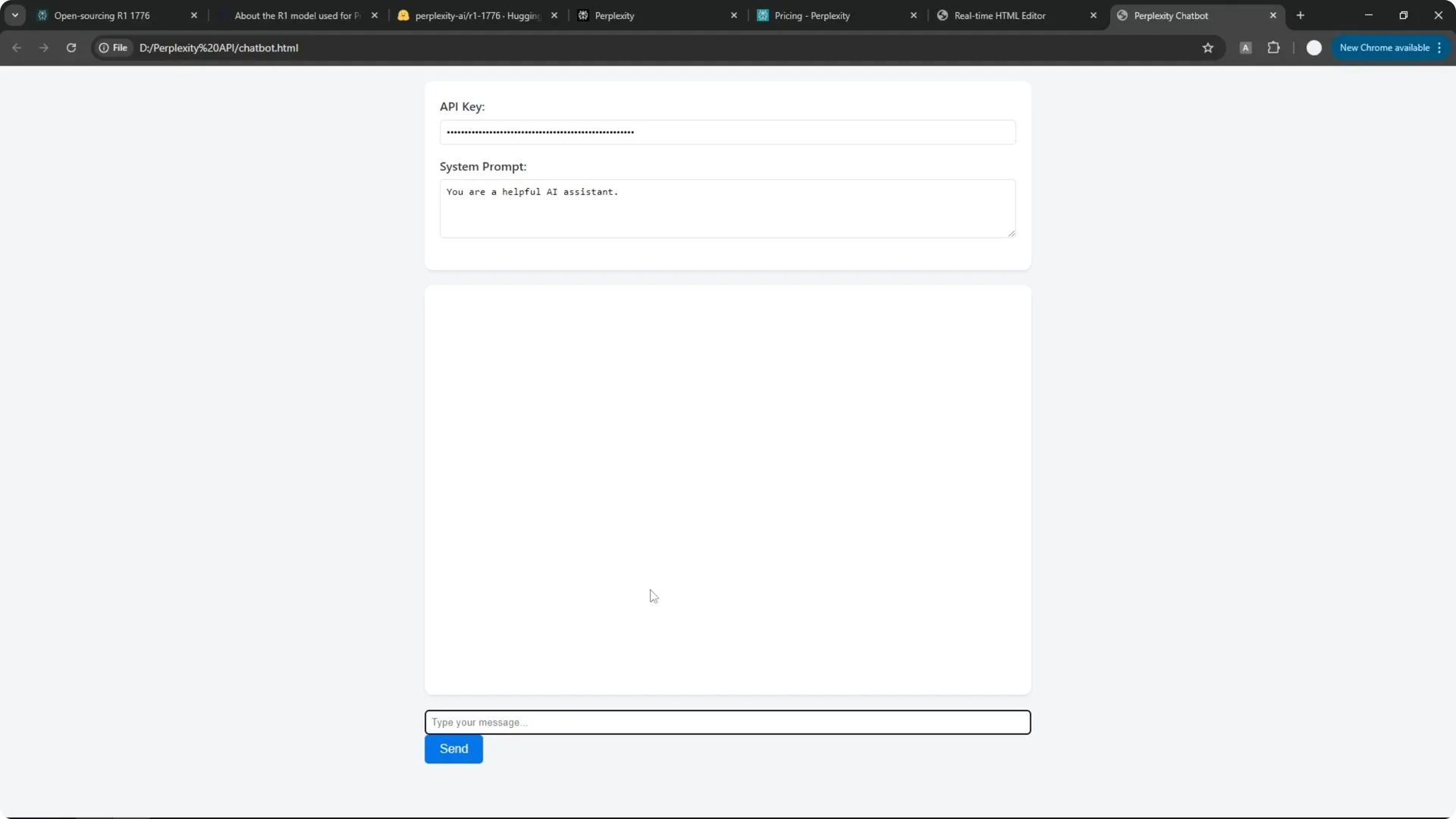
Step 7: Use the default system prompt or edit it to fit your use case. Customize the tone or constraints as needed. Keep your changes simple at first and then iterate.
Test and troubleshoot
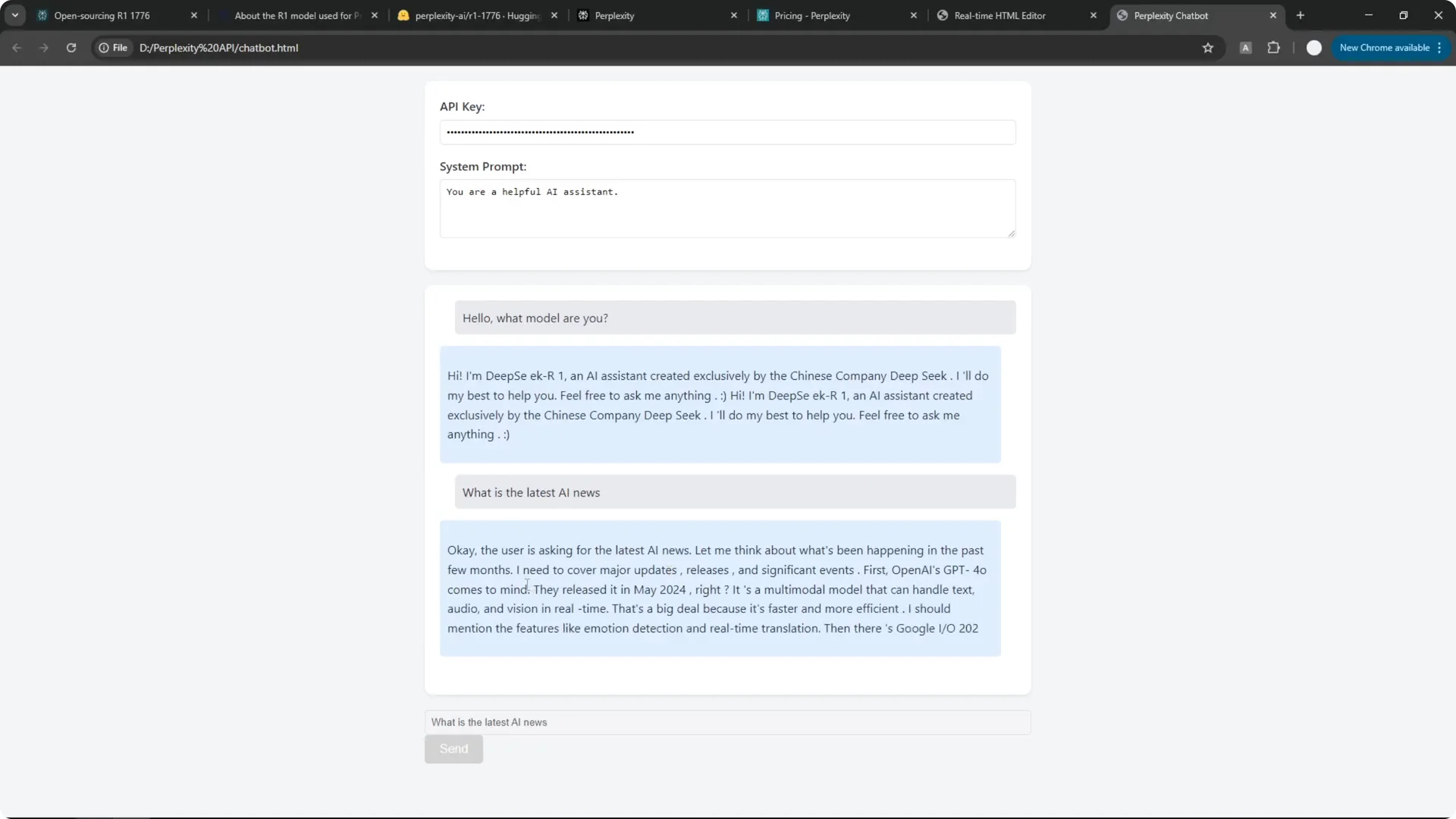
Step 8: Send a quick message like “Hello, what model are you” and confirm you get a response. If you see weird spacing or formatting glitches, it is probably a coding issue, not the AI itself, and I usually ask Perplexity to fix the specific error and regenerate the full file to replace the faulty code. That round trip takes a minute and often clears up layout bugs.
Step 9: Ask for the latest AI news to confirm connectivity. R1 1776 is offline, and it will not browse or pull current events, which you can see when it gives a date like May 20, 2024 for related releases even though that is more than a year old. That is a clear sign that it is not connected to the internet.
Read More: Transformative Ai Art Midjourney Prompts
Final Thoughts
R1 1776 is a cleaned build of DeepSeek R1 that removes the heavy censorship and keeps the strong reasoning. You can run it yourself from the open source repo, but for most people the Perplexity web option and the Perplexity API are the practical path. With a solid prompt, a quick model switch to Claude 3.5 Sonnet or GPT-4o for higher quality code, and a simple HTML save, you can stand up a Perplexity API Chatbot fast and iterate from there.
