Midjourney version 8 is live, and it kind of feels like there’s a hidden cheat code baked into the whole thing. Use it right and you get seriously impressive results. Mess it up and it quickly turns into something pretty average.
I am breaking down that exact gap, the difference between wow, that’s insane and yeah, not so much. The jump from Midjourney V1 to version 8 makes one thing clear. The current model can deliver the most photorealistic results, if you know how to get there.
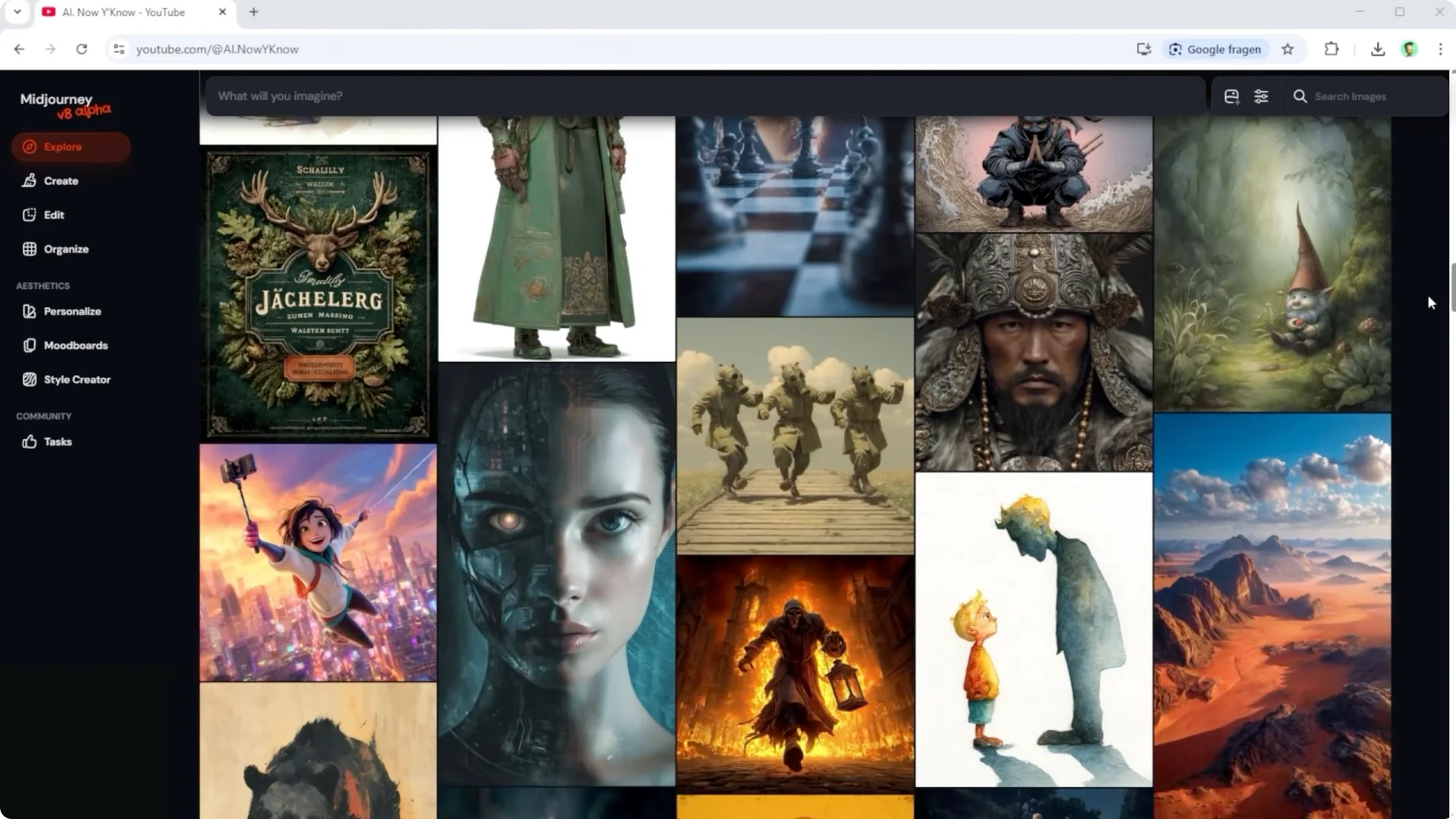
Midjourney took its time with version 8, still in alpha, and the release notes promised better prompt accuracy, stronger style control with Sref codes, higher image quality, improved text rendering, and faster generation. Sounds good on paper. But the real test is side by side comparisons with strong competitors.
Midjourney currently caps your prompt at 1,300 characters. Fewer words, sharper intent, no room for fluff. That single limit changes how you craft every prompt.
Midjourney V8 Comparison: Test Setup
I tested Midjourney V8 against V7, Nano Banana Pro, Nano Banana 2, SeaArt Dream, and Cling Image 3.0 Omni. The lineup covers a range of strengths from text rendering to reasoning to style control. You can clearly see who is in control and who is just guessing.
Scene one kicks off with a clean studio portrait of a 25 year old woman with white hair. What really stands out here are the color accents and that super minimal high end studio vibe. Outputs range from rubber doll vibes and clownish looks to stiff results and actually convincing portraits.
Read More: Midjourney User Profiles
Midjourney V8 Comparison: Scene Results
Scene 1: Studio Portrait
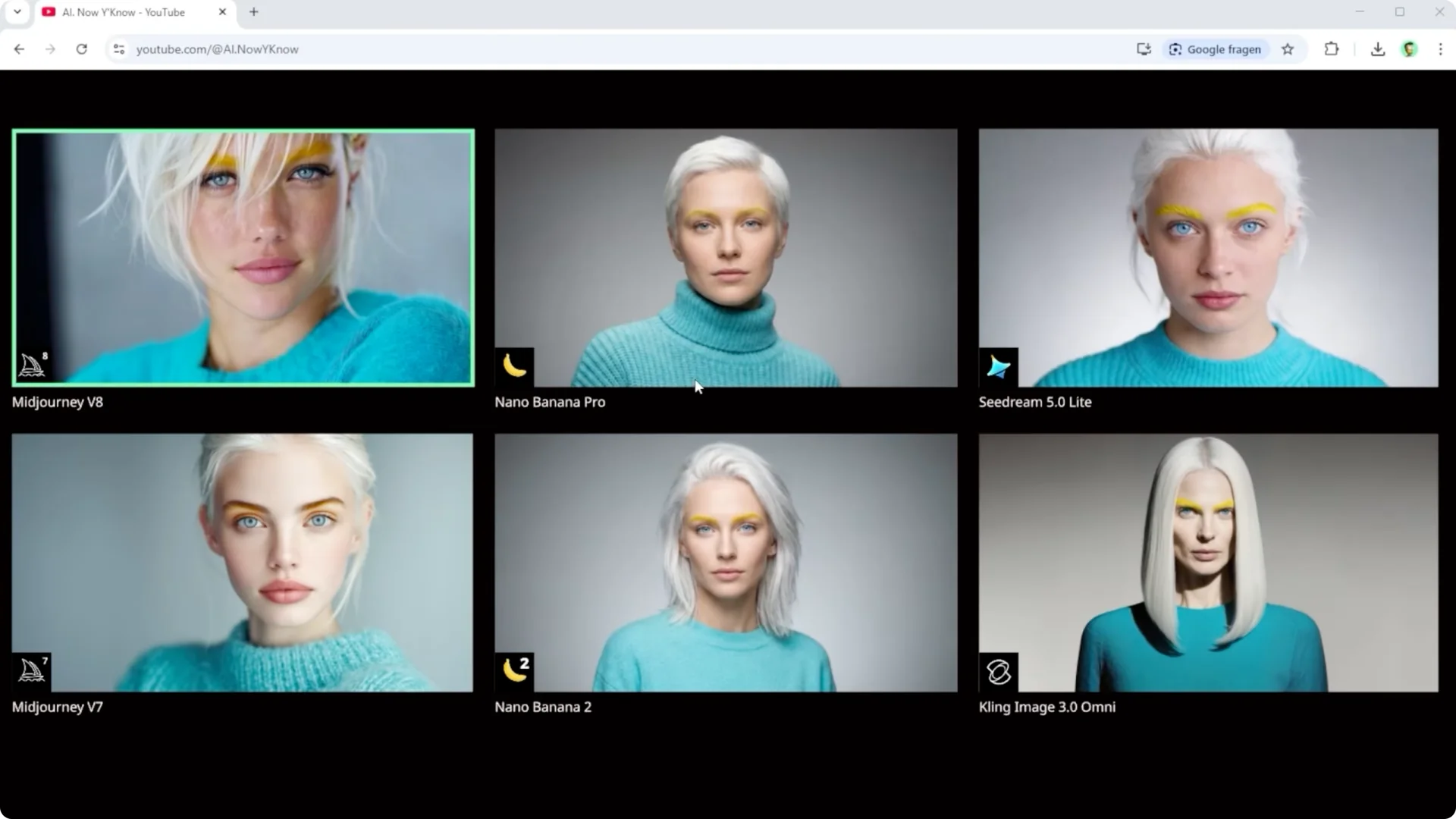
The best systems balance skin texture, lighting, and subtle color accents without over stylizing. You can see big swings in taste and control across models. Only a few deliver a studio grade look without artifacts.
Scene 2: Pink Armored Vehicle
A heavily armored vehicle in bright pink with bold lettering blasts through mud while a bear with a team pink go sign stands there confused. Nano Banana Pro nails the emotional beat best. Placing a helicopter realistically into a tight forest road is tricky, and here Midjourney V8 delivers the strongest result.
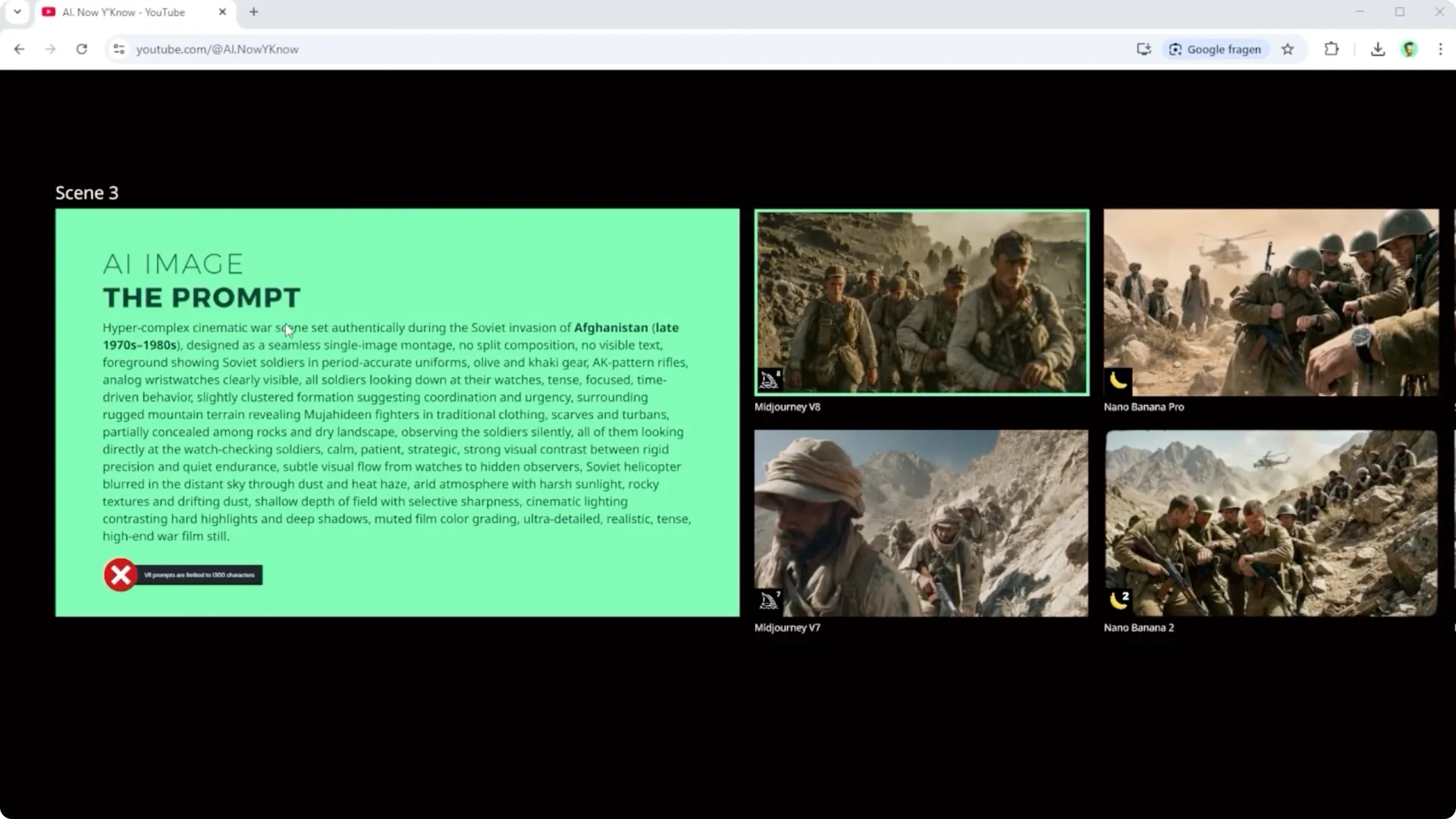
Scene 3: Time Versus Speed
I built a prompt around the idea from the Soviet invasion of Afghanistan, you have the watches, we have the time. One side pushes hard to achieve goals fast, the other waits, knowing time is on their side. Cling stands out in a different way because everything feels a bit staged and a bit plastic.
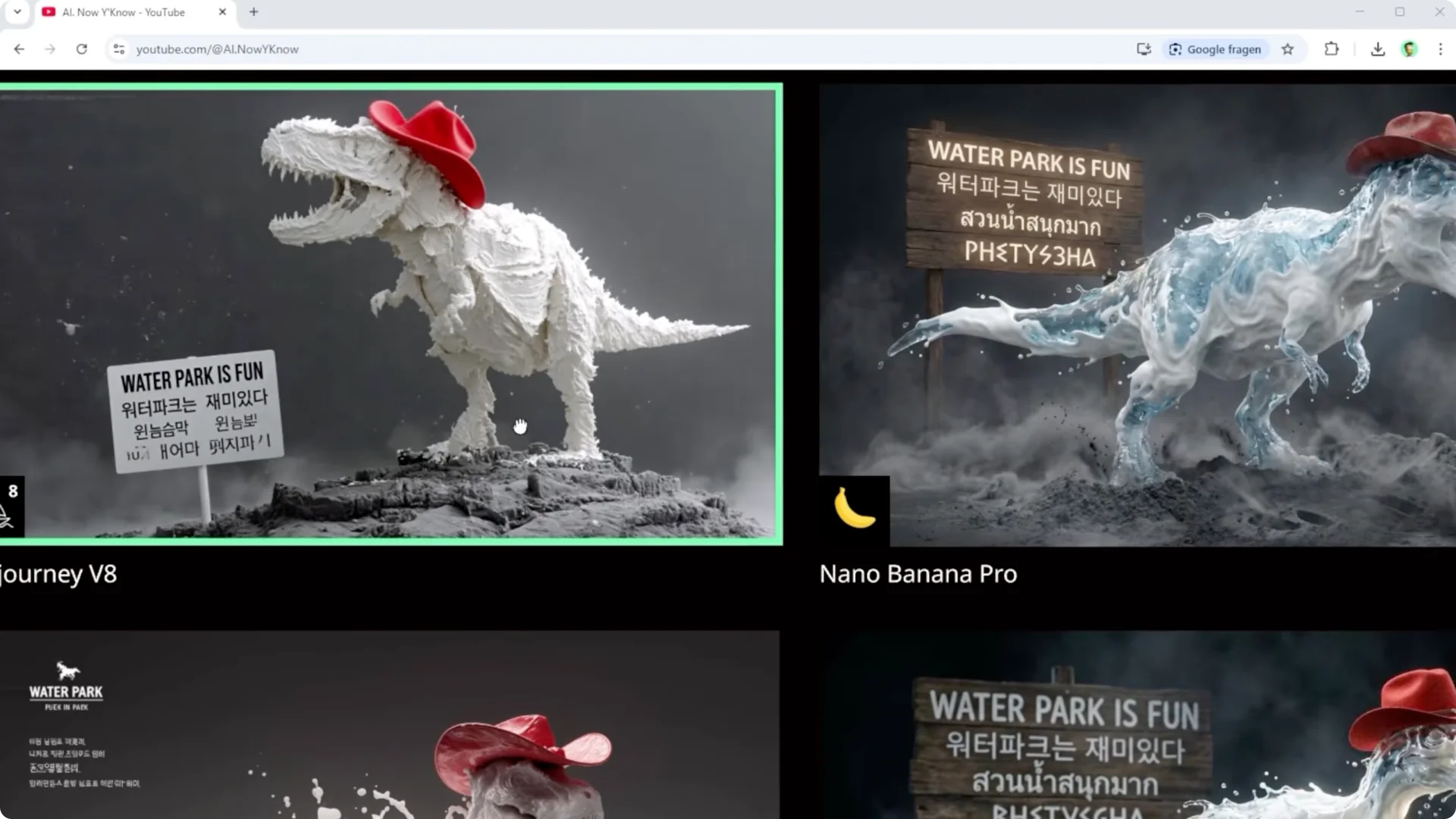
Scene 4: Materials and Multilingual Text
Mixing flowing milk, translucent water, semi liquid surfaces, dark gray ash, and soft smoky texture forces the AI to think in multiple steps. Nano Banana clearly takes the lead here. Midjourney V8 turns milk and water into something closer to cream and it does not fully land the text either.
Scene 5: History From a Date and Place
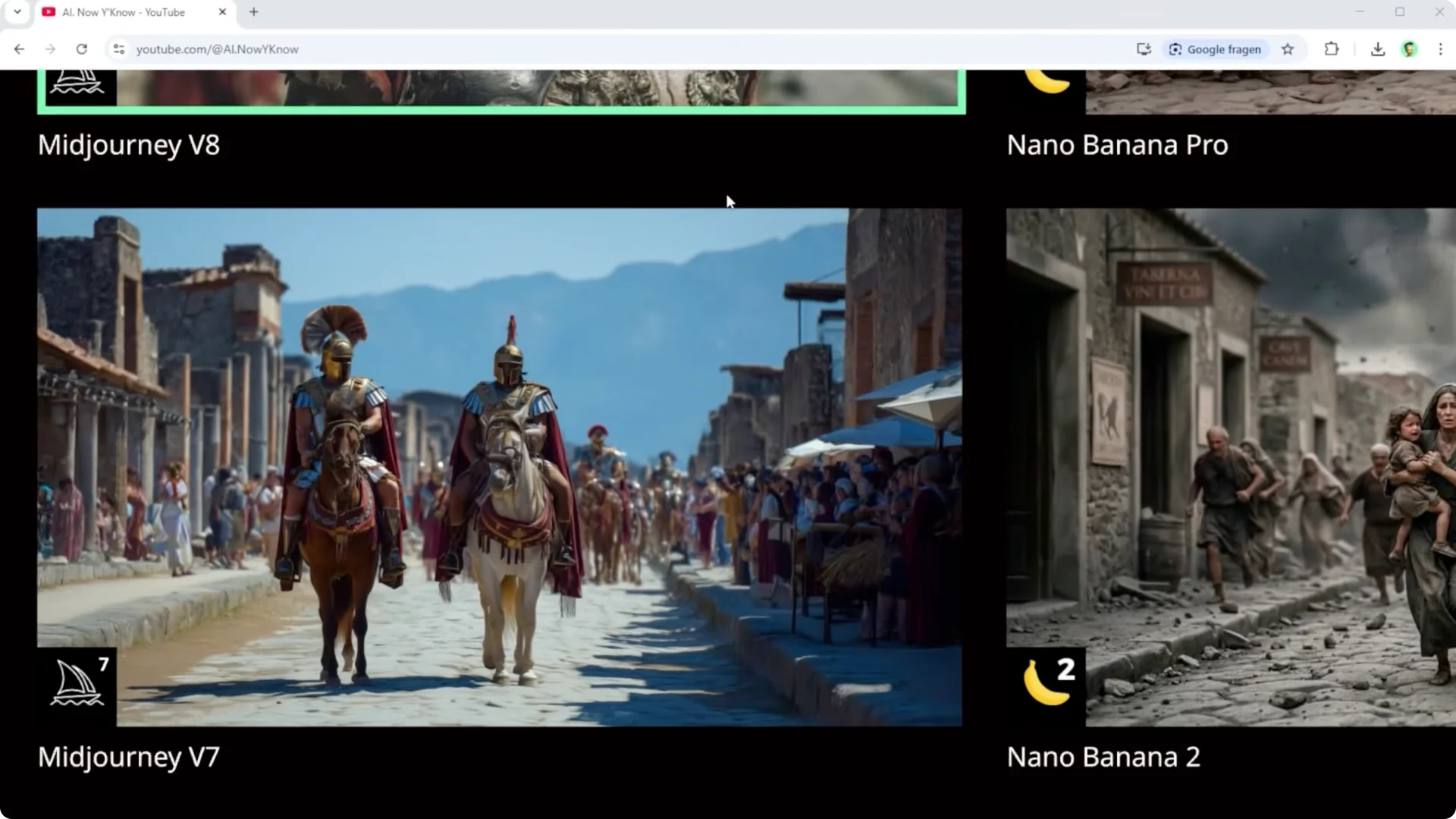
I gave only a date and a location plus a simple instruction, show exactly what happened there, shot like a professional documentary photo. Midjourney reads August 24th, 79 AD in Pompeii and creates a generic scene with no real connection to the event. Google, Cling, and ByteDance understand Vesuvius erupted and Pompeii was destroyed.
Scene 6: Macro Circuit Board
An ultra detailed close up of a high tech circuit board with very specific lighting and clean text on the chip needs absolute precision. Midjourney V8 improved a bit and it is not as smeared as before. Compared to Nano Banana and SeaArt Dream it is still not really usable, and Cling struggles too.
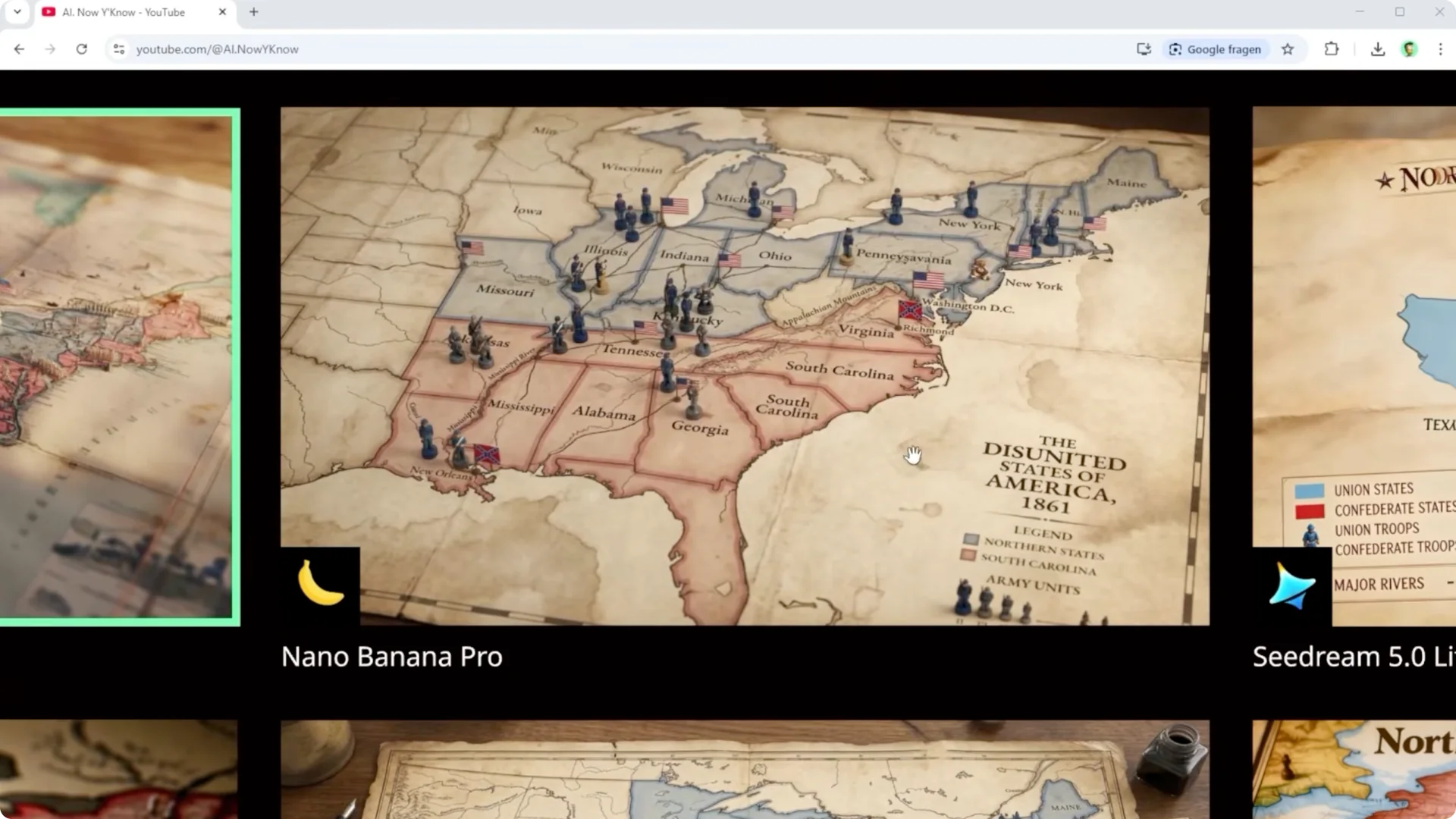
Scene 7: Civil War Map
A historical map of North America during the American Civil War in 1861 with correct borders, north versus south, and troop strength visualized with small figures is full on context understanding. Short version, Midjourney fails and SeaArt Dream does too. Nano Banana does a much better job, though you still see errors and even spelling issues.
Read More: Hide Midjourney Images On Your Profile
Scene 8: Hand and Peacock Feather
Hands are still a pain, especially when they get smaller in the frame. Scene eight combines a hand with a peacock feather with focus on fine iridescent details. Interestingly, Midjourney V7 beats V8 here, while Nano Banana Pro and Nano Banana 2 clearly understand the prompt.
Scene 9: Water As Fire
Water becomes fire and fire becomes water, with water burning like flames while actual fire cooks inside a pot. Cling and Midjourney V7 cannot follow that logic. Nano Banana 2 takes the win because it also integrates the background properly.
Scene 10: Reasoning in a Classroom
Can the model connect teacher and classroom and figure out the chalk writing on a chalkboard and render it correctly. Midjourney, both versions, focus on the person and dodge the board problem. Nano Banana and SeaArt Dream are strong, while Cling goes off track.
Scene 11: Solar Constant Diagram
A complex diagram explaining the solar constant of the sun shows the biggest jump from Midjourney V7 to V8. Still, both results are not really usable, and the same goes for Cling. Nano Banana delivers what it understands, and SeaArt Dream is close but visually more messy.
Midjourney V8 Comparison: Summary
Across all tests, there are strong results here and there. But it is clear who is running the show right now. Midjourney V8 is good, but in this lineup it is not leading the pack.
Cling Image 3.0 sits more in the middle with nothing terrible and nothing that really stands out. Nano Banana is once again on top. And because the Nano Banana series is currently free to use, you kind of have to ask yourself a simple question, paying for weaker results, does that make sense.
Midjourney V8 Comparison: Style Control and References
Midjourney shines with style transfer and controlling the look of your output. That part is insanely smooth and it is where the platform pulls ahead. Every single image in my solar constant set is based on the exact same prompt.
The only thing I swapped was the reference on the right. Sometimes it is a 20 grid image, sometimes a simple Sref code, sometimes multiple ones stacked together. That alone completely shifts the result.
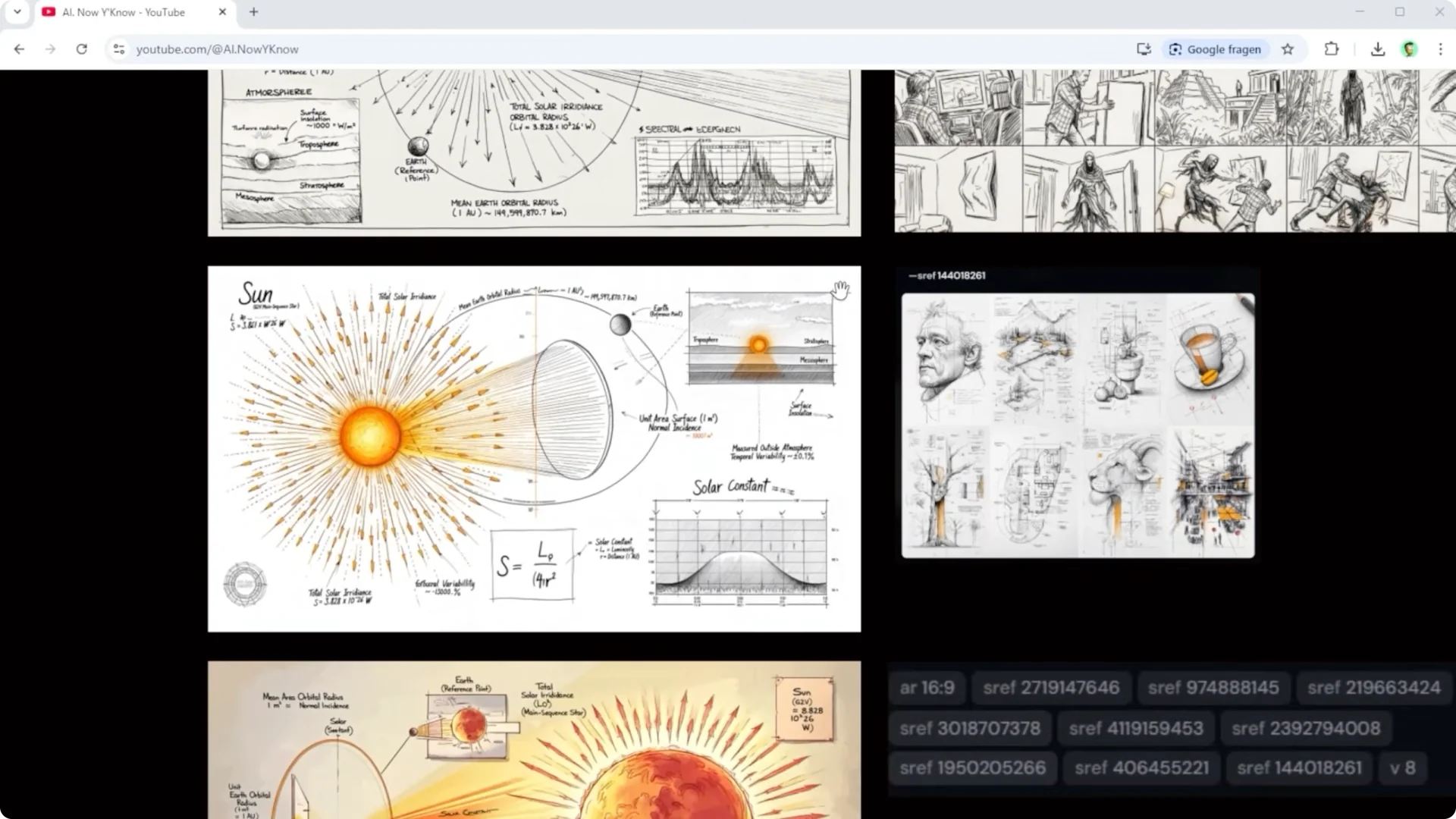
You do not have to describe the style every single time because Midjourney just gets it. Their style system feels like a massive library that covers almost anything and you do not even need codes for it. A single image, a photo, or a sketch is enough.
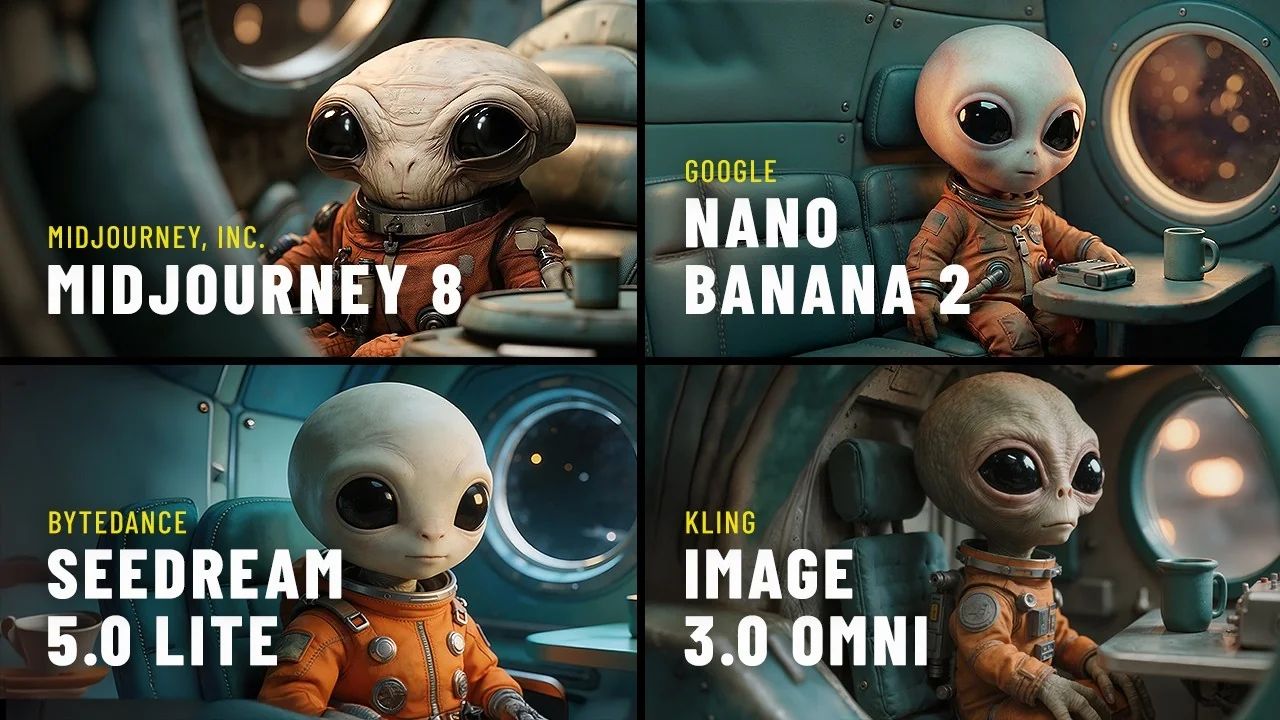
Even more complex workflows just work without friction, and playing around with this is fun. I started with a simple alien in a spaceship. Then I mixed it with different references and got a spread of variations without overthinking it.
If you are building a repeatable look system, see this guide to style templates and workflows: Midjourney Style Creator.
Midjourney V8 Comparison: The Stylize Trick
If there is one thing to remember, it is this word, stylize. By default it sits at 100, but that is just a starting point. Here is how to control it step by step.
Step 1. Open settings, jump into the aesthetics tab, and find stylization. Push the slider from zero up to 1,000 to test how much interpretation you want. Remember that whatever you set globally will stick for every image until you change it again.
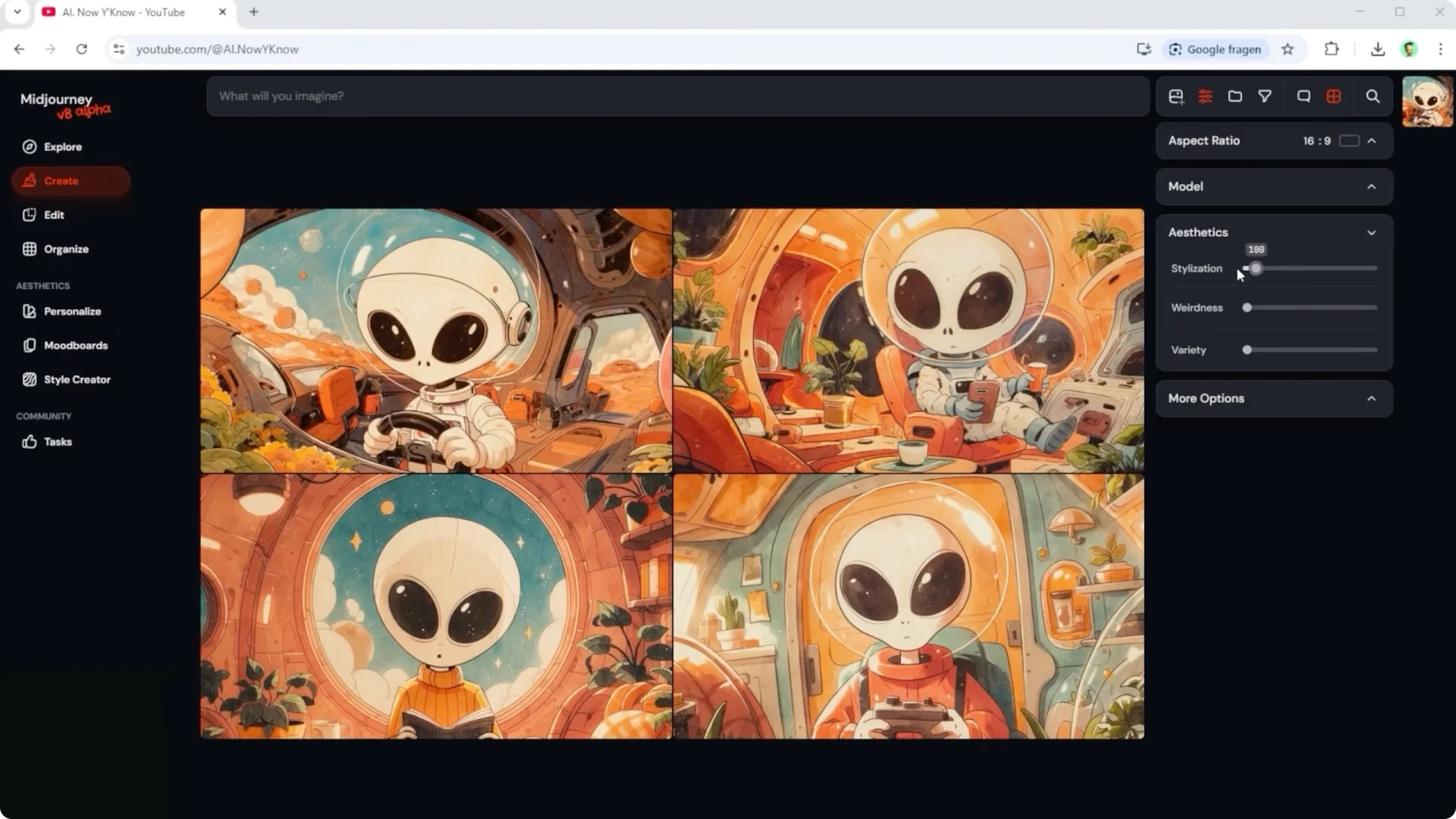
Step 2. Control stylize per prompt by adding your value at the end. That keeps global settings clean and lets you tailor each job. Keep notes on which values pair well with your subjects.
Step 3. Turn on the raw parameter for photo like controlled results. Midjourney recommends switching to raw right away if you want a more realistic look. That guidance holds up in practice.
Step 4. Compare stylize zero, 500, and 1,000 with raw. At zero, the model plays it super safe and you start seeing issues, especially with hands and faces. At 500, it gets more grounded, and at 1,000 with raw, you get that final polish with backlight, hair, shadows, and depth.
Step 5. If the first result looks off, do not give up. Tweak stylize, use raw, and add HD on top if needed. That is where Midjourney starts to open up.
Read More: Hide Bulk Download In Midjourney
Midjourney V8 Comparison: Seeds and Cross Platform Edits
If you have used Midjourney for a while, you have probably tried the seed feature. Assign a code to an image, then reuse that same seed to get almost identical results again. I tested it with a basic prompt, a yellow washing machine in a white kitchen.
Keep the same prompt and the same seed, then swap yellow for red, blue, black, or golden. At first glance they look very similar, but a lot of small details still change once you look closer. That is the point where you ask, what do I actually need this for.
There is a cleaner way for precise edits. Take the same base image and move it into Nano Banana Pro or Nano Banana 2. Use a simple instruction like change the color of the washing machine to red, blue, black, or golden, and now only the washing machine changes while everything else stays the same.
Generate your base image in Midjourney, then do precise edits in Nano Banana. Think across platforms to get the best of both worlds. It is faster and more consistent for product style work.
Midjourney V8 Comparison: Interface Notes
I am not going into all other features of Midjourney version 8 just yet. I expected a bigger shift in the interface, but right now it still feels familiar. My guess is features will roll out step by step and it makes more sense to take another look once everything is fully in place.
Read More: Hide Midjourney Images On Your Profile
Final Thoughts on Midjourney V8 Comparison
Midjourney V8 shows progress in accuracy and control, but in this lineup it does not take the crown. Nano Banana leads across reasoning, diagramming, and complex logic, while Cling stays in the middle. Midjourney’s real strength is style transfer and look control, and with the stylize plus raw combo you can push results into a more polished, photo like zone.
If you keep prompts tight and control stylize intentionally, you will see a clear lift. For historical context, technical diagrams, and strict reasoning, consider complementing Midjourney with tools that excel there. Use each system where it is strongest and you will get better images in less time.
