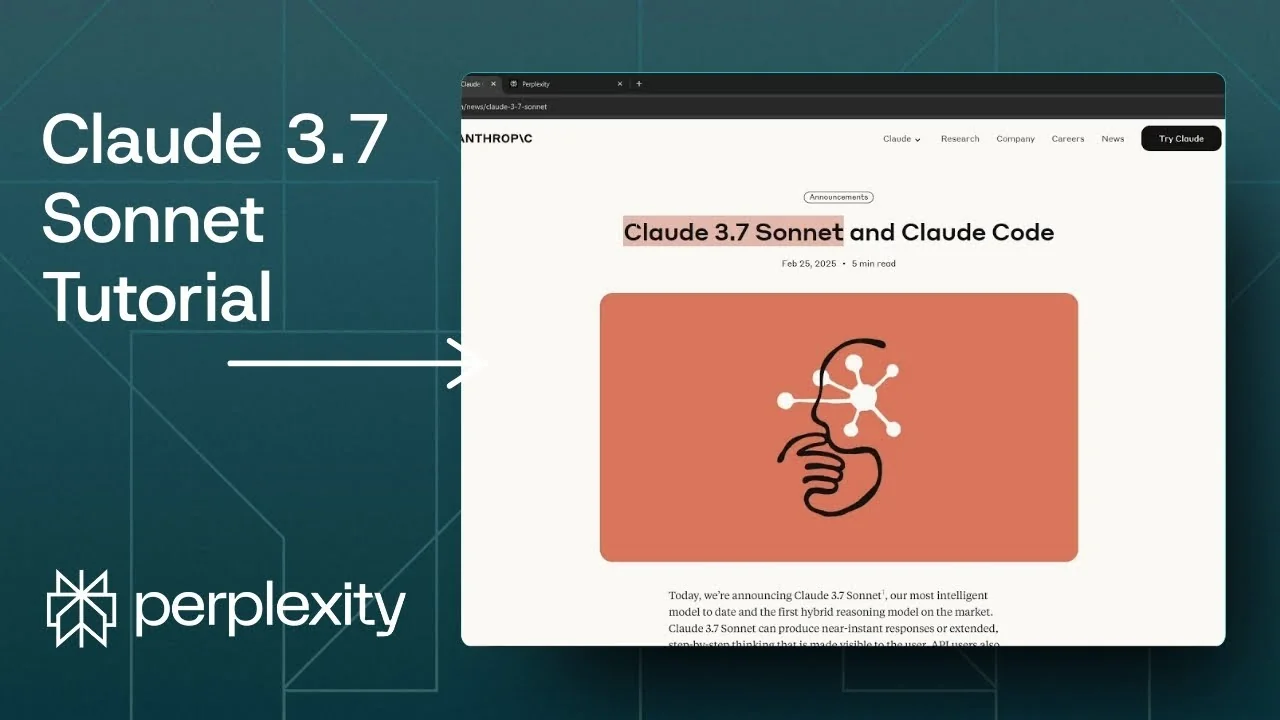
Anthropic released a new model called Claude 3.7 Sonnet a few hours ago. It is the successor to the very successful Claude 3.5 Sonnet. According to the announcement, it is a hybrid of a regular AI model and a reasoning model that switches automatically based on your query.
The reasoning mode is similar to DeepSeek R1 and OpenAI o3. You get an AI model that can behave like a standard assistant or a reasoning model without manual toggles. If your question is complex, it will enable the reasoning mode, and if your question is simple, it will answer with the regular model.
I think that is a quite interesting integration. It makes the model feel adaptive in a practical way. You do not need to decide upfront which mode to use.
Claude 3.7 Sonnet Release Overview
Anthropic also released Claude Code, which is presented as a code editor. I do not think it is really a code editor like VS Code or something like GitHub Copilot. It is more like a chatbot that you can ask to do coding for you.
I tried to sign up, but the sign up was full. I could not use it, so I will wait for the next few weeks until sign ups open again. I am curious to see how the experience compares to a traditional IDE.
Read More: Create Superior Ai Art
Hybrid Reasoning in the Claude 3.7 Sonnet Release
The core idea is automatic switching between regular responses and deeper reasoning. This means the model can pick the most efficient path for your query. If the reasoning path is needed, it will take longer to respond.
If the question does not require extended reasoning, the answer comes quickly. That saves time for routine prompts. It removes guesswork about which model tier to pick.
Benchmarks in the Claude 3.7 Sonnet Release
The benchmarks highlight strong performance for software engineering and agentic behavior. The comparison includes Claude 3.7, Claude 3.5 Sonnet, OpenAI o1, OpenAI o3-mini, DeepSeek R1, and Grok 3 beta. It appears to perform really well compared to other models.
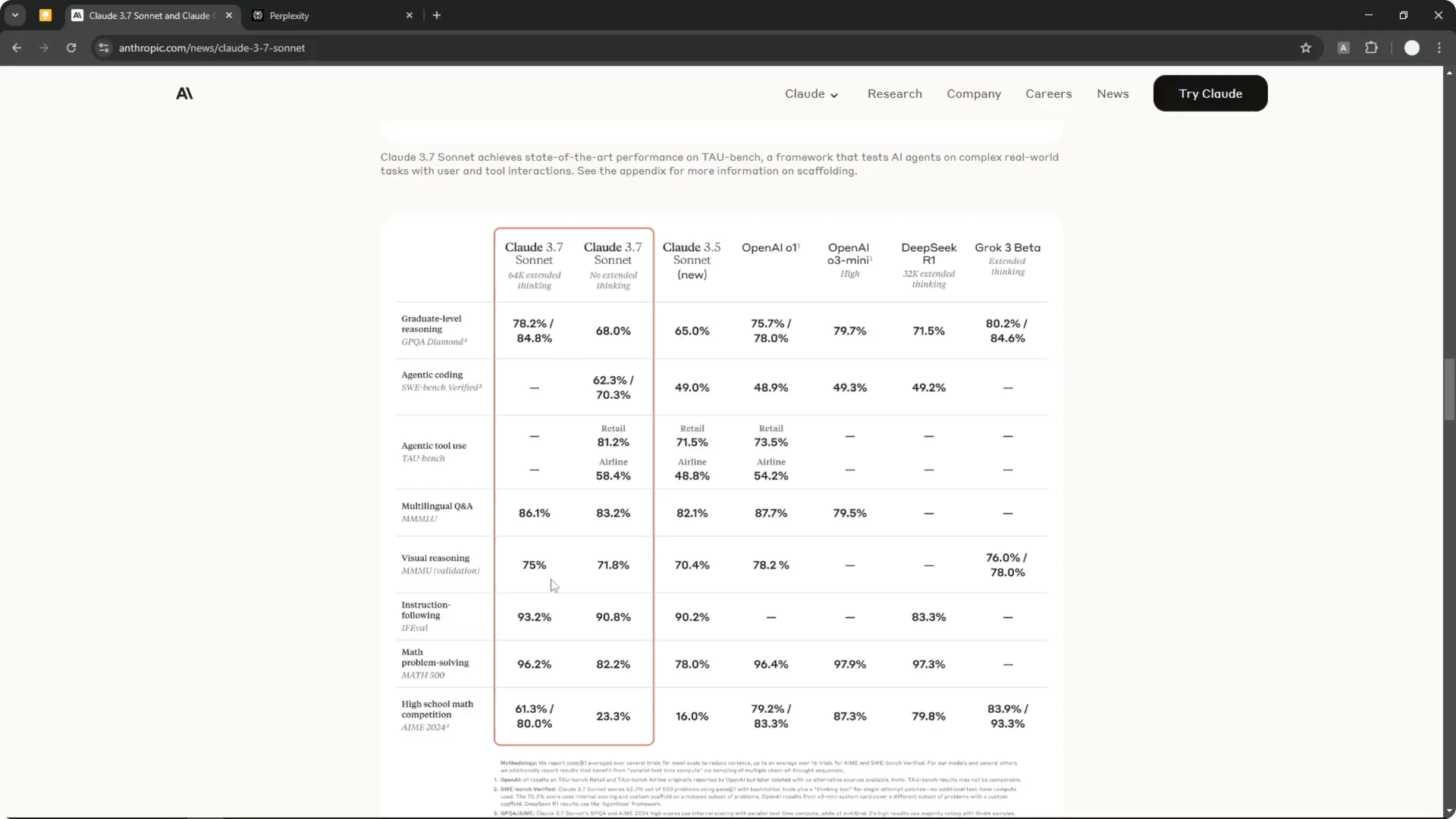
I think the scores are not much different than OpenAI and DeepSeek on some tests. Still, the hybrid behavior is the point of interest for me. It aims to make reasoning more accessible in everyday use.
Read More: Eye Catching Ai Art Midjourney Prompts Styles
Claude 3.7 Sonnet Release on Perplexity
Claude 3.7 Sonnet is now available on Perplexity as well. I have done some testing, and it feels very similar on Perplexity and on the official Claude site. On Perplexity you also get internet access and the ability to upload content and documents.
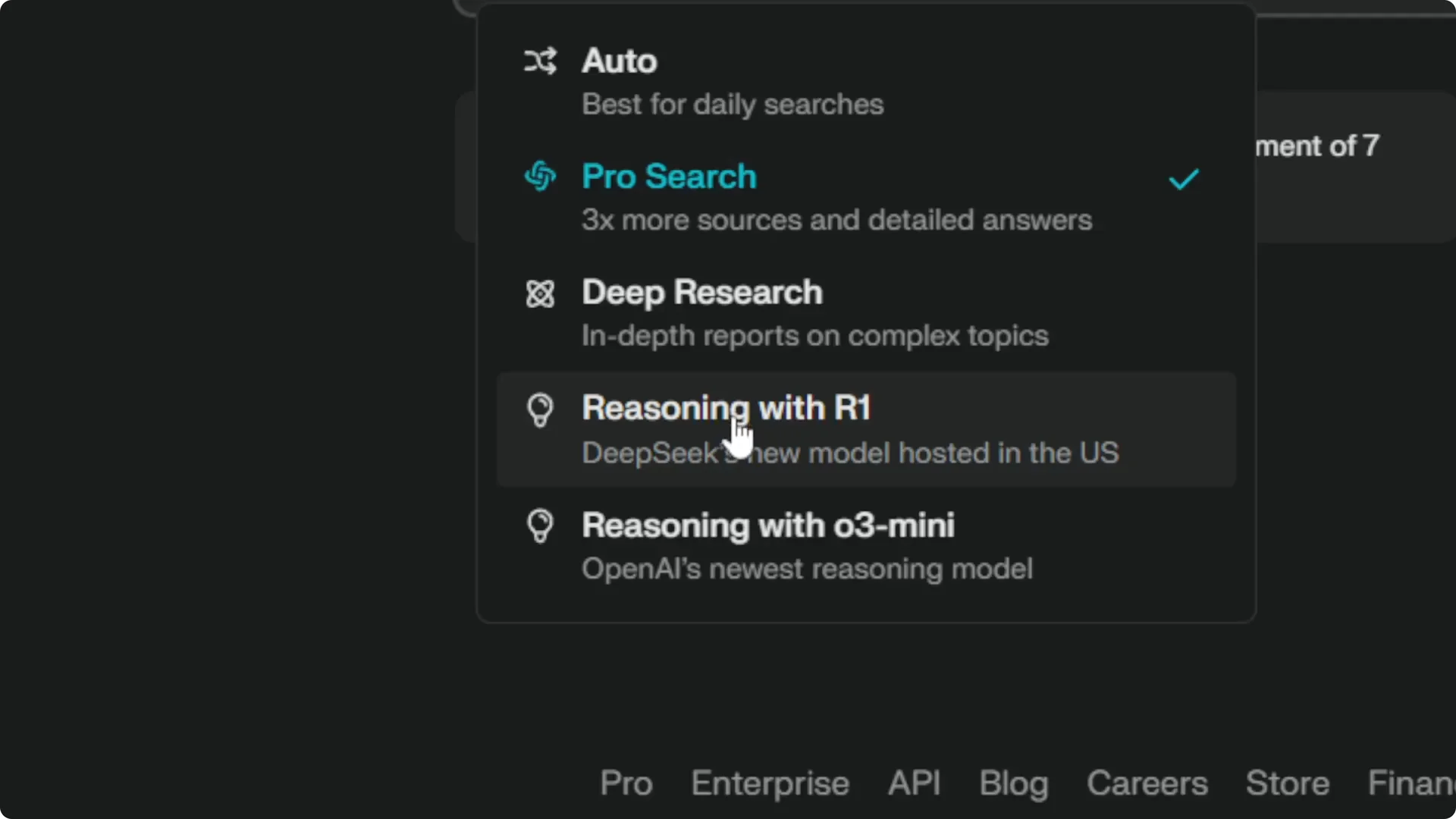
If you click the usual model drop down on Perplexity, you might not see Claude 3.7 Sonnet yet. The reasoning models are usually listed there before you search, but the UI may not be updated. It could be related to the hybrid approach or a pending UI change.
Use Claude 3.7 Sonnet Release in Perplexity
Step 1: Click the gear icon to open settings.
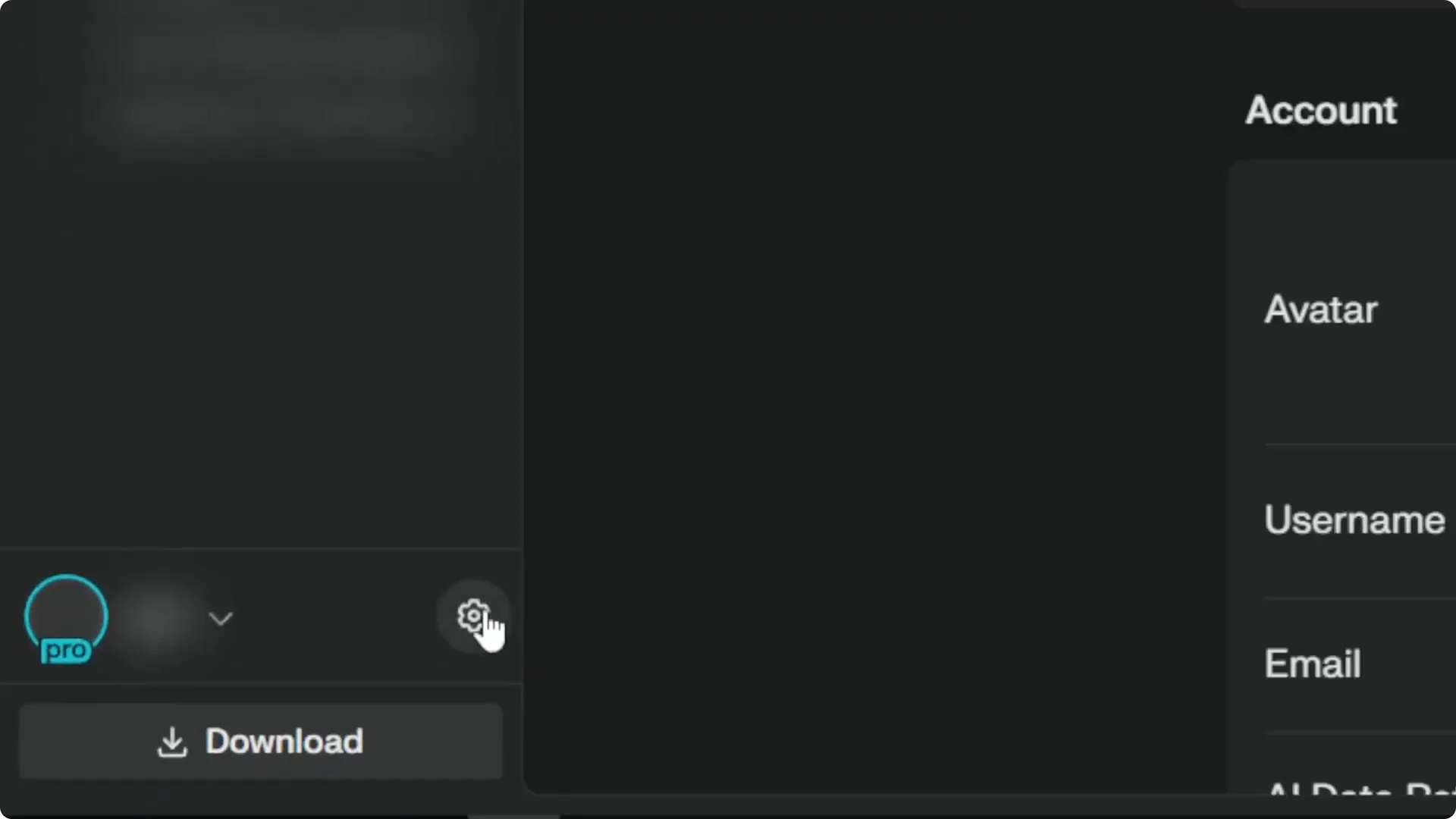
Step 2: Navigate to the Perplexity Pro section.
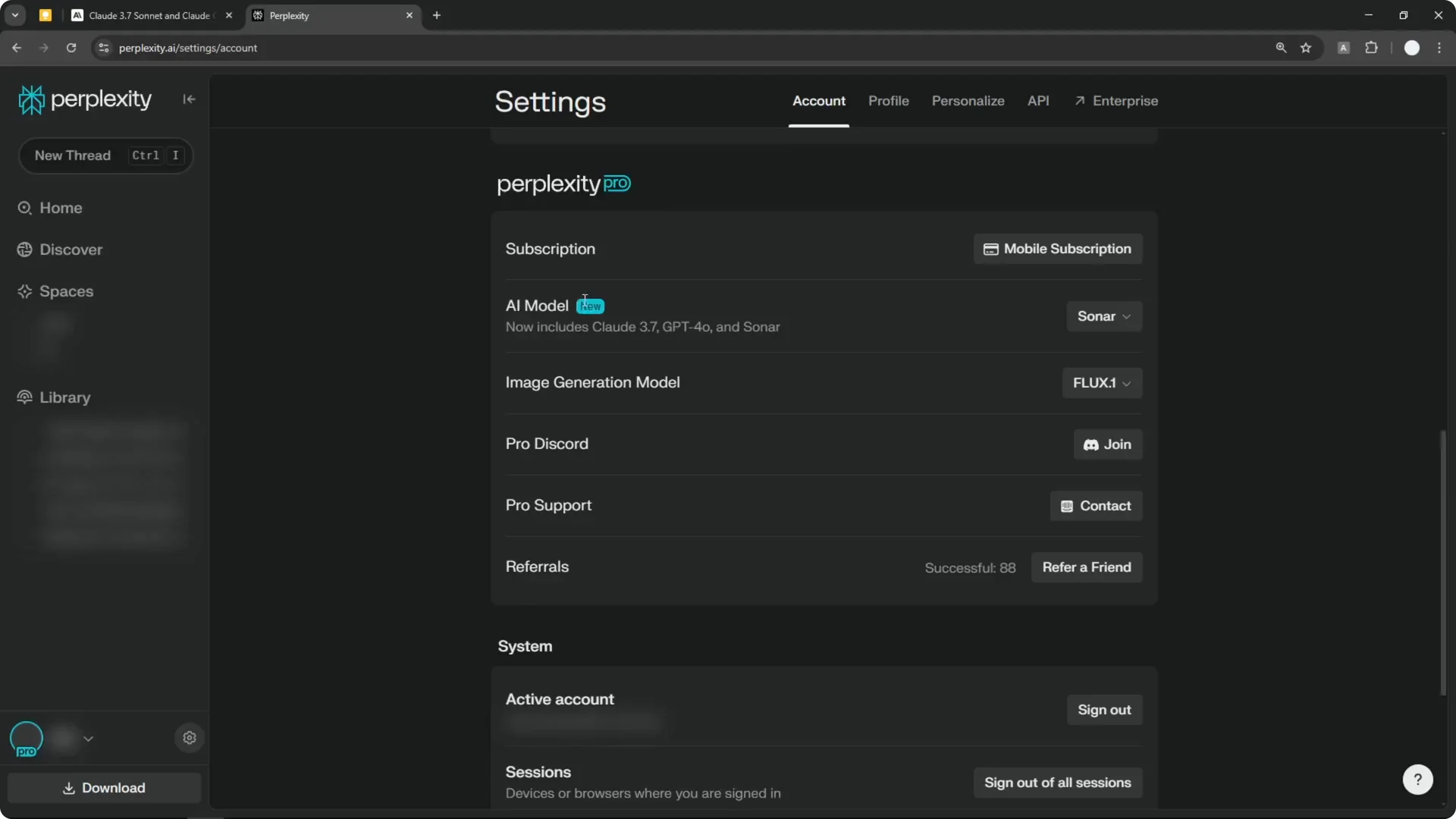
Step 3: You need an active Perplexity Pro subscription to switch to this model. Without Pro, you cannot use Claude 3.7 Sonnet. Make sure your plan is active.
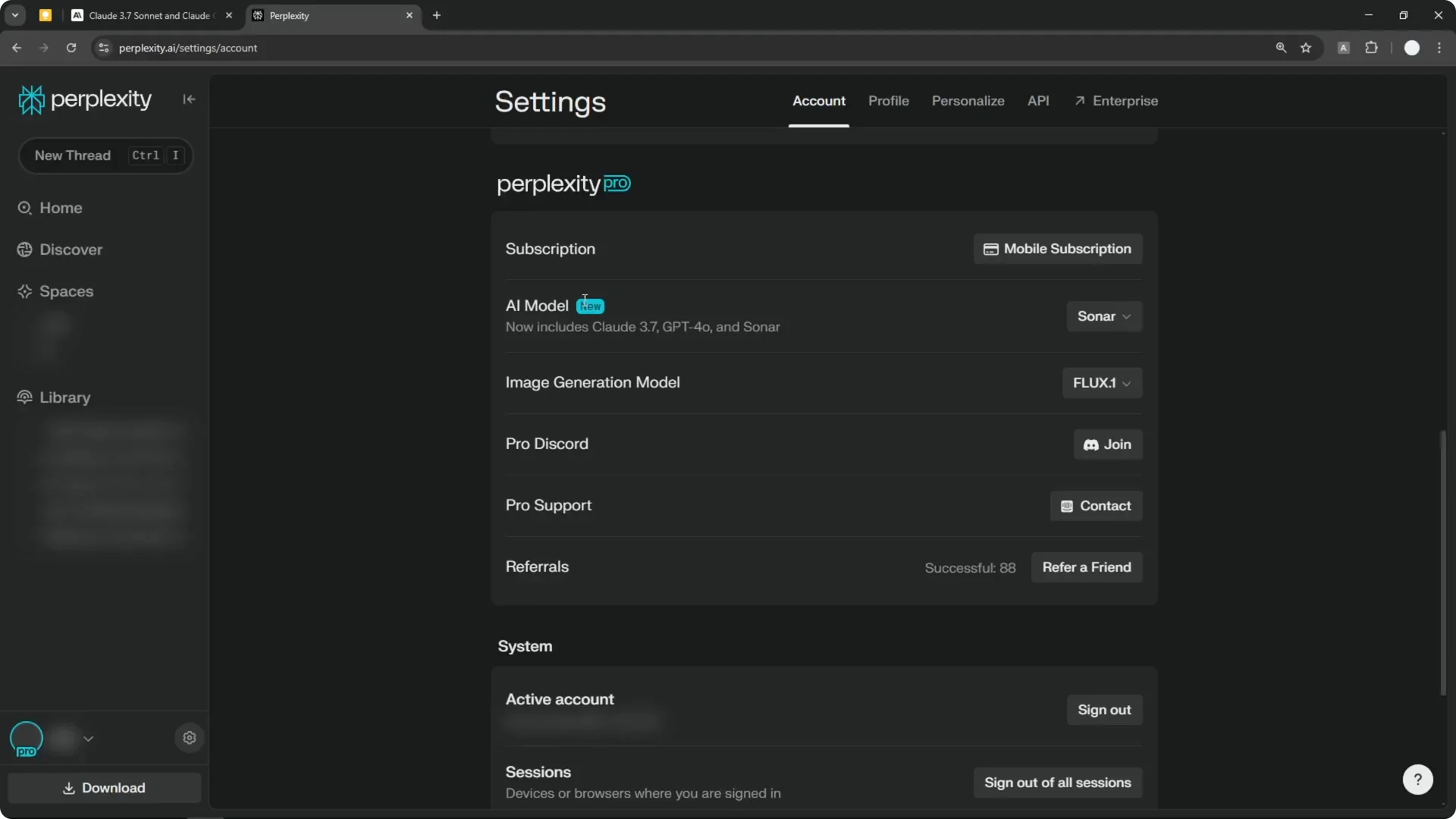
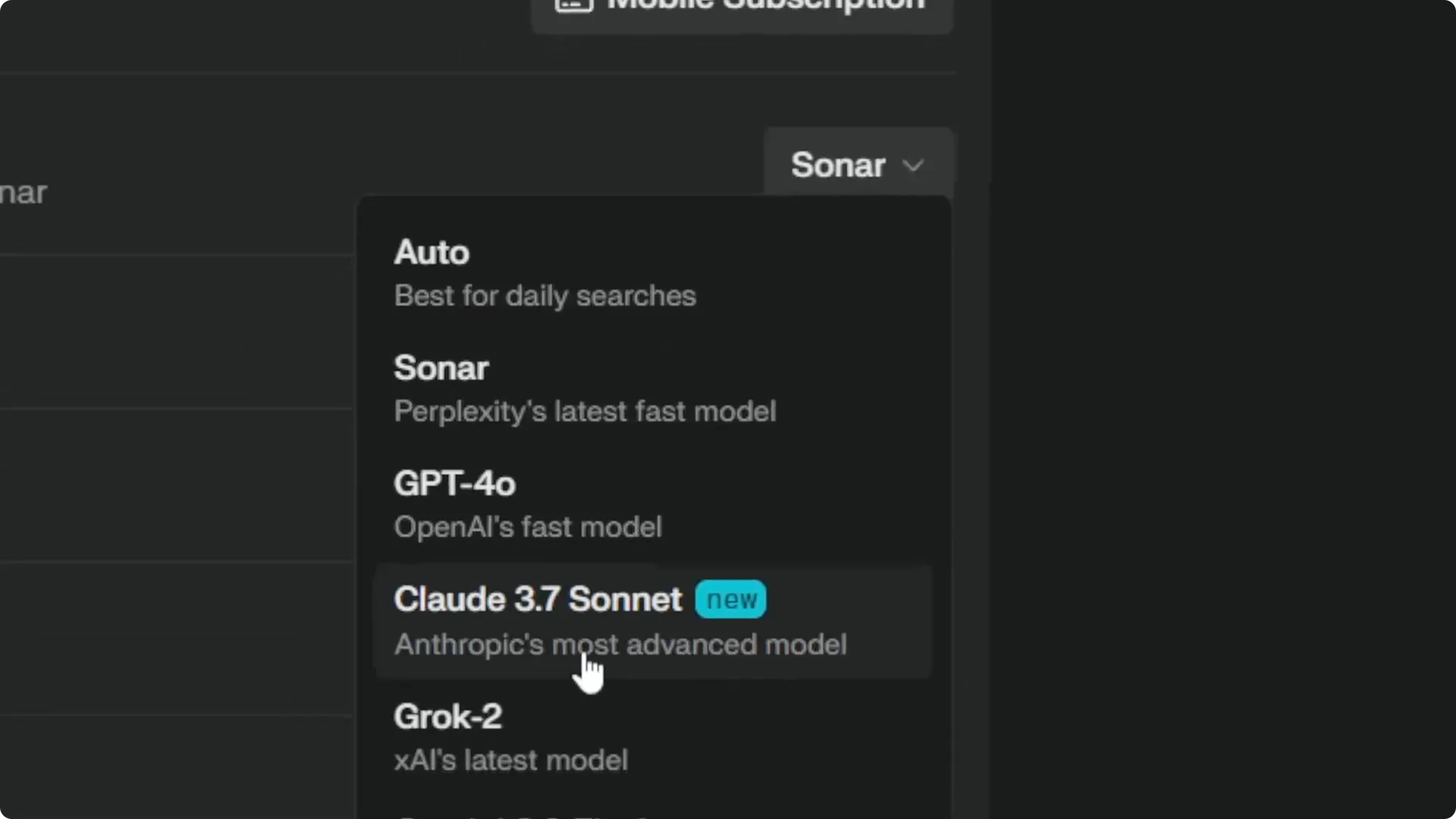
Step 4: Change the model to Claude 3.7 Sonnet. This is new and was added very recently. Perplexity is quite responsive about adding new models.
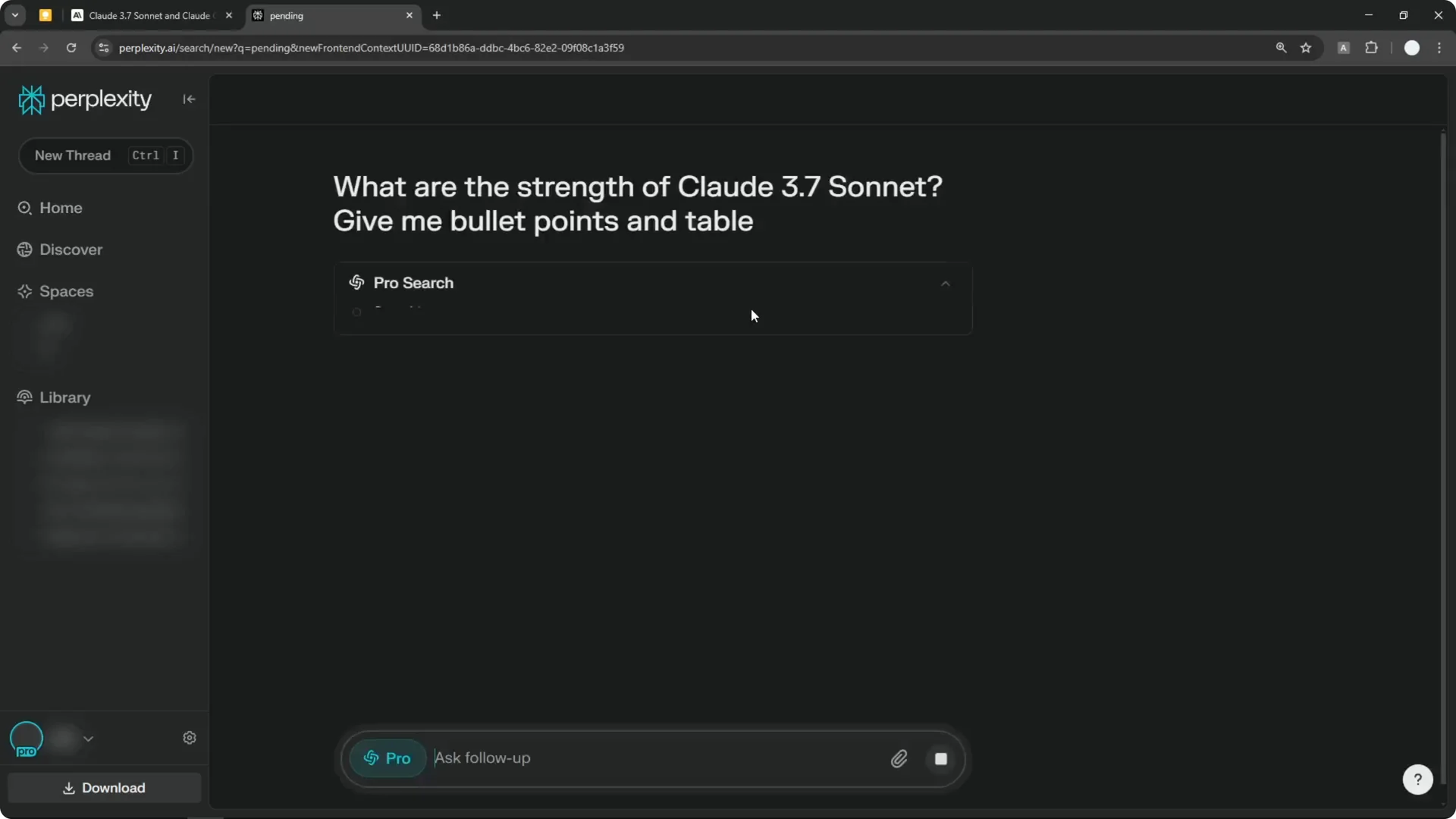
Step 5: Return to the homepage and ask your question with web search enabled if you need sources. If the question is complex, the reasoning mode may activate and take longer. If it is simple, the answer will come back quickly.
Step 6: If you have an existing thread and want to regenerate the answer with this model, click Rewrite. Select Claude 3.7 Sonnet to recreate the answer with a different AI model.
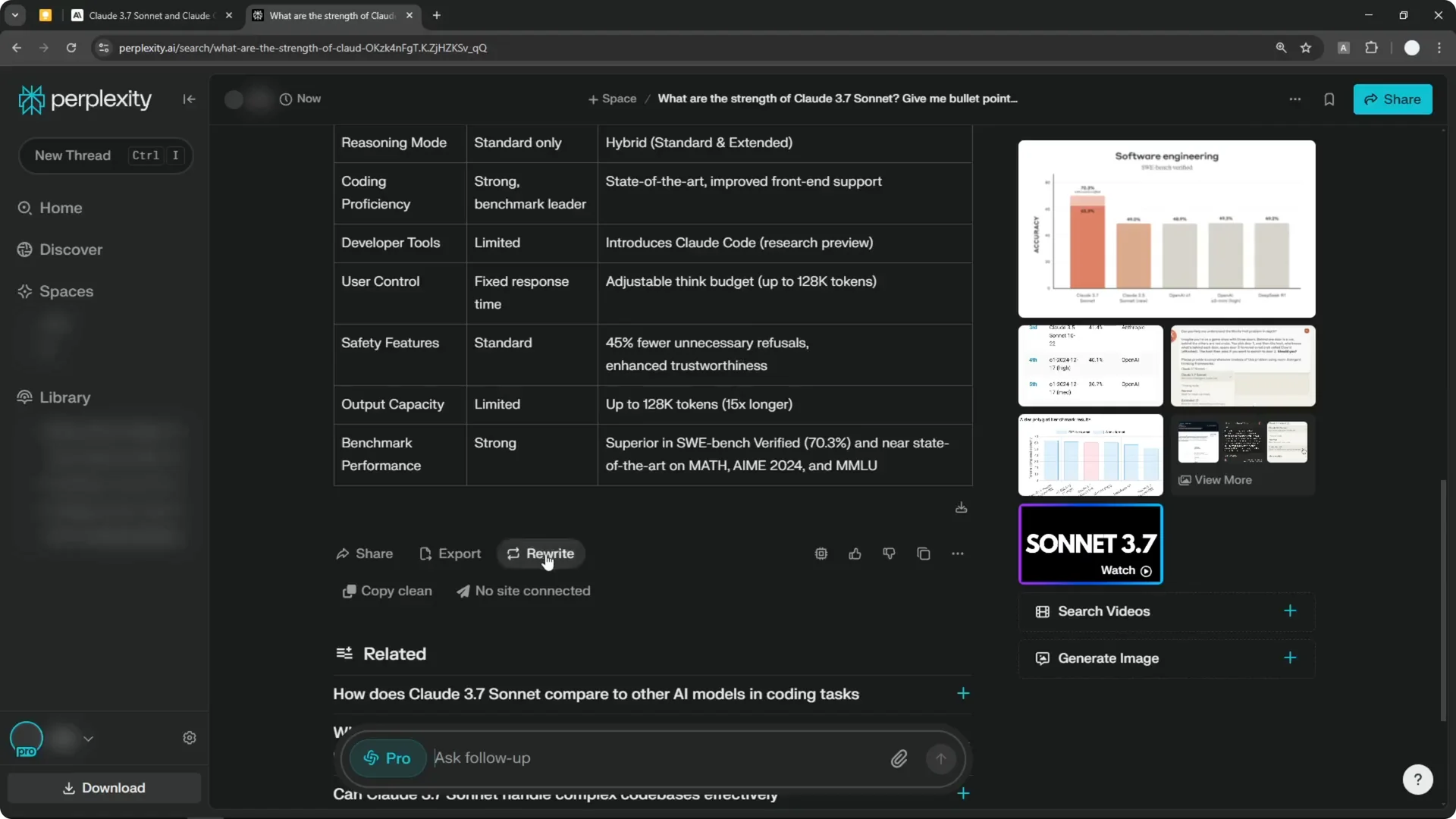
Read More: Camera Control For Midjourney Ai Video
Early Limitations in the Claude 3.7 Sonnet Release
Right now, I do not think Perplexity is using all the advancements offered by Claude 3.7 Sonnet. In my testing, it was not showing the thinking or chain of thought steps. With DeepSeek R1 or Deep Research on Perplexity, you usually see some steps explained.
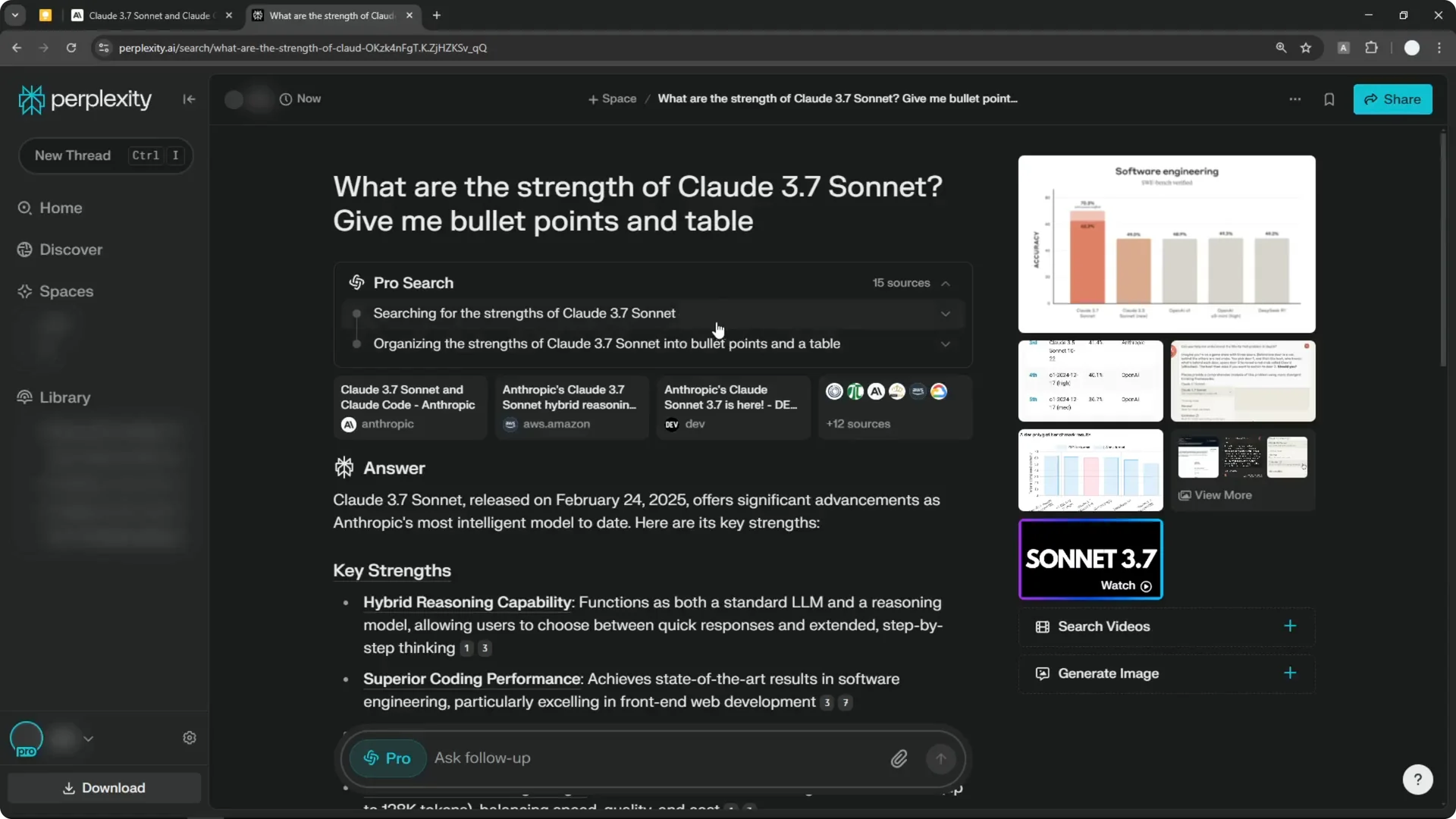
Even when I used Claude 3.7 Sonnet with a question that I expected would enable reasoning, the step-by-step process was not shown. It is still very early, and I believe they will implement more features soon. I expect improvements over the next few days.
Read More: Transformative Ai Art Midjourney Prompts
Final Thoughts on the Claude 3.7 Sonnet Release
Claude 3.7 Sonnet brings a hybrid approach that automatically adapts to the complexity of your query. The early Perplexity integration works, and switching to it inside Perplexity Pro is straightforward. I am looking forward to seeing the reasoning visuals and other features roll out to make it even more usable.
