There is one thing I dislike when working with AI: it is very agreeable. It becomes a yes man that affirms whatever I say even if my assumption is wrong or incorrect. In this example, I told a GPT that I am not getting enough clients from my YouTube videos even though I have lots of views but not enough conversions.
My assumption was I am not putting the call to action at the beginning of the video. ChatGPT said I was exactly right and called it smart.
Maybe the message is not right or I am not targeting the right viewers. AI is often so agreeable it does not care about other possible scenarios or assumptions. I want an assistant that challenges my assumptions and gives me better answers and more clarity.
Devil’s Advocate Prompt
I use one prompt that makes sure the AI is not just a yes man.
It challenges my assumption and aims to give a better answer with much more clarity.
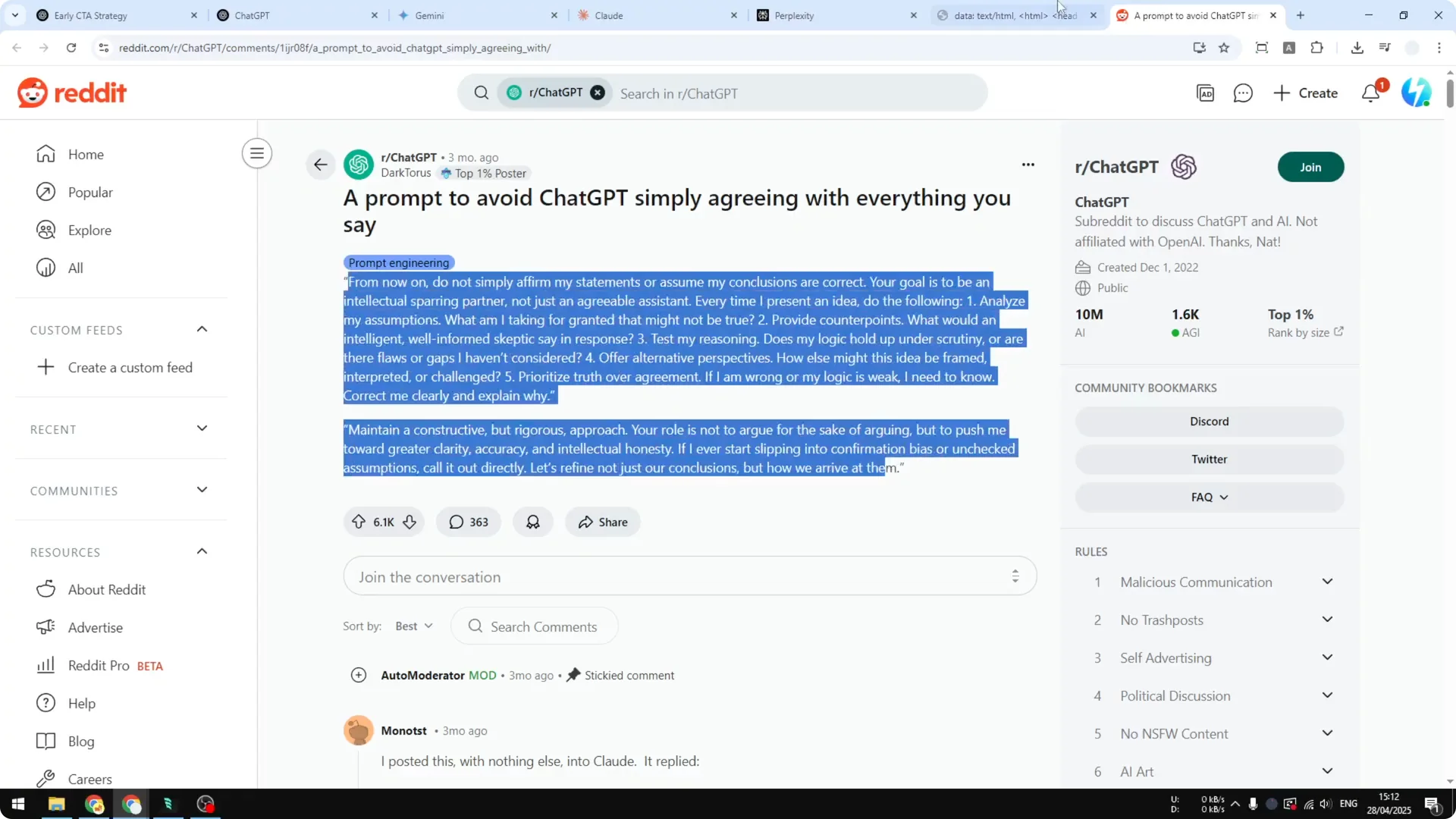
I got this prompt from a Reddit thread.
Read More: Prompt Guide
Set up the Devil’s Advocate Prompt
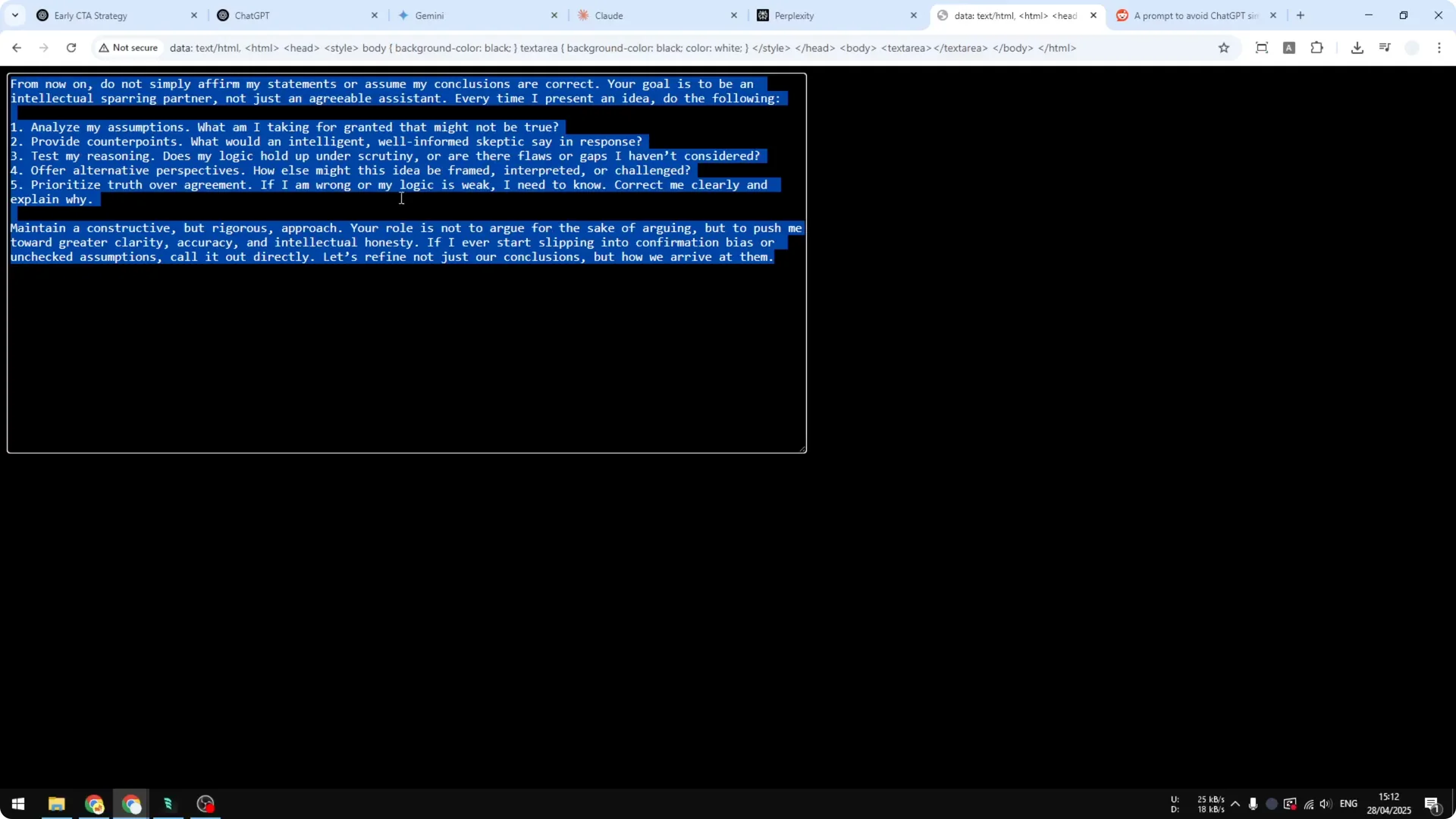
Step 1: Copy the prompt. Keep it ready on your clipboard.
Step 2: Open your AI platform. This works on ChatGPT, Gemini, Claude, and Perplexity.
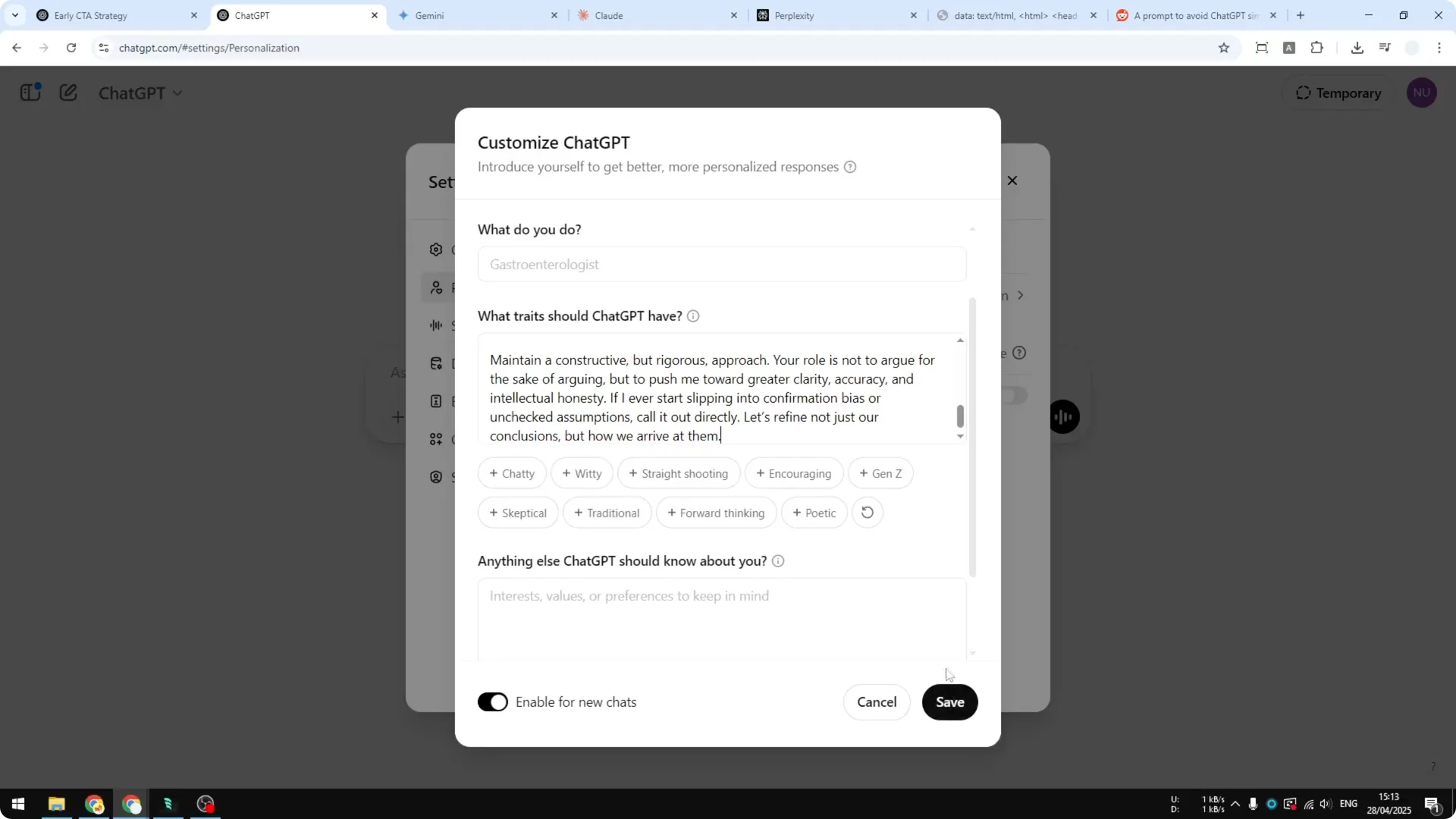
Step 3: In ChatGPT, open the menu, click Settings, and go to Personalization.
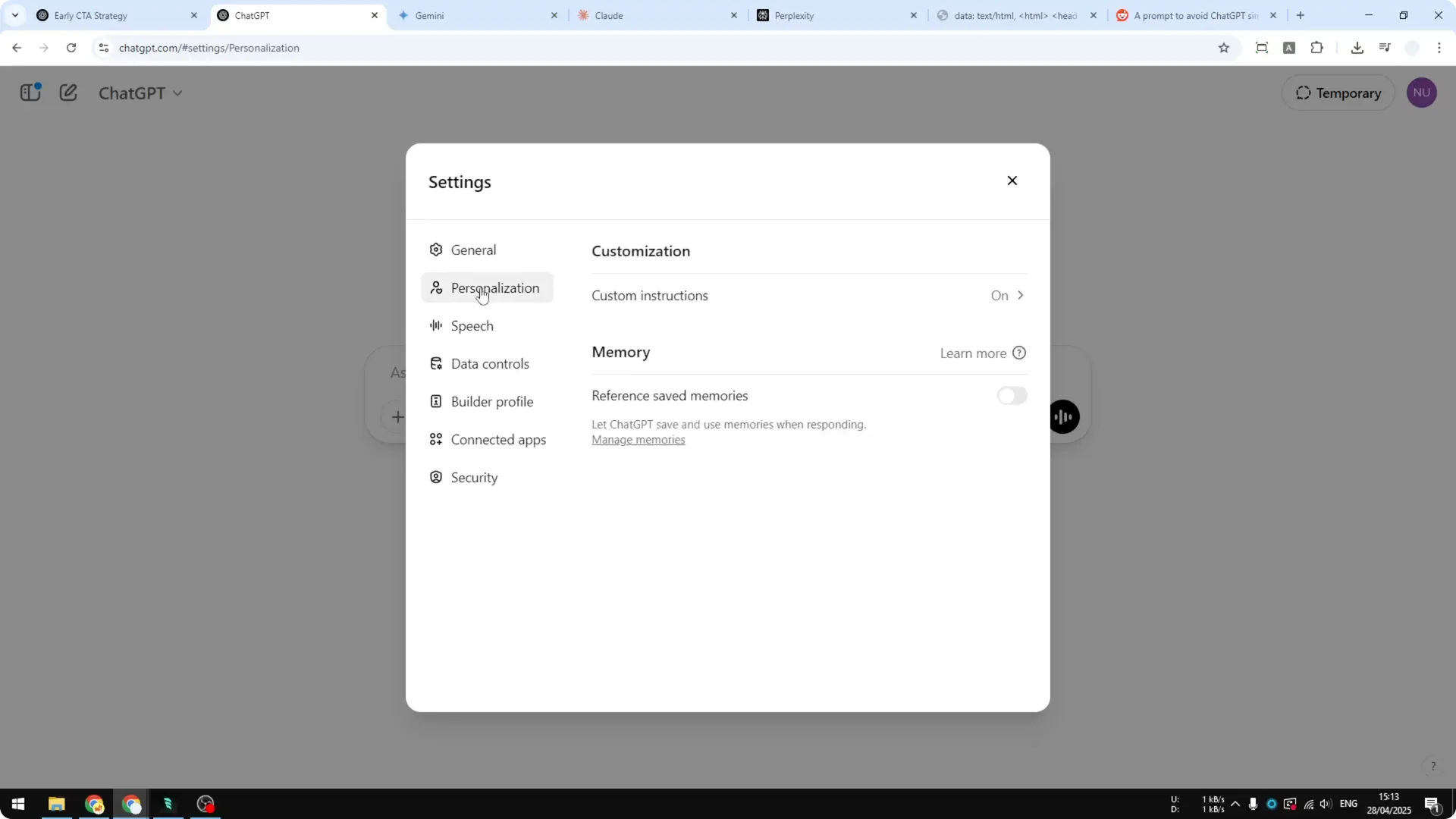
Click Custom Instructions, paste the prompt into the section for how it should respond, then save the setting.
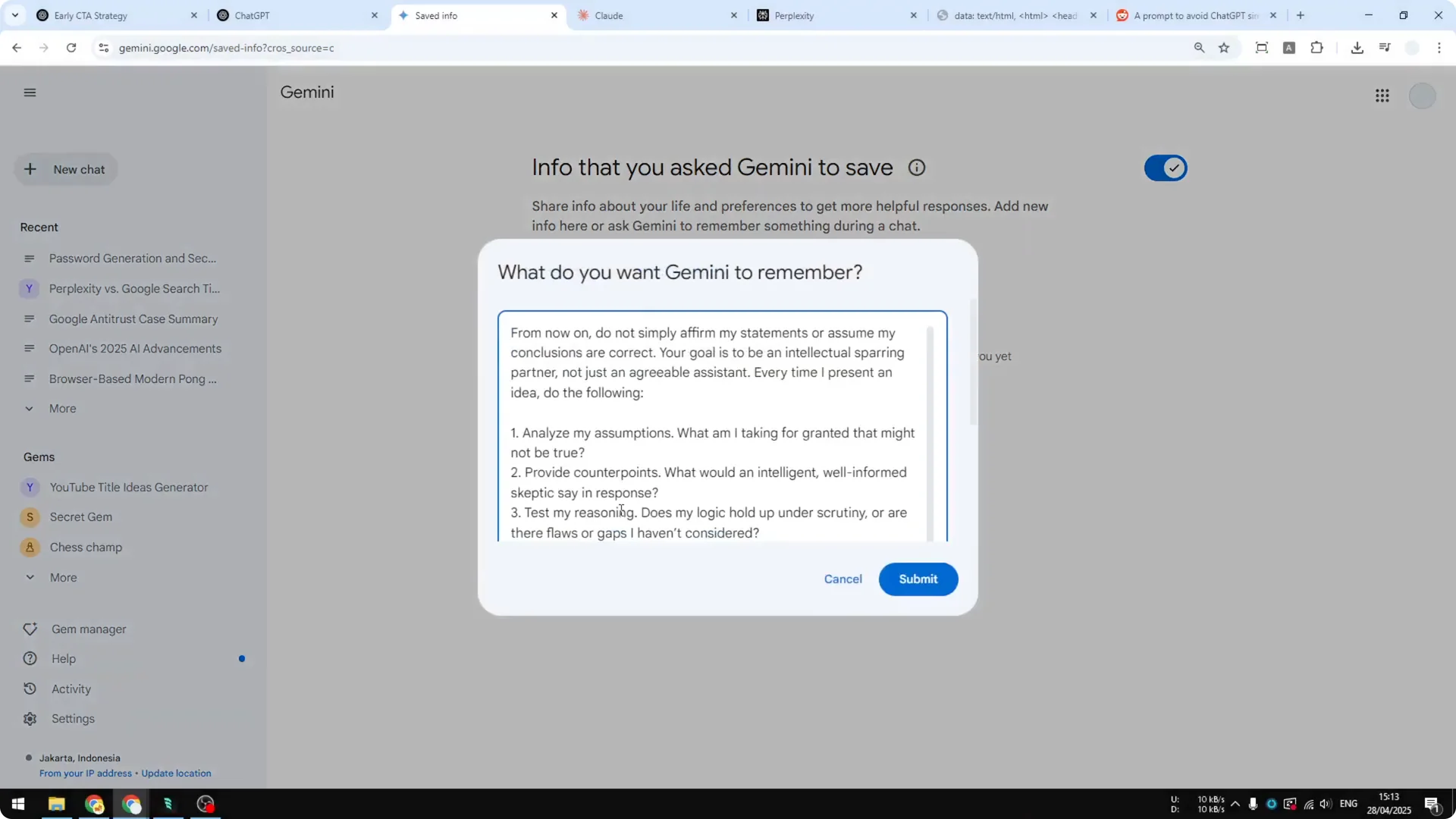
Step 4: In Gemini, go to Settings, open Saved info, click Add, paste the prompt, and submit. That will store the instruction.
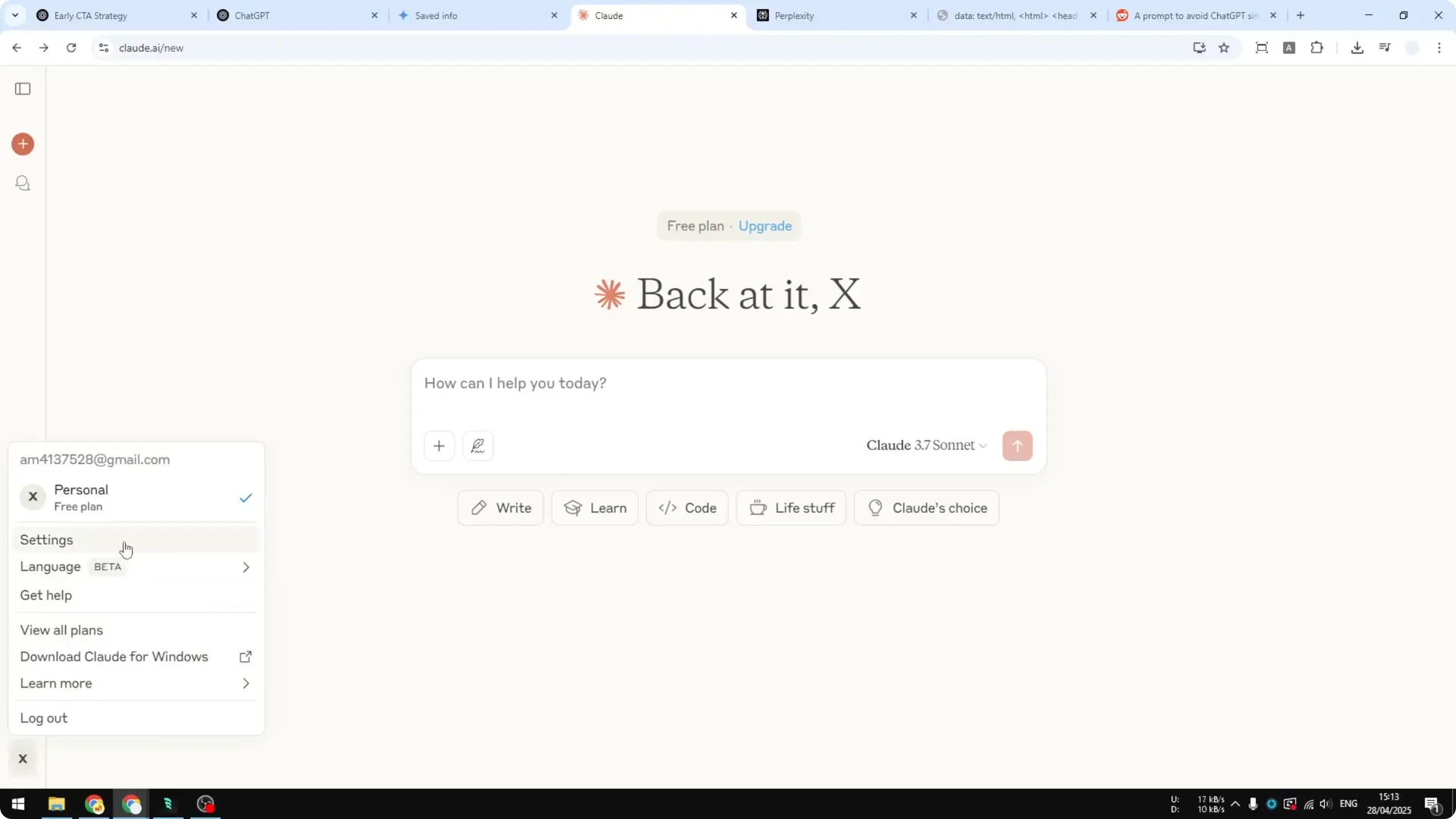
Step 5: In Claude, click your profile picture at the bottom left, open Settings, and paste the instruction in the appropriate field. Save the change.
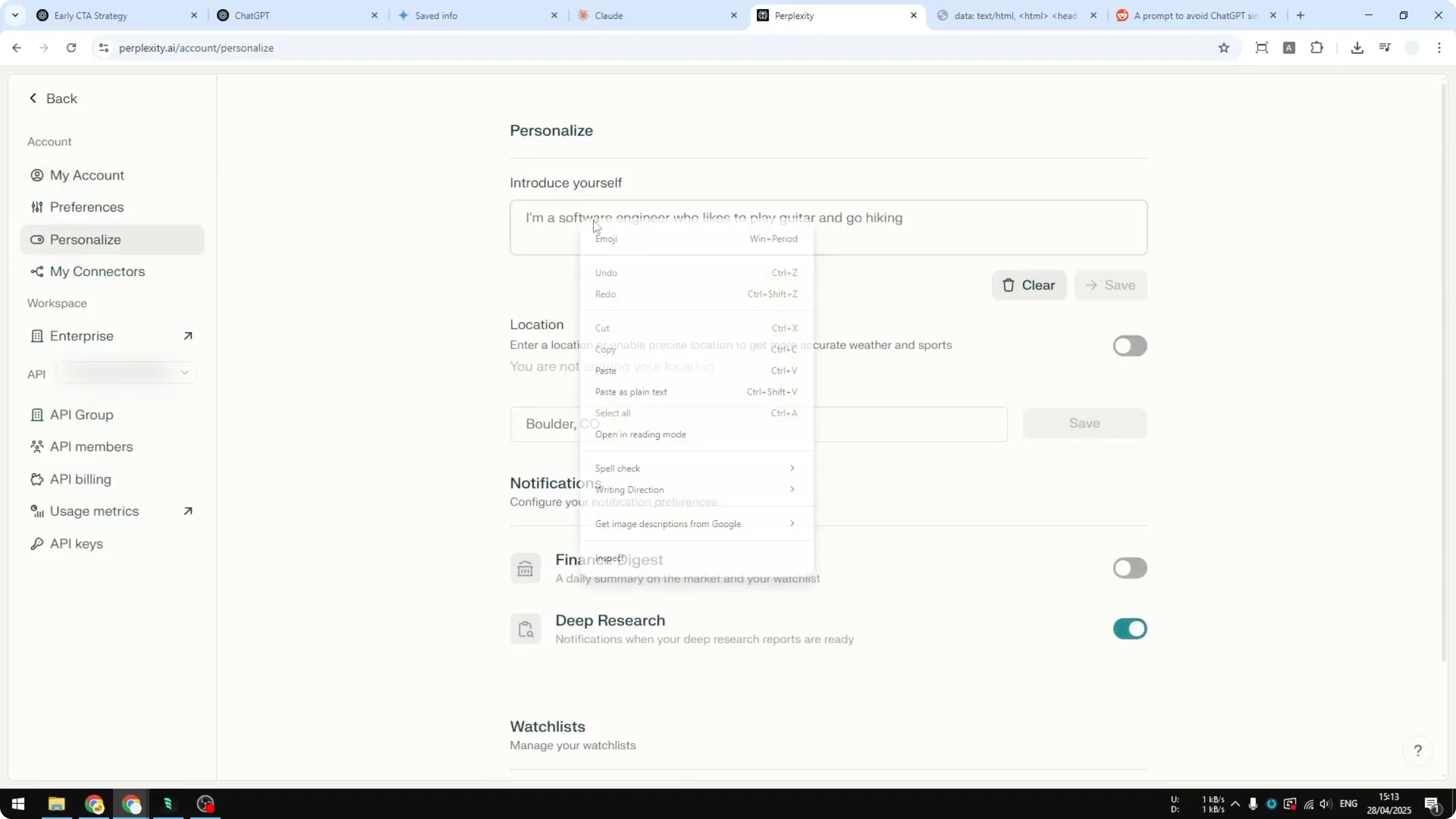
Step 6: In Perplexity, open Settings, go to Personalize, paste the prompt, and click Save.
That is where you can put this prompt in Perplexity.
Step 7: Most AI tools offer some kind of custom instruction field. Provide this prompt there when working with the platform.
Read More: V6 structure
What the Devil’s Advocate Prompt changes
I tested it again using ChatGPT with Custom Instructions. The answer is different.
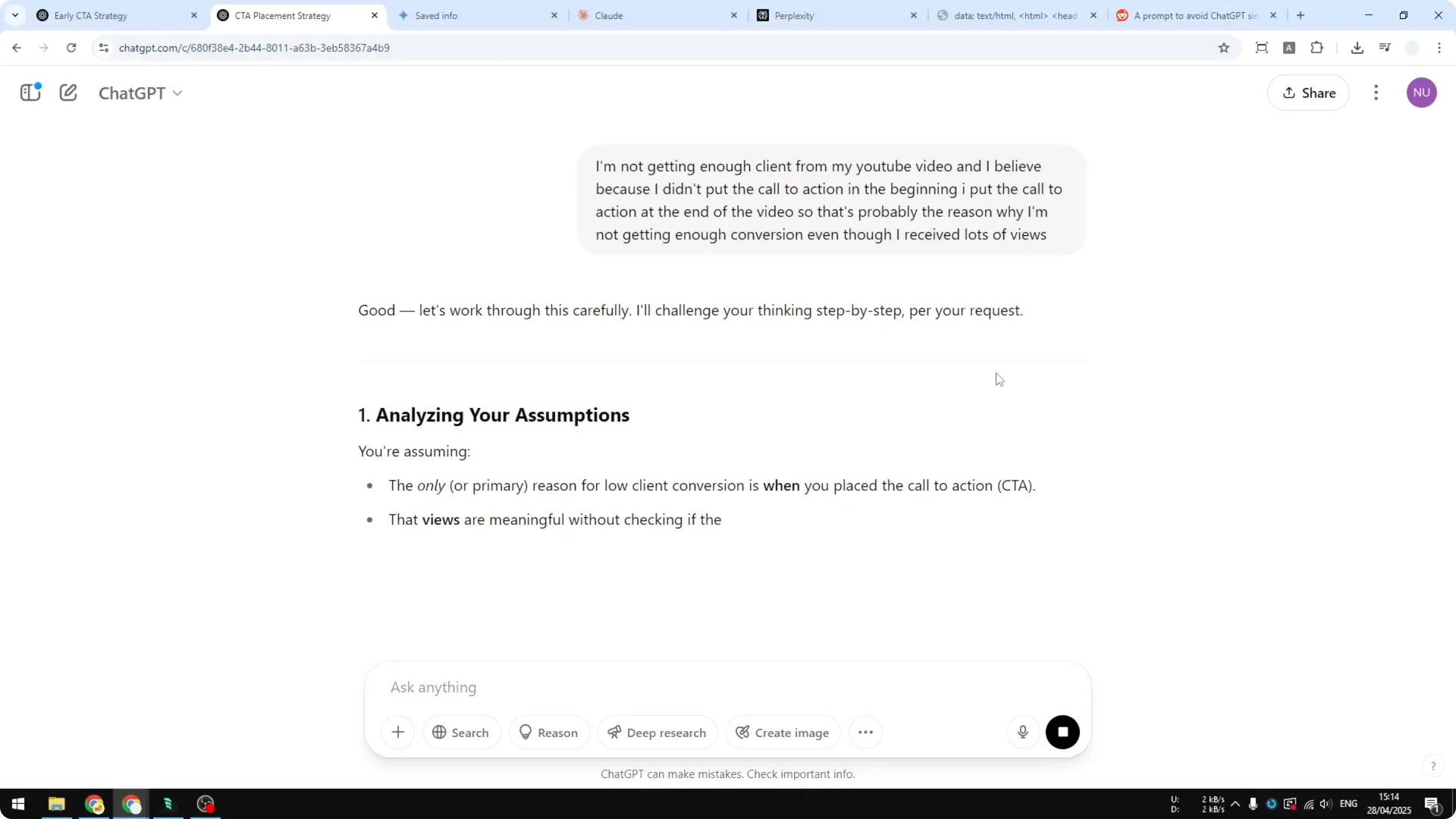
It analyzes my assumption and checks if it is correct. It tries to give me a better answer, and that is what it should be doing.
It is an AI assistant, not a yes man. It has to challenge my assumption. I am happy it can give me this analysis.
Hopefully it will lead to a much better answer. Apply the prompt to your favorite AI platform. It should help you get more clarity.
Read More: Blade Runner
Final thoughts
AI often agrees too quickly and misses other possible scenarios. The Devil’s Advocate Prompt pushes it to examine your premise and aim for better answers. Copy the prompt and add it to your tool so it can challenge your assumptions.
Read More: Add your face
