MidJourney has released its V8.1 model. V8 brought impressive upgrades but also some rough edges, especially with aesthetics.
MidJourney took the feedback, made changes, and released 8.1.
I am excited about this model, and here is what is available, what is not, some tips, and what is coming soon.
Midjourney V8.1 Improvements: Access and setup
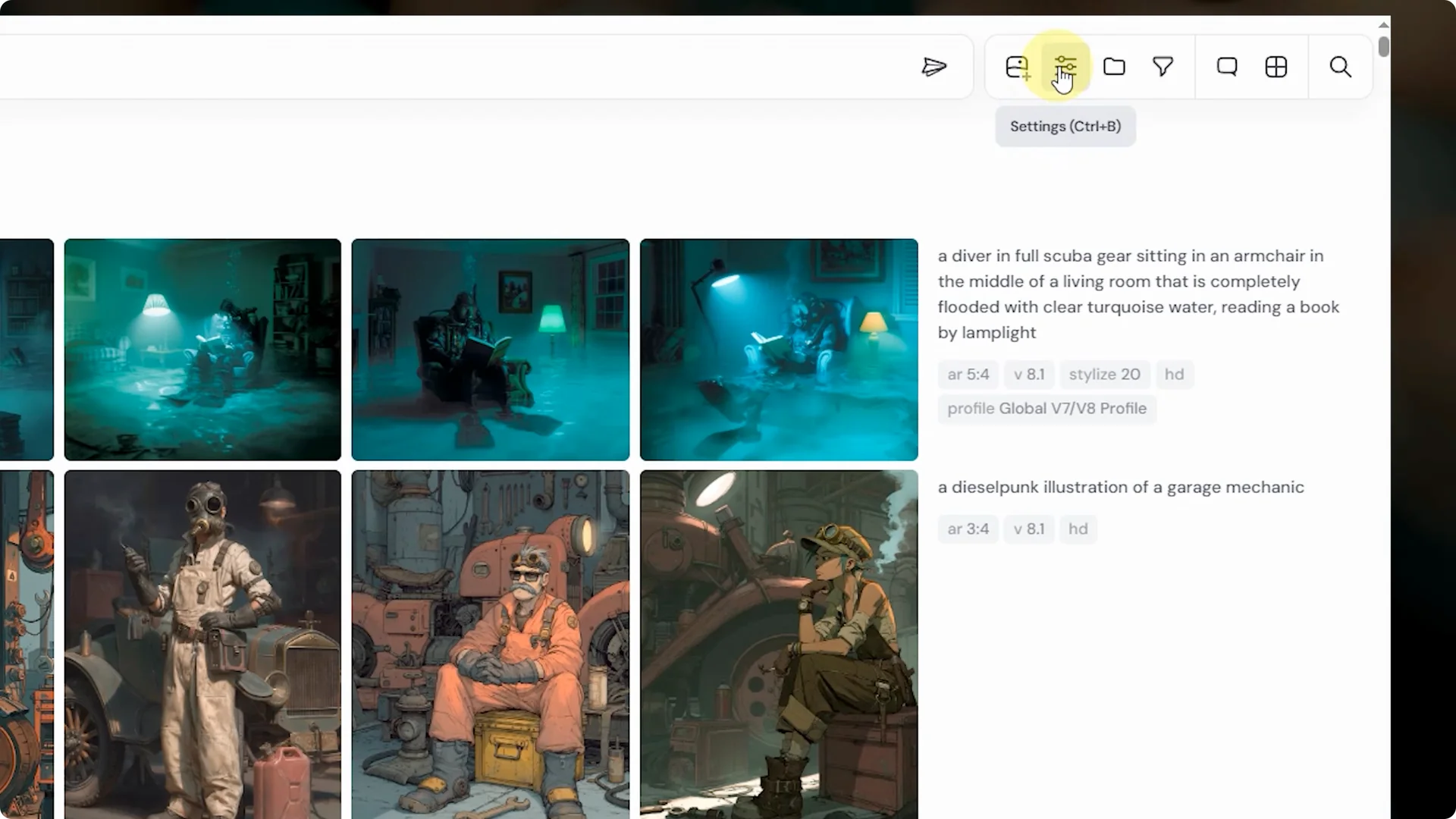
Right now, V8.1 is only available on the alpha website at alpha.midjourney.com. You can add the V8.1 flag to your prompts or select it as the default model in your settings.
It is planned to move to the main website after testing wraps and minor updates are released, and then it should also become available on Discord.
If you prefer a darker interface while you work in the alpha site, see how to enable dark mode.
Step 1: Go to alpha.midjourney.com and open Settings.
Step 2: Set V8.1 as your default model.
Step 3: Optionally add the V8.1 flag in any prompt for one off runs.
Midjourney V8.1 Improvements: Aesthetics and image quality
One of the biggest changes from V8 alpha to 8.1 is the aesthetics. Each MidJourney model has its own default aesthetics and base assumptions, and while V8 alpha was powerful it felt unfamiliar. 8.1 feels more like V7 in terms of aesthetics, which makes the transition smoother.
Image quality is improved compared to V7. I am seeing much cleaner, more detailed illustrations compared to V7, where ornate lines could get muddy or disconnected. HD mode in 8.1 also helps quite a bit.
Although image quality is better in 8.1, I occasionally get results that look a little blurry or pixelated. MidJourney is aware of this and is working on a fix.
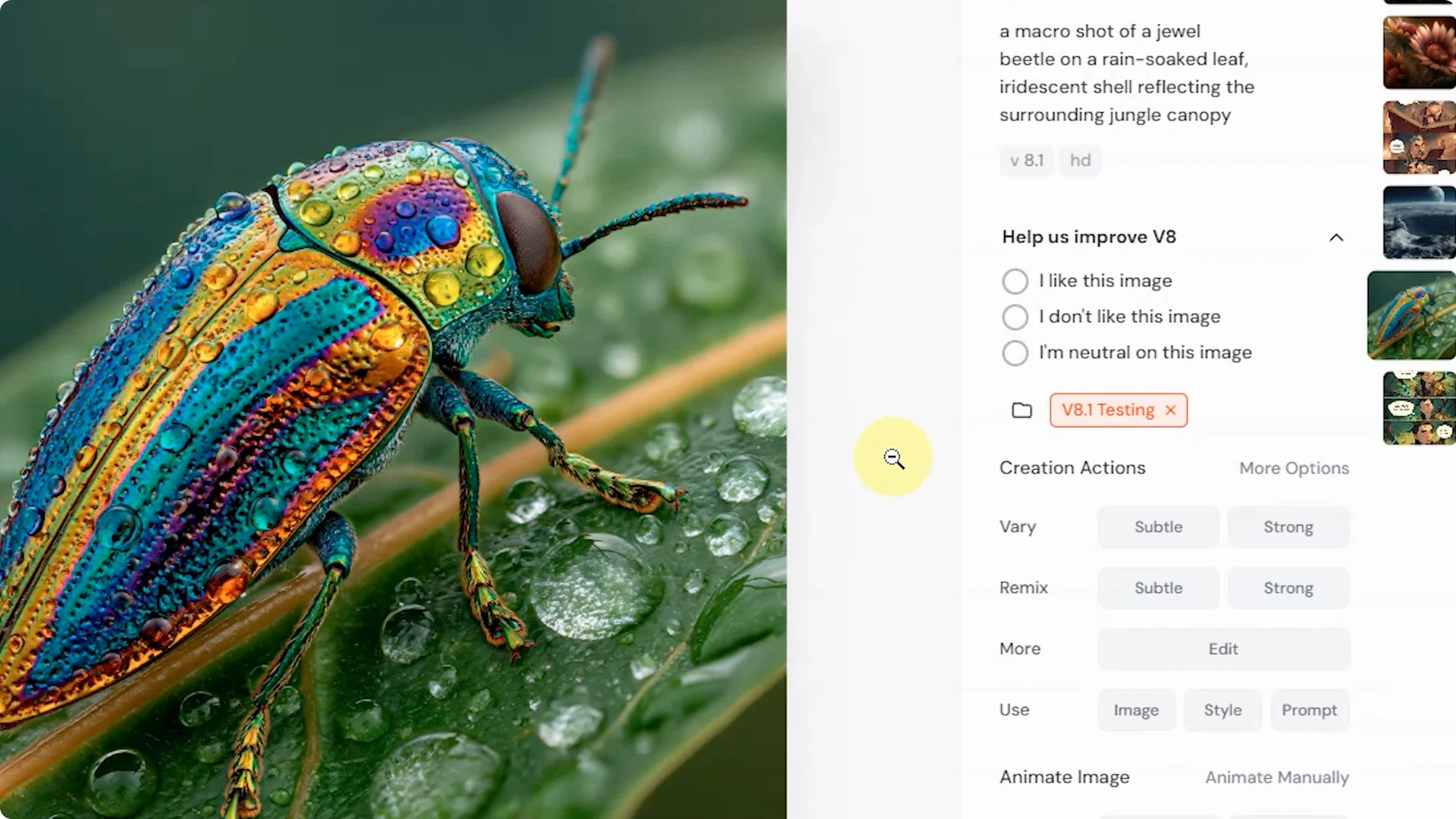
Use the feedback buttons on your 8.1 images to help the team gather data and continue improving the model.
If you want a refresher on how an earlier model shaped the visual baseline, take a look at this overview of V6 aesthetics.
HD mode
HD mode natively renders images at 2K resolution instead of the standard 1K. 8.1 in general is very fast, and SD mode runs about as fast as a draft job in V7.
An HD job in 8.1 with fast mode uses about 1.5 GPU minutes compared to about 1 GPU minute for a regular V7 fast job, so you get twice the resolution for roughly 1.5x the cost.
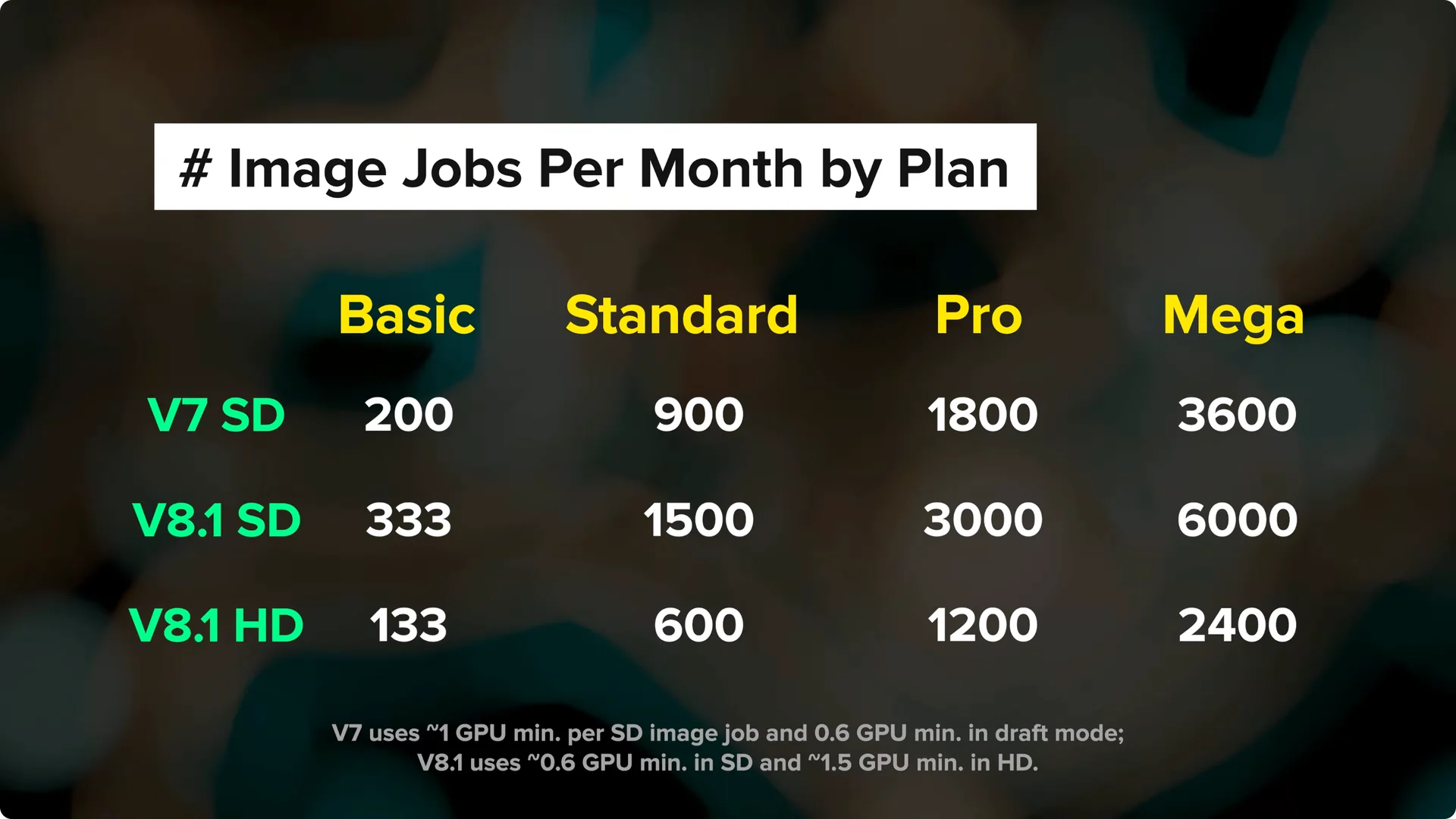
HD mode also runs in relax mode, so if your plan includes relax you do not have to burn through fast hours to use HD.
You can set your default resolution mode in settings, or include HD or SD directly in your prompts.
HD mode is great for intricate details, fine line work, and images with small faces or characters that are farther from the camera.
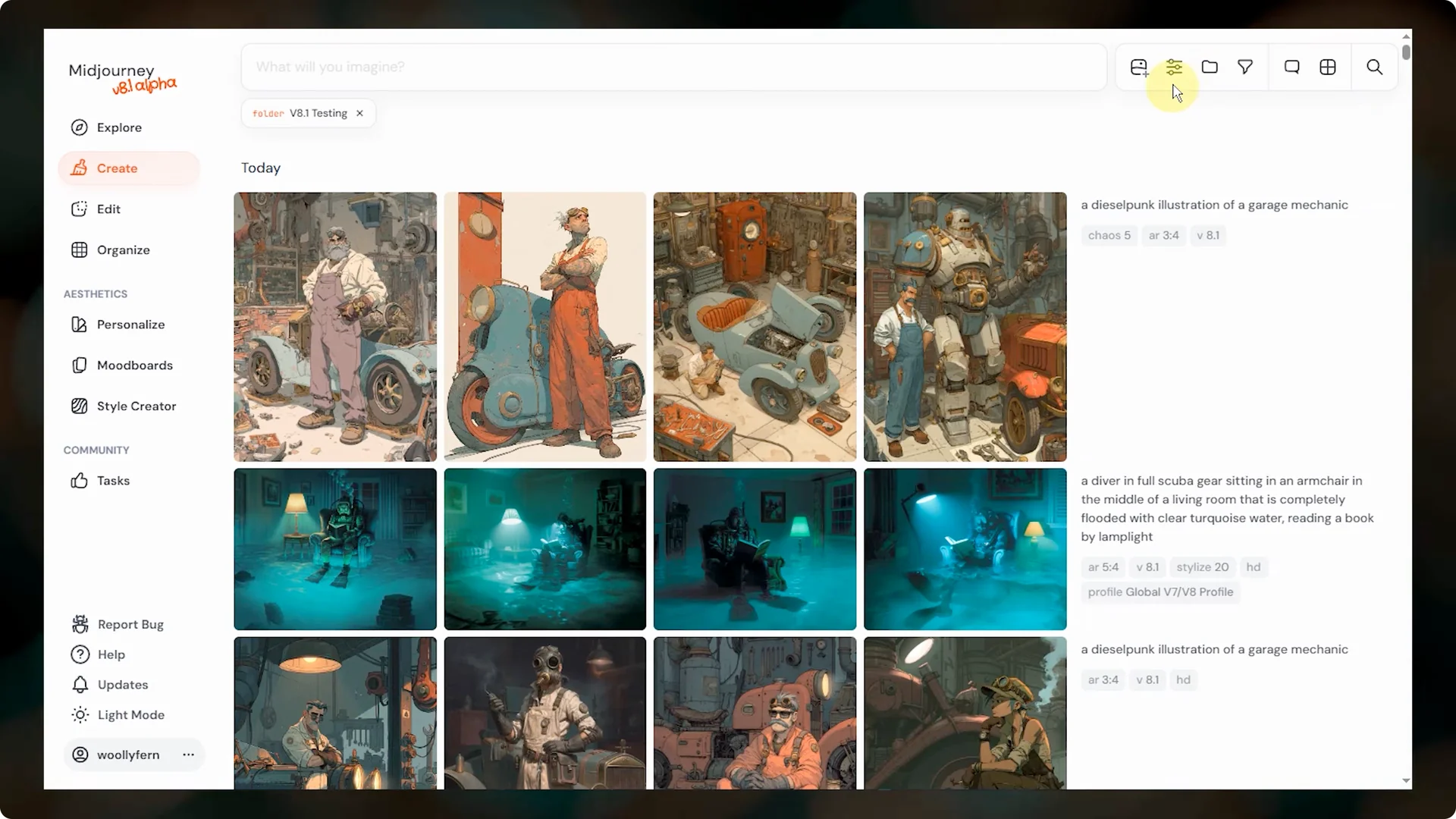
There is also a Run as HD button that appears on any SD job. This reruns the same prompt with the same seed in HD mode.
You will not always get the exact same images back, but often you will get at least some of them in HD.
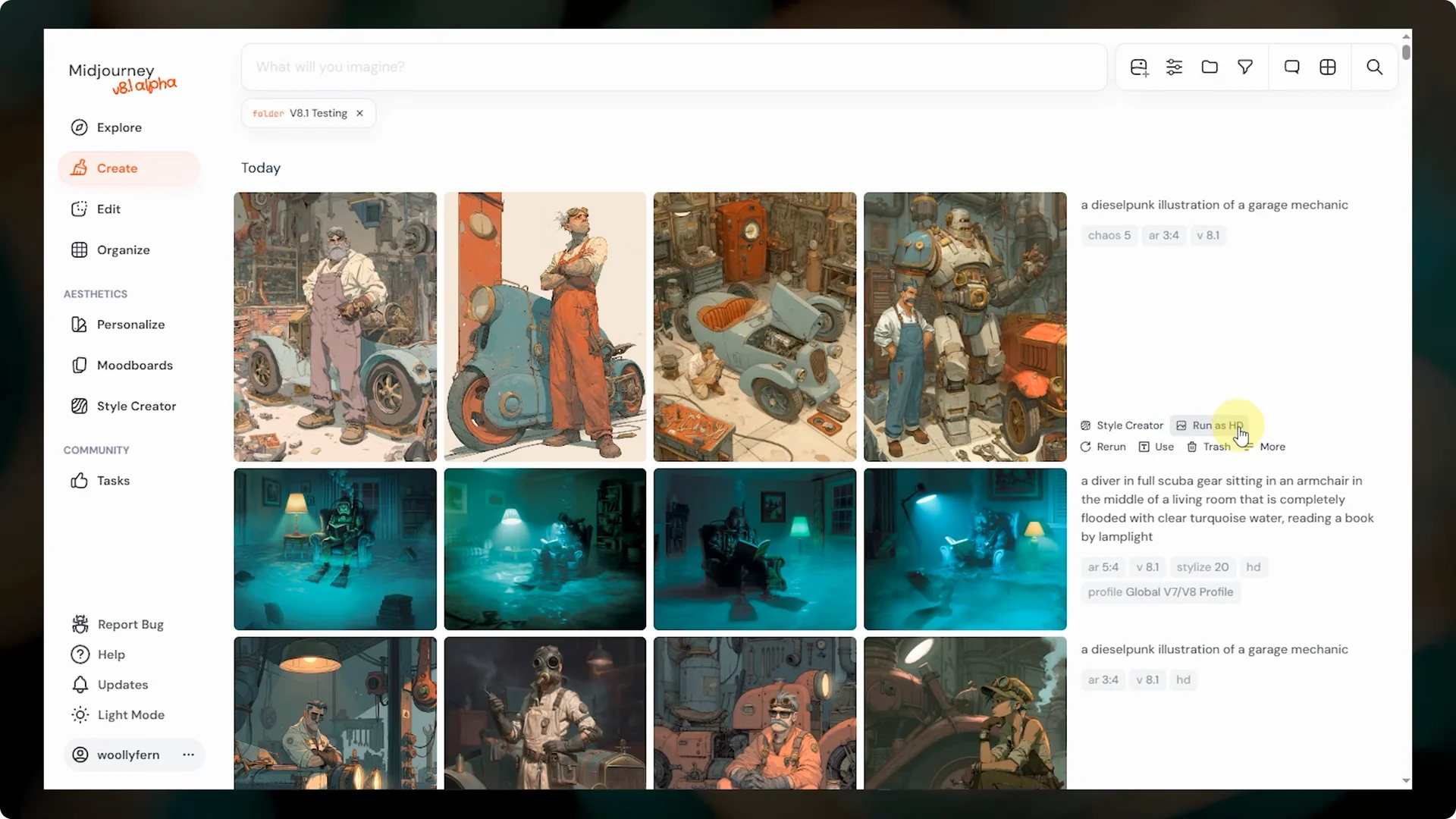
Step 1: In Settings, set your default to HD for higher resolution outputs.
Step 2: Add the HD flag in your prompt for a single job.
Step 3: Use Run as HD on any SD job to quickly rerun at 2K with the same seed.
Midjourney V8.1 Improvements: Prompt adherence and text rendering
8.1 is much better at understanding and following prompts compared to V7. If you describe a complex scene with multiple characters and specific details, 8.1 does a better job at keeping track of and delivering on those details.
I do think V8 alpha is a little stronger with prompt adherence, but 8.1 strikes a better balance with aesthetics.
There is often a trade off between prompt adherence and aesthetics, and the team did a good job balancing these two with 8.1.
8.1 is still far better than V7 with adherence and it improved aesthetics compared to V8 alpha. You can push prompt adherence further by lowering the stylize value or using raw mode.
Text rendering is significantly better in 8.1 compared to V7.
In V7, short phrases worked, but longer text was unreliable. In 8.1, you can get full sentences rendered and it does a pretty good job.
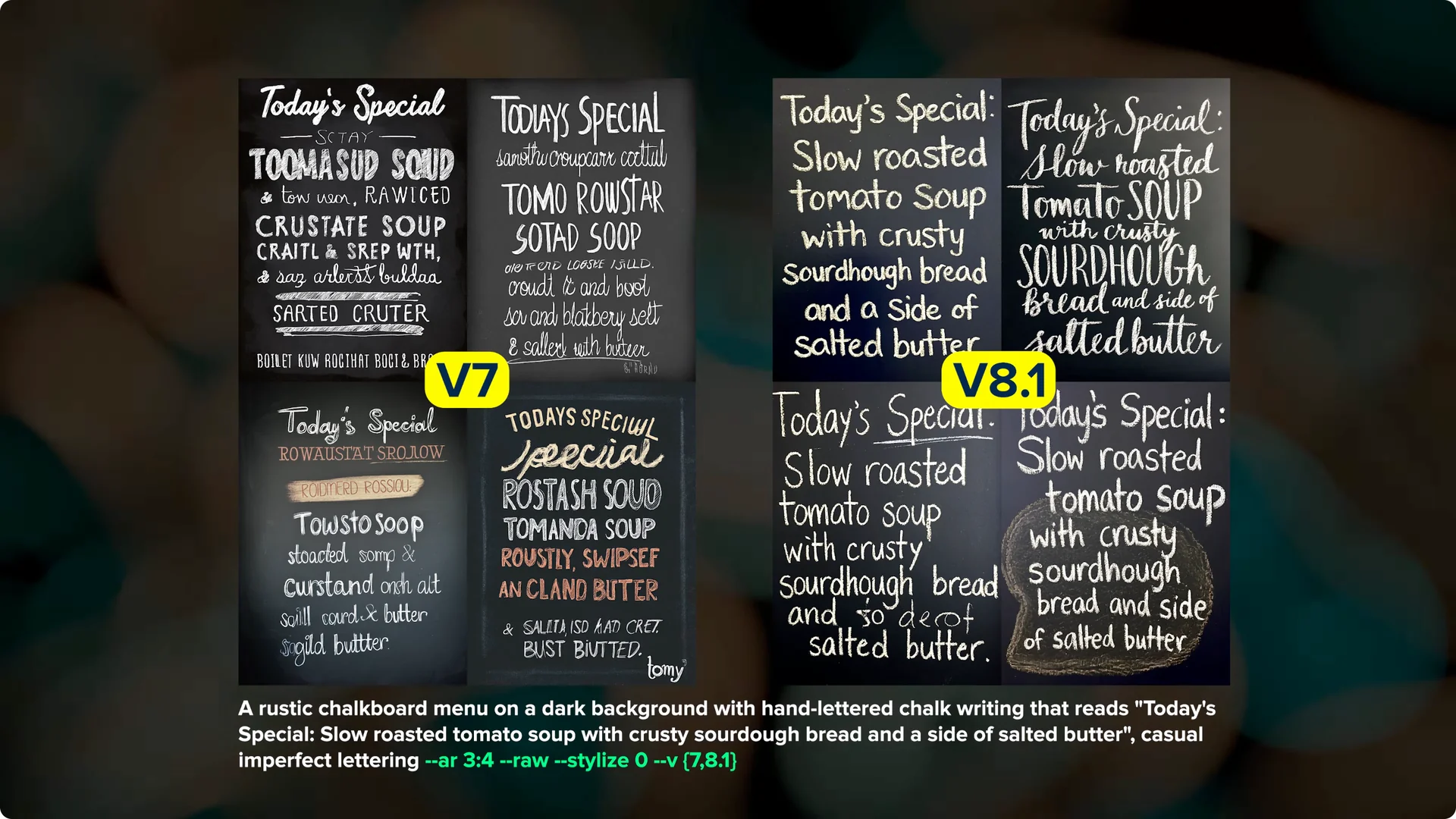
It can still mess up or duplicate or drop words at times, especially with longer text. V8 alpha is slightly better than 8.1 for text, but text in 8.1 is still way ahead of V7. For the best text, lowering stylize to 25 or even zero helps a lot.
Midjourney V8.1 Improvements: Style references, personalization, and mood boards
Style references, personalization profiles, and mood boards are working much better in 8.1 compared to V8 alpha. Srefs are matching closely to how they look in V7, and 8.1 uses the SV6 style reference system, which is the current default in V7.
Your V7 sref codes from the style explorer, codes you made in the style creator, and many public codes carry over to 8.1.
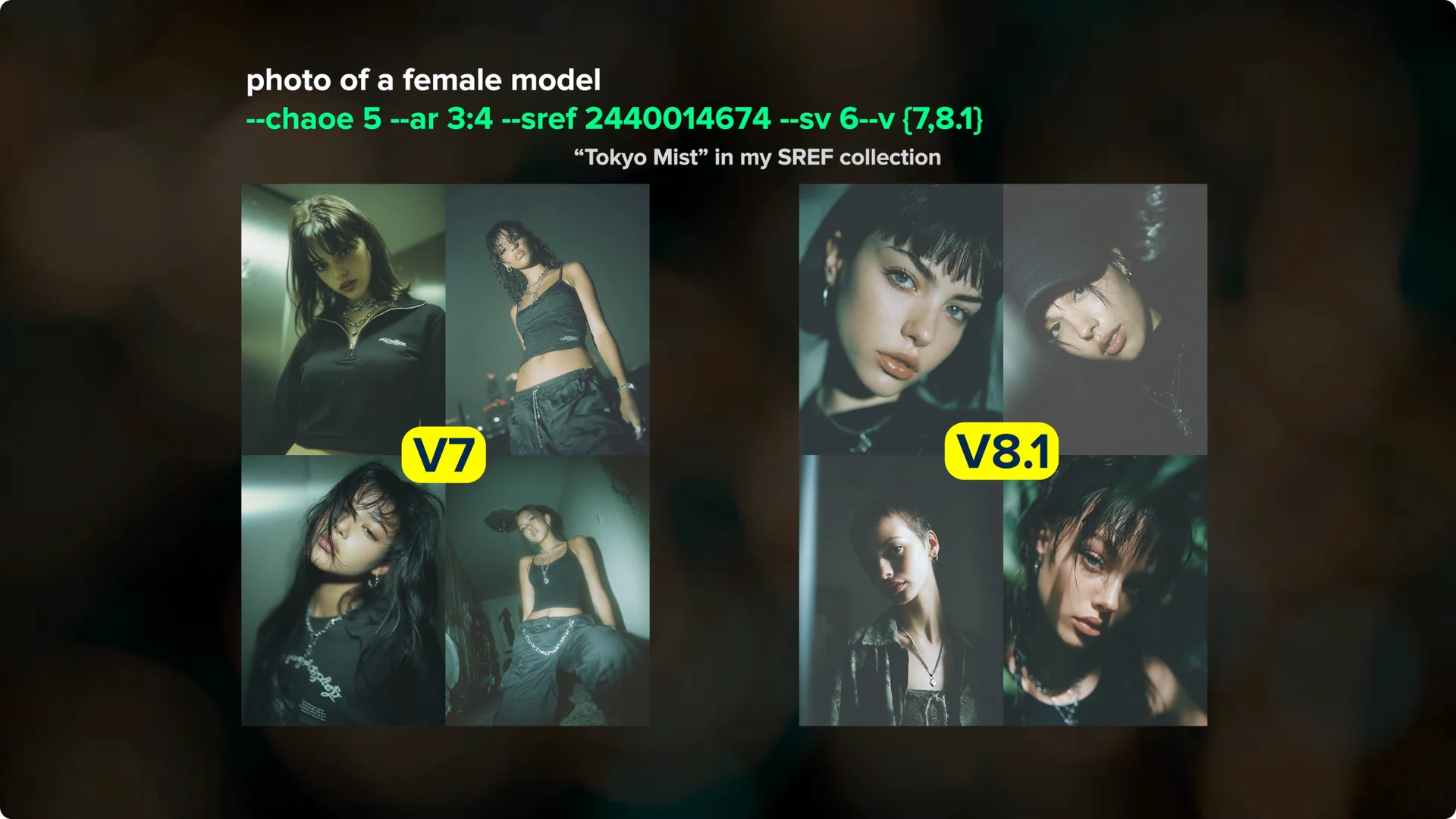
Mood boards and personalization feel more accurate than V8 alpha. My initial experience is that mood boards produce results that are more true to the aesthetic of the images in the board. All your V7 personalization profiles carry over to 8.1, including your global profile.
If you want more control over what appears publicly while you test, you can hide Midjourney images on your profile.
Midjourney V8.1 Improvements: Body, hands, and small faces
Body and hand coherence in 8.1 seems a little better. I still get some funky hands and body positions that are not right. The team has said they are working on improvements, so watch for updates.
Small faces are looking better, especially in HD mode. This is most noticeable when characters are farther from the camera. HD gives them clearer eyes, mouths, and facial structure.
Midjourney V8.1 Improvements: Describe and prompt shortener
The Describe feature has been updated and it is really good. Describe is Midjourney’s image to text model, and this is the first update since V5.2. It is a great way to get prompt ideas or see how Midjourney might interpret an image.
To use Describe, drag an image to the prompt bar and drop it into the Describe box. You will get four different prompts based on your image, and you can click one to add it to the prompt bar or click to run all four. Describe is not meant to exactly replicate your input image, but the prompts it gives you should point you in the right direction.
Step 1: Drag your image to the prompt bar and drop it on Describe.
Step 2: Review the four prompts and click one to load it, or trigger all four at once.
Step 3: Run as is or edit the prompt to fit your goals.
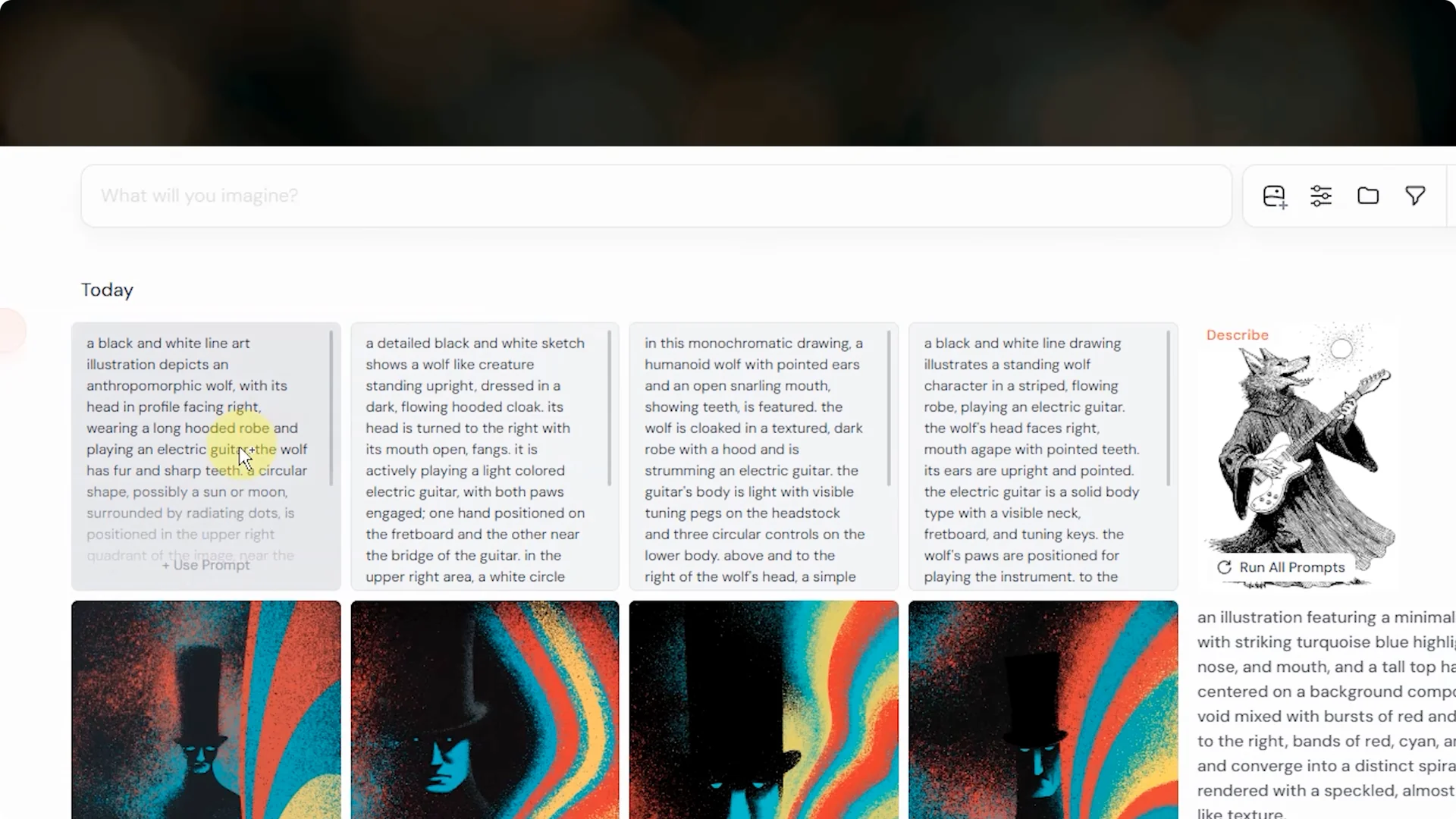
There is now a prompt shortener that kicks in if your prompt is longer than 1,300 characters.
Previously prompts were cut off at that limit, but now you get a message and your prompt is shortened behind the scenes.
Most people will never hit this limit, and if you do, there is probably a more concise way to write your prompt.
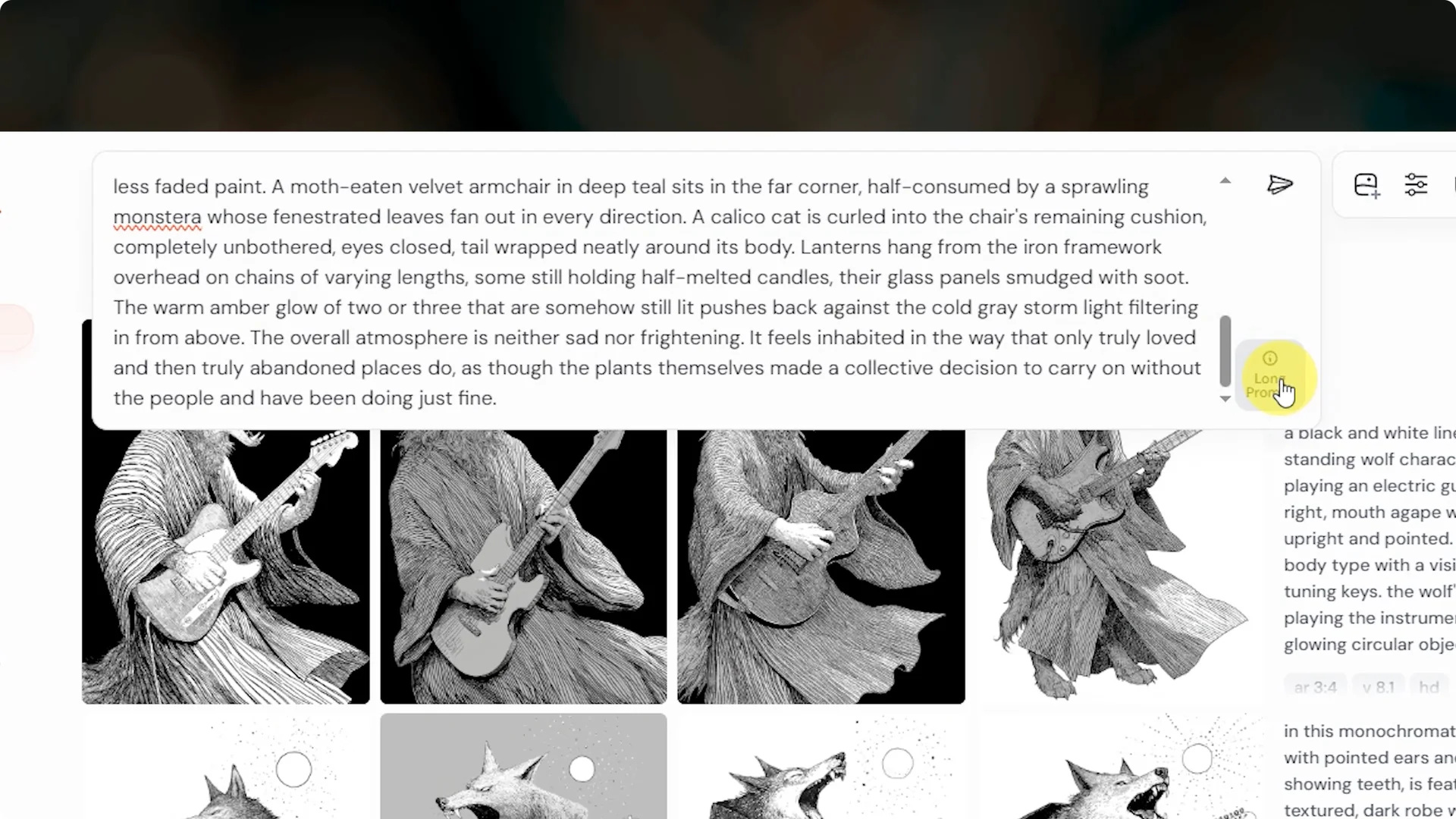
At the moment, the interface is displaying the original prompt instead of the shortened one, and that should be fixed soon.
You can still run your long prompt, it just gets shortened automatically. Keep an eye on this behavior as updates roll out.
Midjourney V8.1 Improvements: Other features and current gaps
Conversation mode is available in 8.1 if you prefer to talk to Midjourney in natural language. Image prompts are back and feel more powerful than V7, especially with images of people or characters.
Early tests suggest stronger image conditioning in complex character prompts.
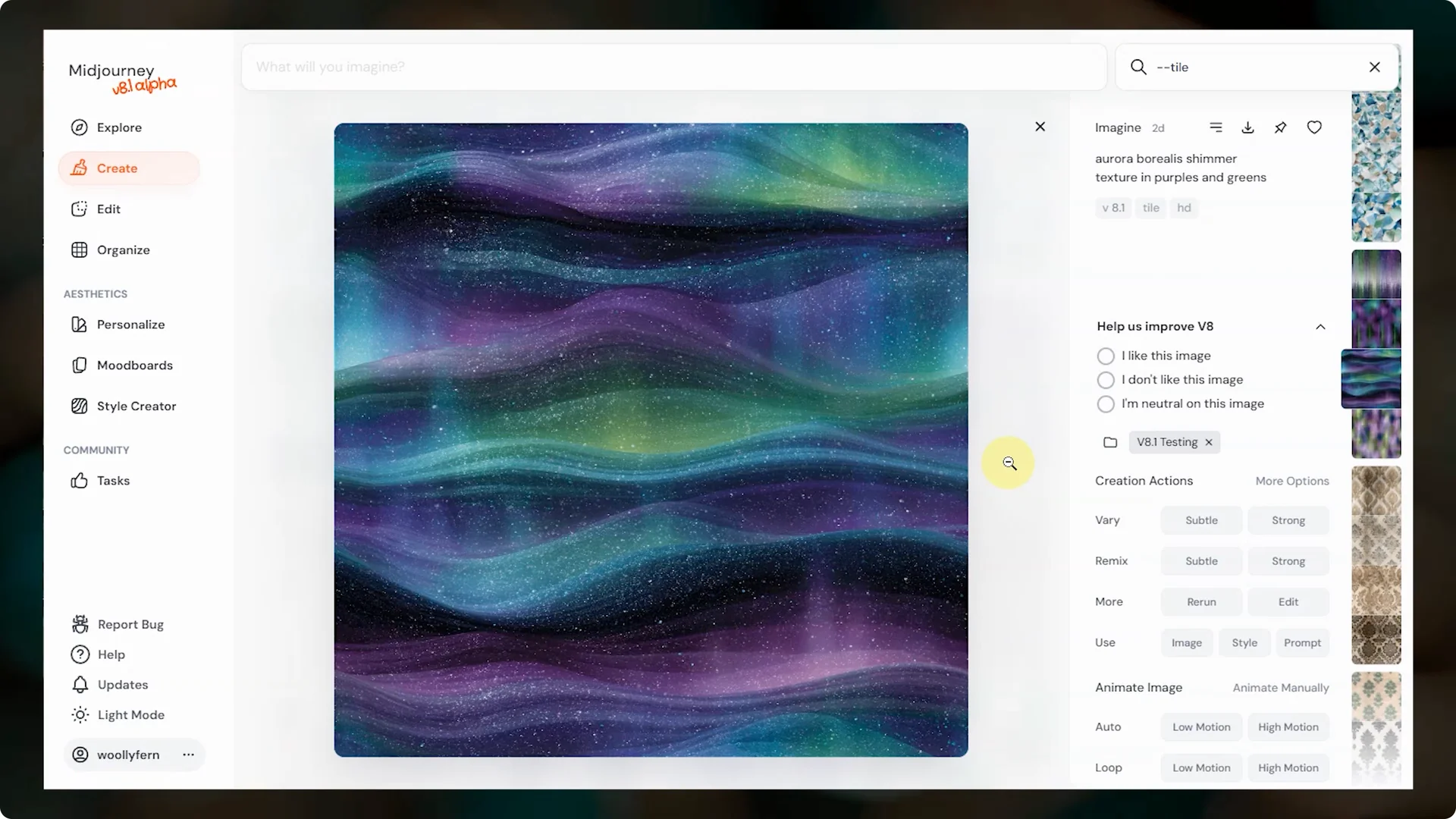
You also have weird, chaos, stylize, raw, tile, EXP, and aspect ratio.
Tile has a known issue where a faint border can appear on some sides, which will break the repeating pattern.
That should be fixed soon.
The no parameter is not available yet, and it should return in an upcoming update. Oref is not available yet either, and it is planned to arrive ahead of the big editor updates.
The editor updates will be significant, with instruction like editing and multiple reference capability.
An upscaler for 8.1 is in the works and could land in the next couple of weeks. It is expected to be either 4K or 8K.
This will pair nicely with HD mode for high detail outputs.
Midjourney V8.1 Improvements: Transition from V8 alpha
With 8.1 now available, Midjourney is planning to deactivate the V8 alpha model. It was always meant to be an alpha, and 8.1 is replacing it.
If you have clear examples where V8 alpha performs better, share those examples and job IDs with the team in their Discord so they can keep improving 8.1 and future models.
Final thoughts
8.1 brings friendlier aesthetics closer to V7, better image quality, faster performance, and a very useful HD mode. Prompt adherence and text generation are up, style references and personalization feel more accurate, and Describe is a standout upgrade. Watch for fixes to minor blur cases, the tile border, and returning parameters, along with the upcoming upscaler.
For a quick background on earlier stylistic baselines as you experiment with 8.1, here is a helpful look at V6 aesthetics.
